Image Compressor
A browser-based image compression tool lets you reduce files to a specific size limit of your choosing. The tool supp...
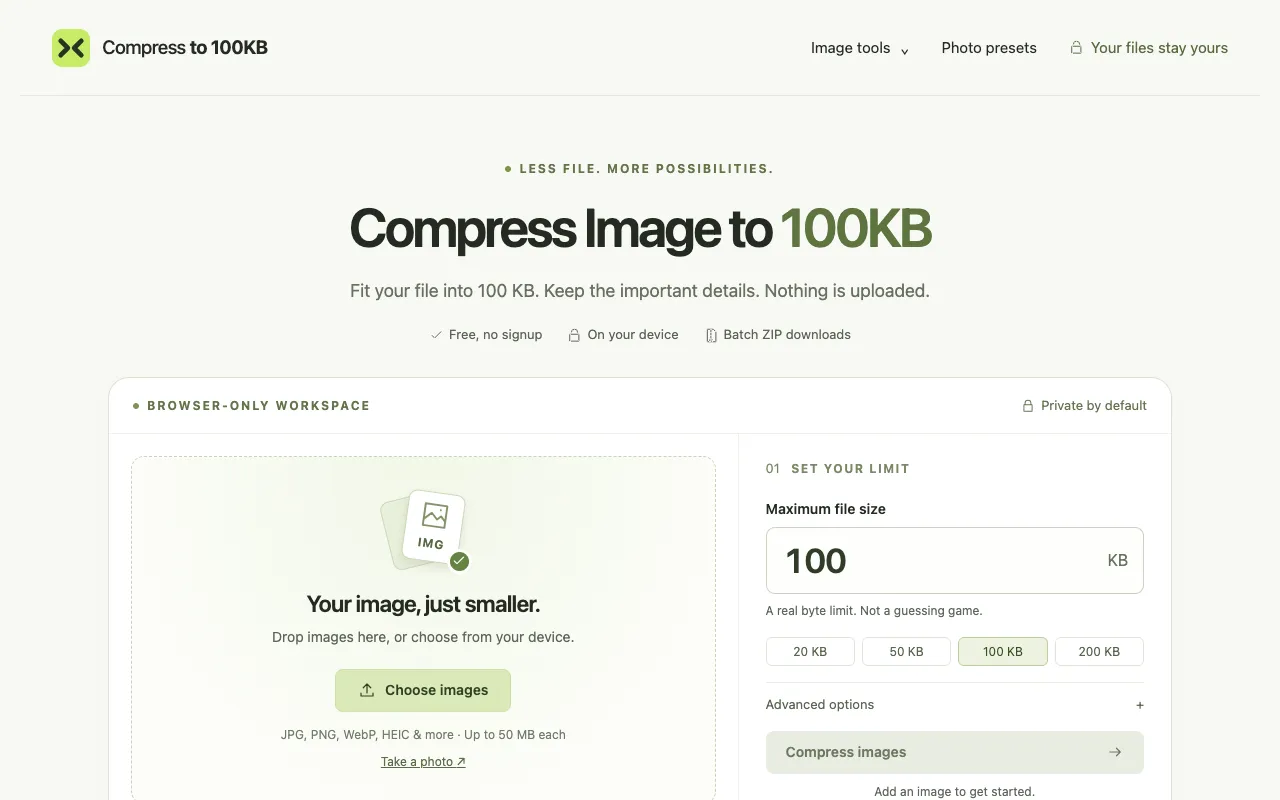
What Image Compressor does
Image Compressor is a browser-based tool that reduces image files to a specific size limit you choose, supporting JPG, PNG, WebP, and HEIC formats. It processes files entirely on your device, so no images are uploaded or stored externally, keeping your visuals private. The interface offers preset compression levels and custom size limits, plus options to adjust pixel dimensions for further optimization, making it suitable for emails, websites, or digital photos.
How to use the Compress to 100KB Image Compressor
- 1
Drop an image onto the tool or select it from your device
- 2
Choose your target file size limit from preset options like 20 KB, 50 KB, 100 KB, or 200 KB, or set a custom limit
- 3
Adjust advanced options such as output format, minimum dimensions, or exact width and height if needed
- 4
Download the compressed image individually or get a batch ZIP download of all results
Best for
Ideal for anyone who needs to shrink image files for email, web uploads, or storage without creating an account or sending files to a server, especially users who want precise size control and format flexibility.
Limitations
- Results depend on the original image content; some may lose detail at very small sizes
- Advanced dimension settings require checking the subject before submitting to avoid center cropping
- The 100 KB sample shown is AI-generated and may not reflect every user's original file outcome
Image Compressor FAQ
- Do I need to upload my images to a server to use this compressor?
- No, all processing happens on your device. Your images never leave your browser, ensuring privacy and keeping sensitive photos secure.
- Can I set a custom file size limit other than the preset options?
- Yes, the tool allows you to define a custom file size limit for more control over the compression result, rather than being limited to preset KB values.
- What output formats does the tool support, and can I choose one?
- The tool supports JPG, PNG, WebP, and HEIC formats. You can select your preferred output format through the advanced options, including choices like JPEG with white background or WebP with transparency.
- Will the compressed image keep the exact dimensions I set?
- Exact width and height settings use a center crop, so you should check your subject before submitting. The tool also offers preset options like 'IBPS photograph' or 'US visa digital photo' that apply specific dimension requirements.
More Image Compressor tools
- 01Inventive HQinventivehq.com
Compress images to a target file size while preserving quality. Reduce JPEG, PNG, WebP sizes for email or web.
- 02ConvertAndEditconvertandedit.com
Compress JPG and PNG images directly in your browser with granular control over output quality and dimensions. Adjust...
- 03DevBoltdevbolt.dev
Compresses and resizes images with adjustable quality for JPEG, WebP, and PNG.
- 04MyToolsBenchmytoolsbench.com
Compress JPG, PNG, WebP and GIF images in your browser. Set a target file size, tune quality with a live preview, res...
- 05Sadevzsadevz.com
Image Compressor is a free online tool for reducing image file sizes while preserving visual quality directly in your...
- 06TinyPNGtinypng.com
Smart lossy compression for PNG, JPEG, WebP, and AVIF that reduces file sizes by 50-80% with minimal quality loss.
- 07XConvertxconvert.com
Reduces file size for JPG, PNG, GIF, and WebP images.
Similar tools
Based on shared tags