101 tools
Encodes and decodes data using the Base64 standard, allowing users to transform information into readable or binary formats. The tool supports decoding outputs back into plain text or as downloadable binary files, offering preview capabilities for immediate verification. Beyond core encoding/decoding functions, it provides related diagnostic utilities and conversions, such as hex dump views, broadening its utility for technical data inspection. Developers, security analysts, and students use this resource to manage data integrity and perform preliminary digital forensics. It is useful for checking how various file types or strings are represented in Base64 format, validating data transmission across different systems, or preparing binary data for further analysis. The comprehensive suite of tools ensures accurate handling of diverse data inputs and outputs.
Converts typed text between various formatting styles, including lowercase, uppercase, title case, and sentence case. Users input any string of characters into the provided field and select the desired output casing from a list of options. The tool automatically processes the selection to standardize the text format instantly. This utility is ideal for anyone needing to ensure consistent textual presentation across different platforms or documents. It helps writers, developers, students, and content creators quickly adjust formatting to meet readability standards or technical requirements. Using this converter simplifies the process of maintaining professional and uniform text appearance with minimal effort.
Compresses images to reduce file size while maintaining quality, supporting JPEG, PNG, and WebP formats for efficient email or web use. Ideal for professionals, students, and anyone needing to shrink image files without compromising their visual integrity, enhancing uploading speeds and storage efficiency.
Generates QR codes for URLs, text, and contact information. Users input data through a simple interface, select desired settings like size and color, then download or share the generated QR code image. Developers, businesses, and individuals looking to enhance digital communication and accessibility would use this tool. It helps in creating quick response codes that can be easily scanned to access websites, send messages, or contact information, making it a versatile asset for various applications.
Converts images to Base64 format online. Users upload an image, and the tool processes it to generate a Base64-encoded string representation of the image data. This encoded string can be easily embedded into HTML or CSS files for web development purposes. Developers, designers, and content creators who need to include images in digital documents without relying on external links would find this tool useful. It simplifies the process of embedding images directly into code, ensuring that all assets are contained within a single file.
Calculates your lorem ipsum generator with our free online tool. Get accurate results instantly. No signup required. Helps users create placeholder text for design, print, or web projects by generating random text in the style of classic Lorem Ipsum. Ideal for designers, developers, and anyone needing dummy content to fill out spaces in layouts without distracting from the main message.
This tool allows users to pick colors directly from images by clicking on any pixel. It displays the color's RGB, HEX, HSL, and CMYK values in real-time. Ideal for web designers, graphic artists, and anyone needing precise color information from visual elements. Designers can use it to match website palettes to image themes or create color schemes that harmonize with visual content. Artists can extract exact hues from photographs to recreate them in digital art projects. Students learn about color theory by analyzing real-world images.
Converts code into visually appealing images with Code to Image Converter. Users can input their source code, select a preferred programming language, and generate a colorful, readable image representation directly in the browser. Ideal for developers looking to share code snippets or presentations without revealing the underlying logic. Perfect for educators explaining complex algorithms, programmers showcasing project structures, or anyone needing a quick visual reference of code syntax.
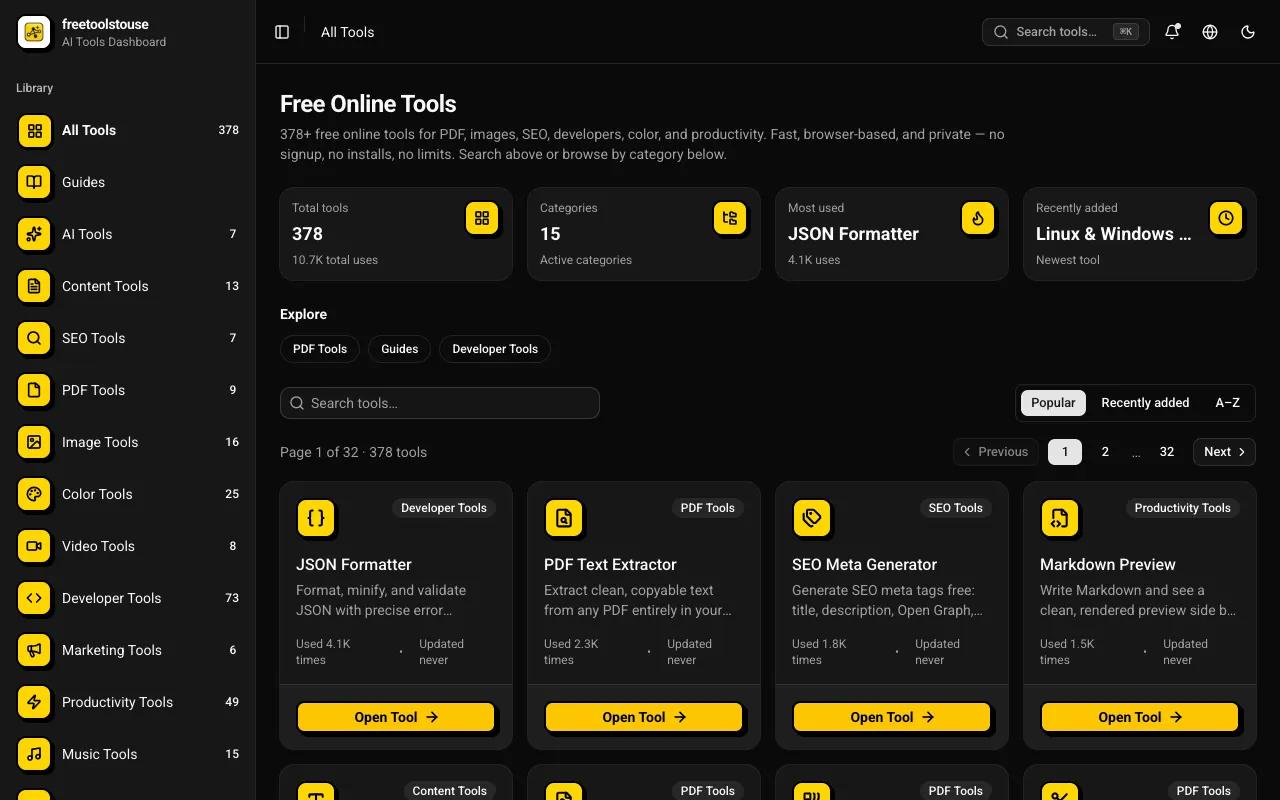
A comprehensive collection of 180+ free online utilities accessible directly through the browser without any signup requirements. The suite covers multiple domains including PDF document manipulation, image processing, developer-oriented utilities, financial calculations, SEO optimization tools, and scientific calculators designed to assist with various technical and practical needs in both personal and professional contexts. The platform provides essential tools for PDF merging and splitting, JSON formatting and validation, DNS lookups, EMI calculations and other financial calculators, BMI and health metric computation, text processing, and numerous additional utilities suited for everyday and professional applications. All operations execute entirely within the browser environment, completely eliminating the need for account creation, software installation, or any subscription expenses.
Calculates MD5 hashes, converting plain text into a fixed-size string of characters. This tool takes any input text and generates its MD5 hash, which is commonly used for verifying data integrity and in password storage. Researchers, developers, and IT professionals would use this tool to ensure the consistency and authenticity of digital files or messages.
Generates CSS code for box shadows, allowing users to customize shadow properties like offset, blur radius, spread, color, and inset effect through an interactive interface. Ideal for web developers and designers looking to enhance the visual appeal of their websites by easily creating and tweaking CSS box shadows without needing to write complex code manually. CSS Box Shadow Generator is particularly useful for those working on responsive designs or need quick visual adjustments to elements in a website. It saves time and reduces errors associated with hand-coding these properties, making it an essential tool for both beginners and experienced developers looking to add depth and dimension to their web layouts.
Generates YouTube thumbnail images directly from video URLs. Users enter the URL of any public YouTube video, and the tool fetches and displays the associated thumbnail image instantly. Ideal for content creators needing to verify or use video thumbnails in their projects without downloading them manually.
Combines multiple PDF files into one, offering drag-to-reorder functionality and allowing selective page inclusion. Users can easily merge documents locally without uploading them to a server, ensuring privacy and speed. This tool is ideal for professionals, students, and anyone who needs to consolidate multiple documents into a single PDF file efficiently and securely.
Calculates CSS border radius values for web elements, simplifying the process of creating rounded corners in designs without manual calculation. Helps users with designers or developers by providing quick and accurate CSS code snippets to achieve custom border radii on HTML elements, enhancing visual appeal and consistency across projects.
Generates chord progressions for songs in specific keys, aiding musicians in composing harmonies and arranging music. Users input a desired key and chord progression type, and the tool provides the corresponding chord sequence, streamlining the creative process for songwriters and composers. Helps users who need to create or understand musical harmony by providing a quick and easy method to generate chord progressions tailored to their needs, whether for writing new songs, arranging existing pieces, or improving their understanding of music theory.
Converts typed text into a handwriting-style PDF, allowing users to download it for design comps or playful notes. By entering text into the tool's interface, it automatically renders it in a cursive-like style, ready to be used as needed. Ideal for designers looking to add a personal touch or students wanting to create creative study materials. Designers and educators can use this tool to enhance their visual content with authentic handwriting styles, making documents more engaging and professional. Students and note-takers can transform plain text into a more memorable format, adding a personal touch that aids in retention and organization.
Image Resizer is a free online tool that allows users to resize images and videos directly in their web browsers. Ideal for preparing content for social media platforms like YouTube, Instagram, TikTok, Facebook, and LinkedIn, this versatile tool offers a simple interface without requiring any registration or watermarking. With Image Resizer, you can easily adjust the dimensions of your images and videos to fit specific requirements, ensuring your media looks great across different social platforms.
BytePane offers a comprehensive collection of free browser-based developer tools designed for common coding workflows and daily development tasks. The platform includes JSON formatting tools for cleaning and validating JSON data, Base64 encoding and decoding utilities for quick conversions, and a regex testing environment for pattern matching and validation. Additional tools cover UUID generation for creating unique identifiers, color conversion utilities for working with different color formats, and other specialized utilities tailored to development workflows. Each tool is optimized for speed and accuracy, with an intuitive interface designed for quick access. All tools run entirely in your browser with no installation or account setup required, making them immediately accessible.
Encodes URL components using percent-encoding and decodes percent-encoded strings, making it easy to handle special characters in URLs and query parameters. Ideal for developers working with web applications that require correct URL formatting. Helps users ensure their URLs are properly formatted, avoiding errors during data transmission and retrieval. Essential for anyone involved in web development, SEO, or content management where accurate URL encoding is critical for functionality and search engine optimization.
Generates standard barcodes (Code 128, EAN-13, UPC-A, and others) from numeric or alphanumeric input for various applications such as inventory management, product labeling, and more. Users can input their data directly into the tool's interface, which then outputs the barcode in an image format ready for use. Developers, businesses, and individuals looking to add barcoding functionality to their systems or products will find this tool invaluable. It streamlines the process of creating barcodes without needing specialized software or extensive knowledge about barcode standards.
Create professional invoices online for free without any signup requirements. Start by entering your business information and your client's details, then itemize each product or service you're invoicing for. The tool automatically calculates the subtotal, applies taxes according to your rates, and applies any discounts you specify. Choose from a collection of professionally-designed templates that present your invoices with a polished, business-appropriate appearance. Export your completed invoice as a PDF file that you can print or send directly to your clients. This is a practical invoicing solution for freelancers, small business owners, and independent contractors who need professional invoices without hassle. It eliminates the need for expensive accounting software or subscription-based services while providing the polished, professional presentation required for client communications.
Compresses CSS by removing whitespace and comments while preserving correctness, often cutting file size 30-50%. Helps users optimize their website's load time by reducing the size of CSS files. Developers and web designers would use it to improve site performance, reduce bandwidth usage, and speed up page loading times.
Generates a random, unbiased sequence for any provided list of items using a fair algorithmic process. Users simply paste their data into the input field and initiate the randomization function, which instantly shuffles the entire collection while maintaining all original entries. This tool effectively breaks down the predetermined order of a set of names, questions, or objects, ensuring that each item has an equal chance of appearing in any position within the resulting sequence. This utility is useful for various organizational needs where fairness and unpredictability are key requirements. Educators use it to shuffle test questions or assign randomized group roles, while event organizers rely on it for selecting winners or drawing random participants during competitions.
Crops an image to a chosen rectangle entirely in the browser, with free-form or aspect-ratio-locked selection. Users can upload an image, select the desired cropping area using either free-form dragging or by locking onto specific aspect ratios, and then download the cropped version directly. Suitable for graphic designers, social media managers, bloggers, and anyone needing to resize images without losing quality.