Image Format Converter
Convert between modern image file formats including HEIC, HEIF, AVIF, WebP, PNG, and JPEG directly in your browser. E...
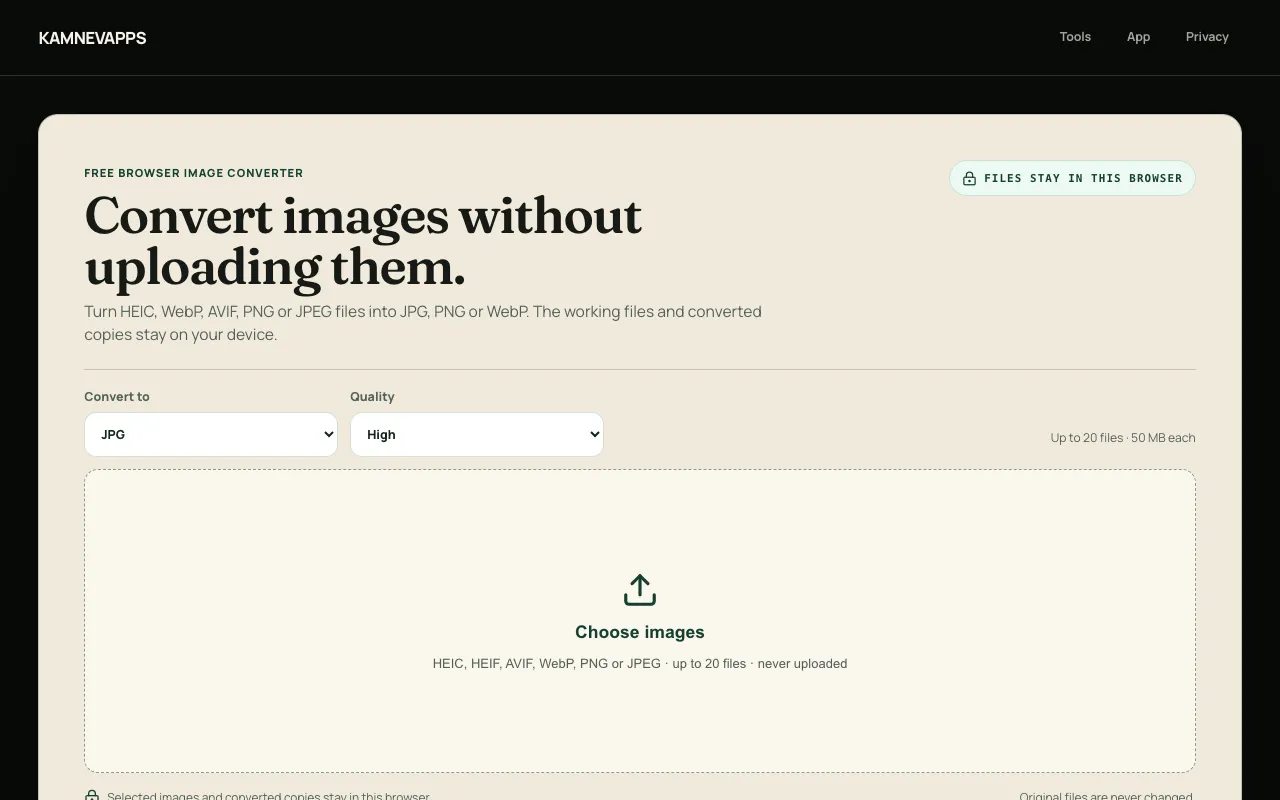
What Image Format Converter does
Image Format Converter is a browser-based tool that transforms images between popular formats such as HEIC, WebP, AVIF, PNG, and JPEG. Users select one or more files and choose an output format—JPG, PNG, or WebP—to receive a freshly converted copy while the original remains untouched. The service emphasizes privacy by processing every file locally; no images are uploaded to Kamnevapps servers, and conversion happens entirely within the user's browser window. A Chrome extension extends the same functionality with a right-click shortcut for quicker access.
How to use the Kamnevapps Image Format Converter
- 1
Open the Image Format Converter page on kamnevapps.com
- 2
Select one or more images from your device in HEIC, WebP, AVIF, PNG, or JPEG format
- 3
Choose the desired output format—JPG, PNG, or WebP—and optionally adjust a quality level
- 4
Download the converted copy; the original file stays unchanged on your device
Best for
Developers and designers who need to standardize images across platforms without uploading files to external servers, especially when working with modern formats like HEIC or AVIF that require compatibility conversion.
Limitations
- Canvas re-encoding creates a new visual copy and does not preserve EXIF, GPS, comments, or embedded thumbnails
- Output is limited to JPG, PNG, or WebP formats; other formats are not supported for export
- Batch processing is available but limited to the selected output format and quality settings
Image Format Converter FAQ
- Can I convert HEIC files to JPG using this tool?
- Yes. Select one or more HEIC or HEIF files, choose JPG as the output format, and the conversion runs locally in your browser without uploading the files to any server.
- Are my images uploaded to Kamnevapps when I use the converter?
- No. All conversion processing stays local—your files never leave your computer or travel to any server. The selected media file is processed entirely in the browser.
- Will the converted image keep the original metadata such as EXIF or GPS data?
- No. Canvas re-encoding creates a new visual copy and does not carry EXIF, GPS, comments, or embedded thumbnails into the exported file.
- Can I convert multiple images at once?
- Yes. The tool supports batch conversion; you can select one or more files and download fresh converted copies in a single workflow.
More Image Format Converter tools
Similar tools
Based on shared tags