Text Style Generator
PrettyText is a free browser-based text formatter that instantly transforms plain text into stylized Unicode versions...
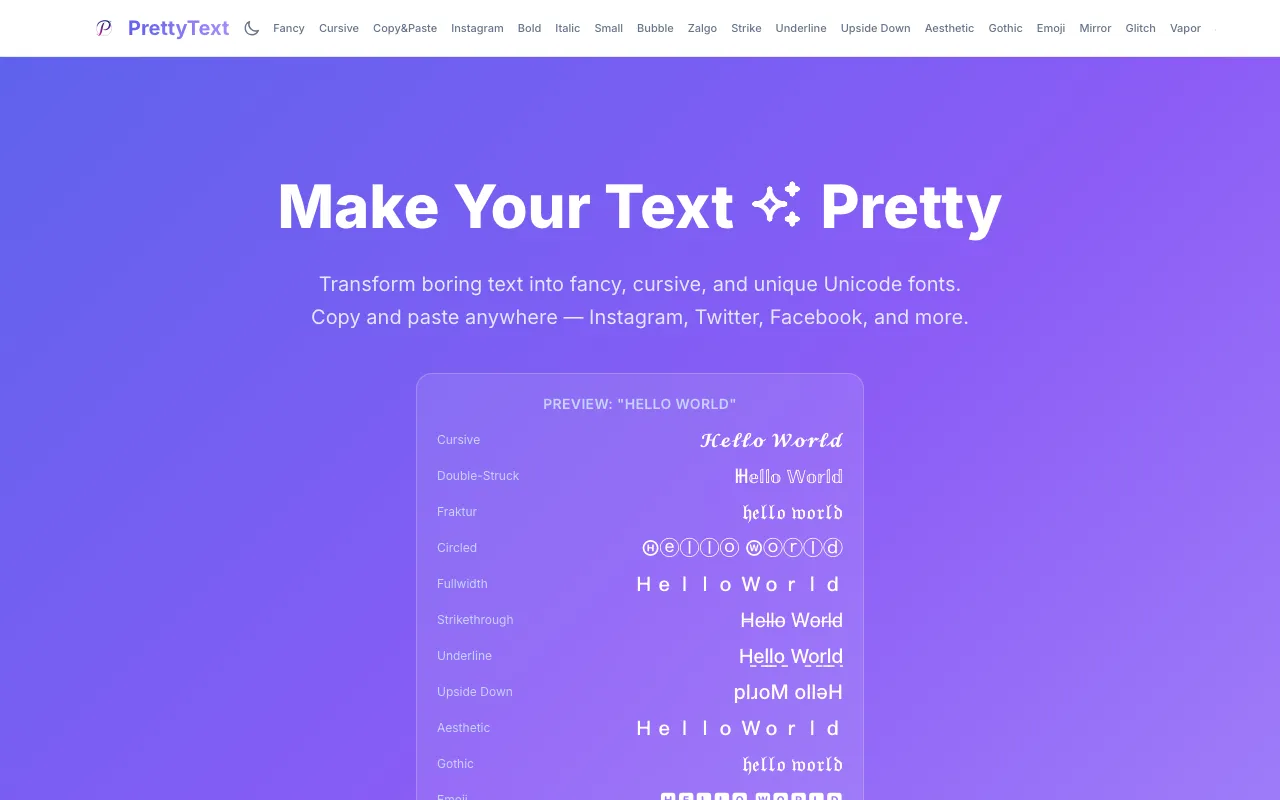
What Text Style Generator does
PrettyText is a free browser-based text formatter that instantly transforms plain text into stylized Unicode versions. Paste any text and choose from multiple formatting styles including bold, italic, strikethrough, cursive, upside down, Zalgo, and other decorative text effects. Each style generates a unique Unicode variation ready to copy and paste directly into your application of choice. The tool runs entirely client-side with no login or account required, and no file uploads needed. It is designed for social media users who want to enhance their bios, Discord messages, Reddit posts, and other online content.
How to use the PrettyText Text Style Generator
- 1
Paste your plain text into the input box on the PrettyText page
- 2
Select a formatting style from the available options such as bold, italic, cursive, upside down, or Zalgo
- 3
View the stylized preview update in real time as you type or choose styles
- 4
Click the generated text to copy it to your clipboard
- 5
Paste the Unicode text into your desired application such as social media, messaging apps, or documents
Best for
Social media users and content creators who want to enhance their bios, posts, and messages with decorative Unicode text without needing to install software or create an account.
Limitations
- Generated text may not display correctly on all platforms or devices
- Some decorative styles like Zalgo can reduce readability
- No option to adjust font size or color within the tool
Text Style Generator FAQ
- Is PrettyText free to use without creating an account?
- Yes, PrettyText is completely free and runs entirely in your browser. No account creation, login, or payment is required to access all formatting styles.
- Can the generated Unicode text be used on any platform?
- The Unicode styles can be copied and pasted into most social media platforms, messaging apps, and documents. However, display may vary depending on the recipient's device and platform support for specific Unicode characters.
- Does PrettyText store or save the text I format?
- No, PrettyText processes all text client-side within your browser. The tool does not store, save, or transmit your text to any server, making it private for sensitive content.
- What types of text styles are available on PrettyText?
- PrettyText offers multiple formatting styles including bold, italic, strikethrough, cursive, upside down, Zalgo/glitch, Fraktur, Fullwidth, Circled, Underline, Aesthetic, Gothic, Mirror, Glitch, Vaporwave, Symbol, Bubble, and Small text variations.
Similar tools
Based on shared tags