General Conversion2 options compared

Leet-speak Translator

Converts normal texts to leet-speak and vice versa using an online tool. Simply enter your text and select the direction of conversion, either from regular to leet-speak or from leet-speak back to regular. Ideal for users looking to encode messages in a fun, playful way or decode mysterious leet-speak communications.

Editors’ Top PickBased on community votes
Other OptionsRanked by votes
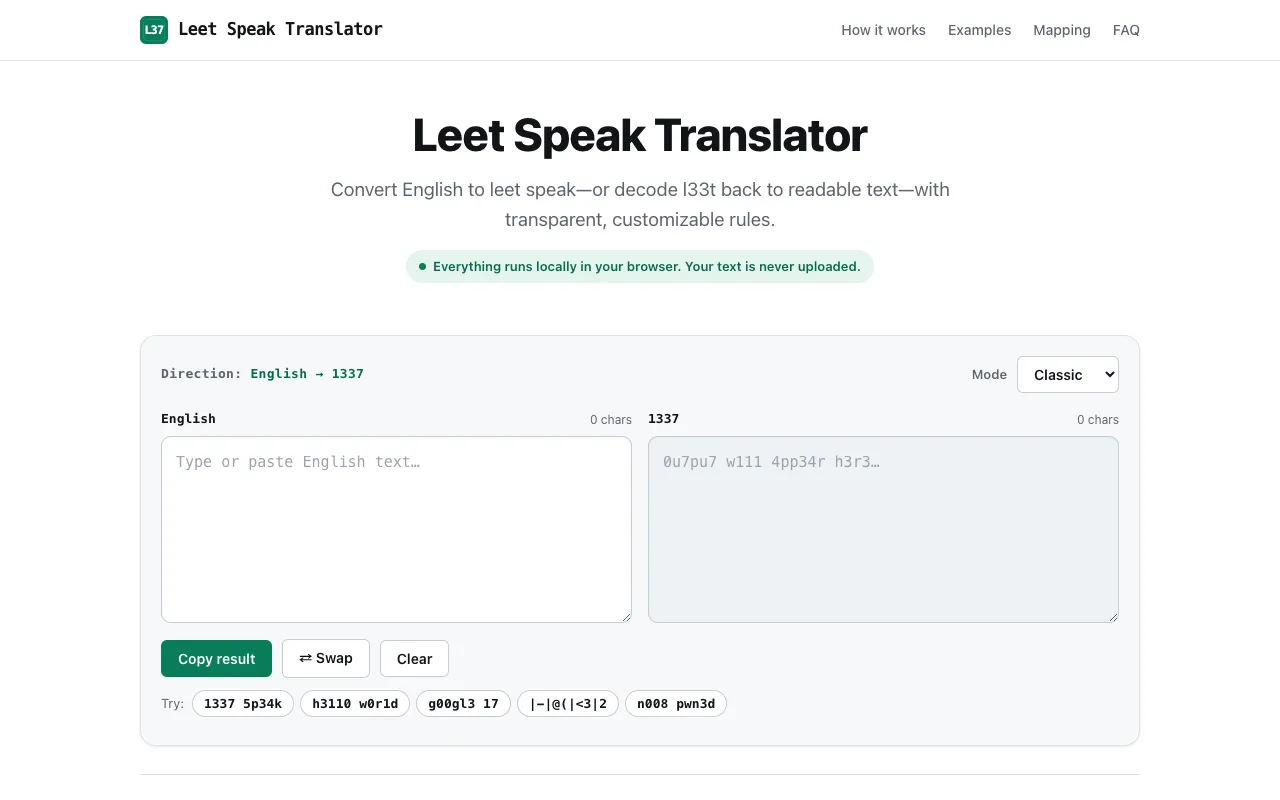
  1. Screenshot of Leet Translator
    02
    Leet Translator
    leettranslator.com

    Leet Translator provides instant conversion between English and leet speak (1337 speak), offering three distinct tran...

Side by side

Leet-speak Translator options compared

ToolBest forStrengthsLimitations
Omni Calculator
omnicalculator.com
Quick, no-frills leet conversion
  • Simple interface, no mode selection required
  • Hosted on a well-known calculator site
  • Fewer customization options for substitution intensity
Leet Translator
leettranslator.com
Customizable leet substitution modes
  • Three modes (Light, Classic, Extreme) for different intensity levels
  • All processing happens in your browser for privacy
  • Requires choosing a mode before use
  • No community votes or established site reputation mentioned

Buyer's guide

How to choose a leet-speak translator

If you need a leet-speak translation quickly without deciding on settings, Omni Calculator is the faster option. If you want to control how aggressively characters are replaced or prefer that your text never leaves your device, Leet Translator gives you those options.

Questions

Leet-speak Translator FAQ

Can I convert leet-speak back to regular text?
Both tools support bidirectional conversion, so you can decode leet-speak back to regular text just as easily as encoding it.
Do I need to create an account to use these leet-speak translators?
You can use both tools immediately without creating an account or signing up.
Is there a limit on how much text I can convert at once?
Check the specific tool's interface for character limits, as Omni Calculator does not state a limit while Leet Translator displays a character count field.
Will my text be stored or shared if I use these online tools?
If privacy is a concern, Leet Translator ensures your text stays in your browser, but Omni Calculator's data handling is not specified in the available information.
What are the main differences between Light, Classic, and Extreme modes in Leet Translator?
The three modes differ in how aggressively they replace characters, from Light's subtle changes to Extreme's full substitution of letters with numbers or symbols.
Keep Exploring

Related tools in General Conversion

View all β†’