Font Style Generator
FontGen's Font Style Generator transforms plain text into visually distinctive stylized Unicode fonts, offering multi...
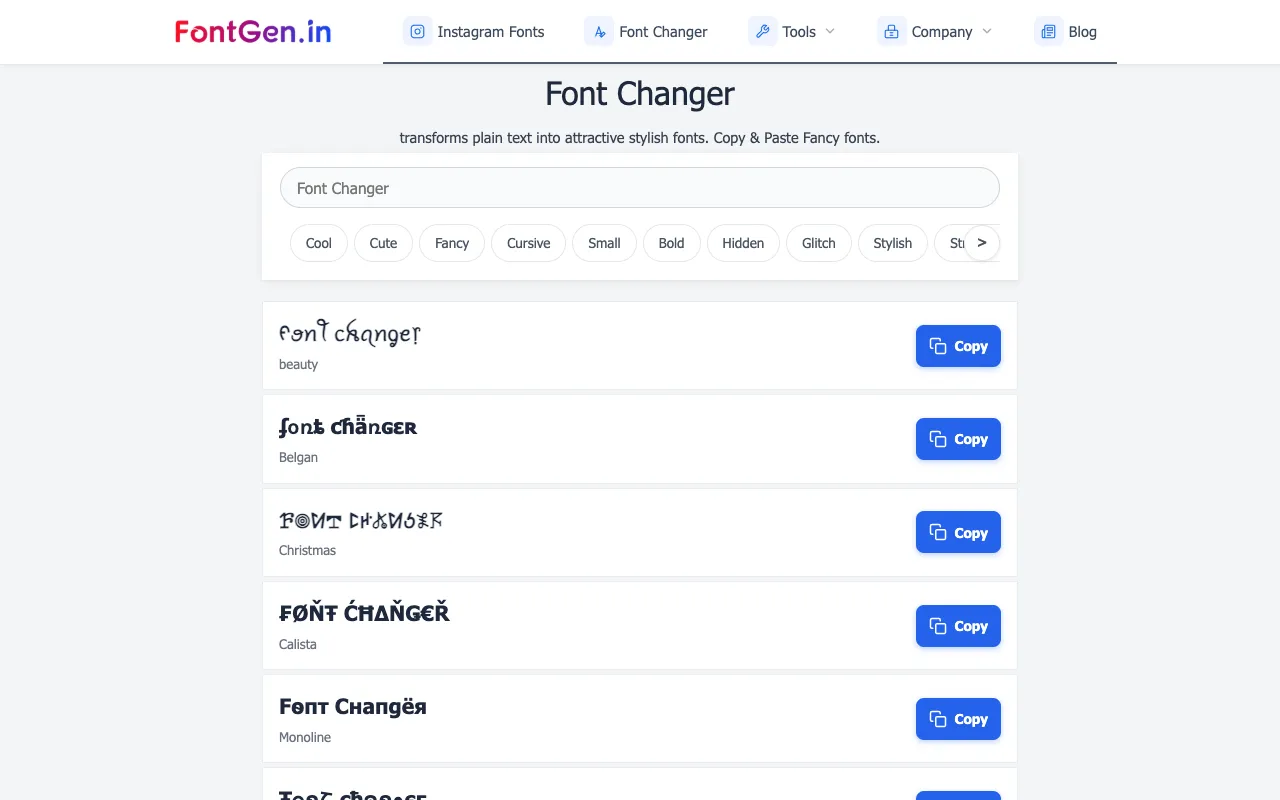
What Font Style Generator does
FontGen's Font Style Generator transforms plain text into visually distinctive stylized Unicode fonts, offering multiple design options including cursive, bold, and gothic letter styles. Users type their message into the text input field at the top of the page, browse through the available style previews, select their preferred design, and click copy to instantly get the styled text ready to paste anywhere online. The tool uses Unicode characters to create the visual variations, allowing the styled text to work seamlessly across all different digital platforms and applications without requiring file downloads.
How to use the FontGen Font Style Generator
- 1
Open FontGen's Font Style Generator on the site
- 2
Type or paste your plain text into the input field at the top of the page
- 3
Browse through the available style previews and select your preferred design
- 4
Click the copy button to instantly get the styled text ready to paste anywhere
Best for
This option suits social media users and profile owners who want to create stylish, eye-catching text for bios, posts, and comments without installing software or paying for fonts.
Limitations
- Results rely on Unicode character mapping rather than downloadable font files
- Some style variations may not render correctly on all devices or platforms
- The tool focuses on aesthetic styling rather than functional text transformation
Font Style Generator FAQ
- Can the generated fonts be used on any device or platform?
- Yes, the styled text uses Unicode characters that work seamlessly across all digital platforms and applications, including iPhone, Android, and web browsers, without requiring any font file downloads.
- Do I need to install anything to use FontGen's Font Style Generator?
- No, the tool runs entirely in the browser as a free online generator; users simply type their text, select a style, and copy the result instantly.
- Can I create custom font styles by mixing different designs?
- Yes, the tool allows users to mix two or three styles together for complete creative freedom when generating their text.
- What makes FontGen different from other font generator tools?
- FontGen emphasizes character mapping using specialized Unicode blocks like Mathematical Alphanumeric Symbols, ensuring the output is proper text rather than just an image, and highlights being ranked as the #1 Font Generator with smooth copying across devices.
Similar tools
Based on shared tags