HTML Editor
YouTweakIt is a free online HTML editor designed for quickly editing and previewing HTML code without any sign-up req...
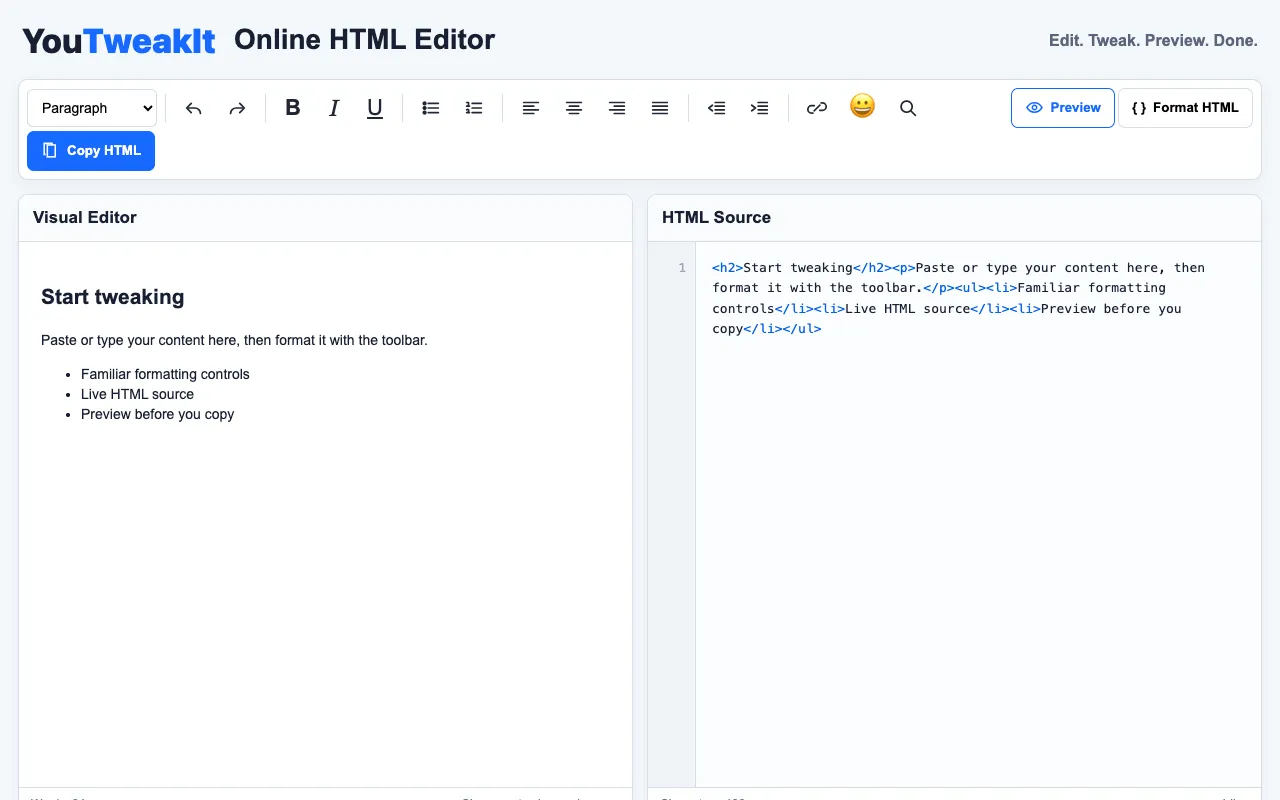
What HTML Editor does
YouTweakIt is a free online HTML editor that lets you write and modify HTML code directly in your browser, with changes reflected instantly in a side-by-side preview window. The editor includes syntax highlighting to make code easier to read, formatting tools to clean up and organize your markup, and a find-and-replace function for bulk edits. A one-click copy button lets you save your work quickly, and the interface requires no sign-up or installation to get started.
How to use the YouTweakIt HTML Editor
- 1
Open the YouTweakIt HTML editor in your browser
- 2
Type or paste your HTML code into the source pane
- 3
Watch the real-time preview update as you edit
- 4
Use formatting or find-and-replace tools to refine your markup
- 5
Click the copy button to save or share your edited code
Best for
Beginners and quick prototypers who need a no-sign-up way to test HTML snippets and see immediate visual feedback.
Limitations
- No information found about file saving or project persistence
- No details on advanced debugging or error resolution features
- Community votes indicate limited user feedback on reliability
HTML Editor FAQ
- Do I need to create an account to use the HTML editor?
- No, YouTweakIt is designed for quick editing without any sign-up required.
- Can I save my edited HTML code for later use?
- The tool provides a one-click copy function to save your work, but no details are stored about persistent file saving.
- How does the real-time preview work while I edit?
- Changes you make in the source pane are reflected instantly in the side-by-side preview window, allowing you to see how your HTML renders as you type.
- What kind of code assistance does the editor offer?
- The editor includes syntax highlighting to improve code readability and formatting options to help organize and clean up your HTML markup.
More HTML editor tools
Similar tools
Based on shared tags