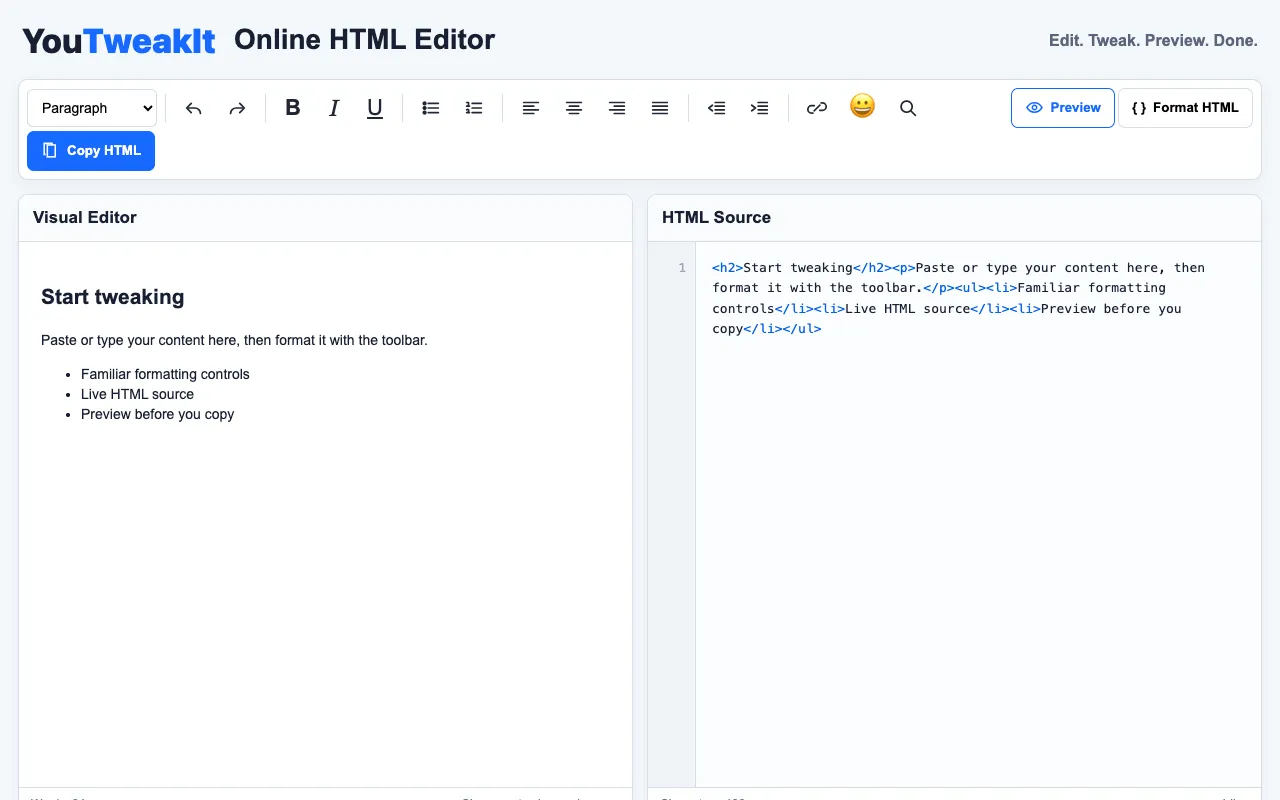
What HTML editor does
HTML editor is a browser-based tool that lets users write or paste raw HTML code and see a live preview of the rendered webpage instantly. The interface splits the screen between an editable code pane and a visual output area, allowing users to test structural changes, verify tag syntax, or prototype small web pages without installing any local software. It handles standard HTML elements and provides immediate feedback on how the markup will appear in a browser.
How to use the RapidTables HTML editor
- 1
Open the HTML editor on RapidTables
- 2
Paste existing HTML code or type new tags into the left pane
- 3
View the rendered webpage preview on the right side as you edit
- 4
Copy the finalized code or save your changes for later use
Best for
Beginners and quick prototypers who need an instant visual reference while learning or testing HTML structure without setting up a local development environment.
Limitations
- No project file management or saving features within the tool
- Limited to basic HTML testing; complex frameworks or large-scale projects are not supported
- Visual preview may not reflect all browser-specific rendering quirks
HTML editor FAQ
- Can I use this tool to learn HTML tags and see how they work?
- Yes, the side-by-side code and preview pane make it easy to experiment with different tags and immediately see their visual effect, which helps beginners understand how HTML structure creates a web page.
- Do I need to create an account to save my work?
- No, the tool runs entirely in your browser and does not require an account, though it does not retain your code between sessions.
- Is the HTML editor suitable for writing full website layouts?
- It is designed for quick prototyping and testing small code snippets; for full website development, a local code editor with project management features would be more appropriate.
- What happens if I enter invalid HTML code?
- The preview will typically show broken or missing elements, and the tool may highlight syntax errors to help you correct the markup before viewing the rendered result.