ASCII Art Converter
Asciiwave is a free browser-based tool that transforms images and videos into ASCII art. The converter works directly...
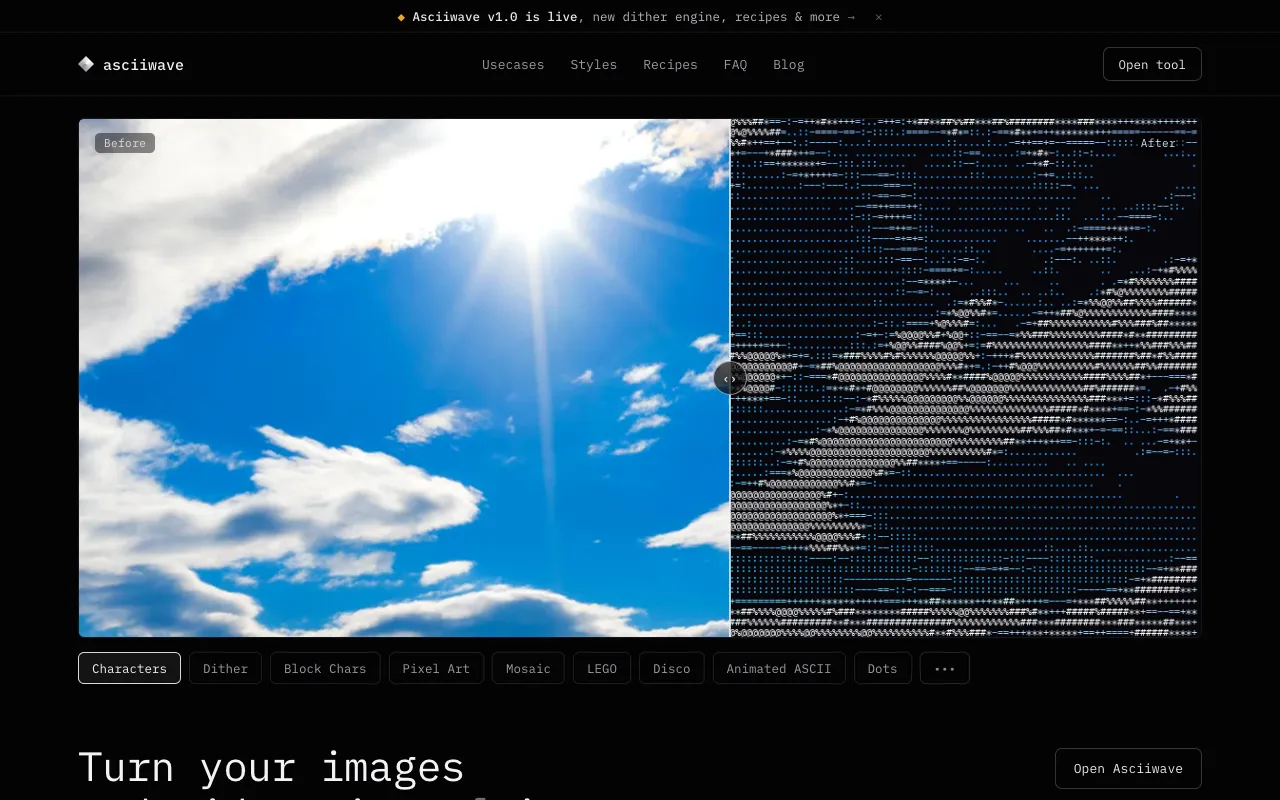
What ASCII Art Converter does
Asciiwave is a free browser-based tool that transforms images and videos into ASCII art. Users can upload a file or paste a URL, and the converter generates real-time ASCII output that can be previewed instantly. The result is a text-based representation of the original media, suitable for wallpapers, video intros, halftone posters, cyberpunk edits, and UI mockups. The converted art can be exported or further refined using the site's post-processing options. The tool produces ASCII, pixel art, voxel, mosaic, halftone, glitch, and LEGO-style outputs, providing a versatile text-art solution for creative projects.
How to use the Asciiwave ASCII Art Converter
- 1
Open Asciiwave and click the upload button or paste a video/image URL to load your media
- 2
Select your desired art style from the thirteen available options, including ASCII, pixel art, voxel, mosaic, halftone, glitch, and LEGO
- 3
Adjust post-processing effects such as glitch, bloom, CRT, scanlines, halftone, vignette, or stack multiple effects in real-time
- 4
Use the live preview to fine-tune clarity and style settings until the conversion matches your vision
- 5
Export the resulting ASCII art or copy it for use in your project
Best for
Creative users who want to convert personal photos or videos into stylized text art for digital projects, social media wallpapers, or custom UI mockups without needing to install software or create an account.
Limitations
- No unit switching between measurement systems
- Results are estimates dependent on original image quality
- Post-processing effects may increase processing time in the browser
ASCII Art Converter FAQ
- Can I convert a video file into ASCII art using Asciiwave?
- Yes, Asciiwave supports video conversion directly in the browser. You can paste a video URL or upload a file, and the tool will generate real-time ASCII preview as the video plays, with options to adjust style and post-processing effects.
- Do I need to create an account to use Asciiwave?
- No account or signup is required to use Asciiwave. The tool runs entirely in your browser, and no files are uploaded to a server, ensuring privacy and instant access.
- What artistic styles are available in Asciiwave?
- Asciiwave offers thirteen art styles including ASCII, pixel art, voxel, mosaic, halftone, glitch, and LEGO. Each style provides a different visual aesthetic, allowing users to choose the output that best matches their creative vision.
- Can I apply multiple post-processing effects at once in Asciiwave?
- Yes, Asciiwave allows stacking multiple post-processing effects such as glitch, bloom, CRT, scanlines, halftone, and vignette. All effects render in real-time in the browser, and users can explore and combine them using the post-processing panel.
Similar tools
Based on shared tags