QR Code Generator
LatestQR is a free online QR code generator that creates high-quality, customizable QR codes without requiring signup...
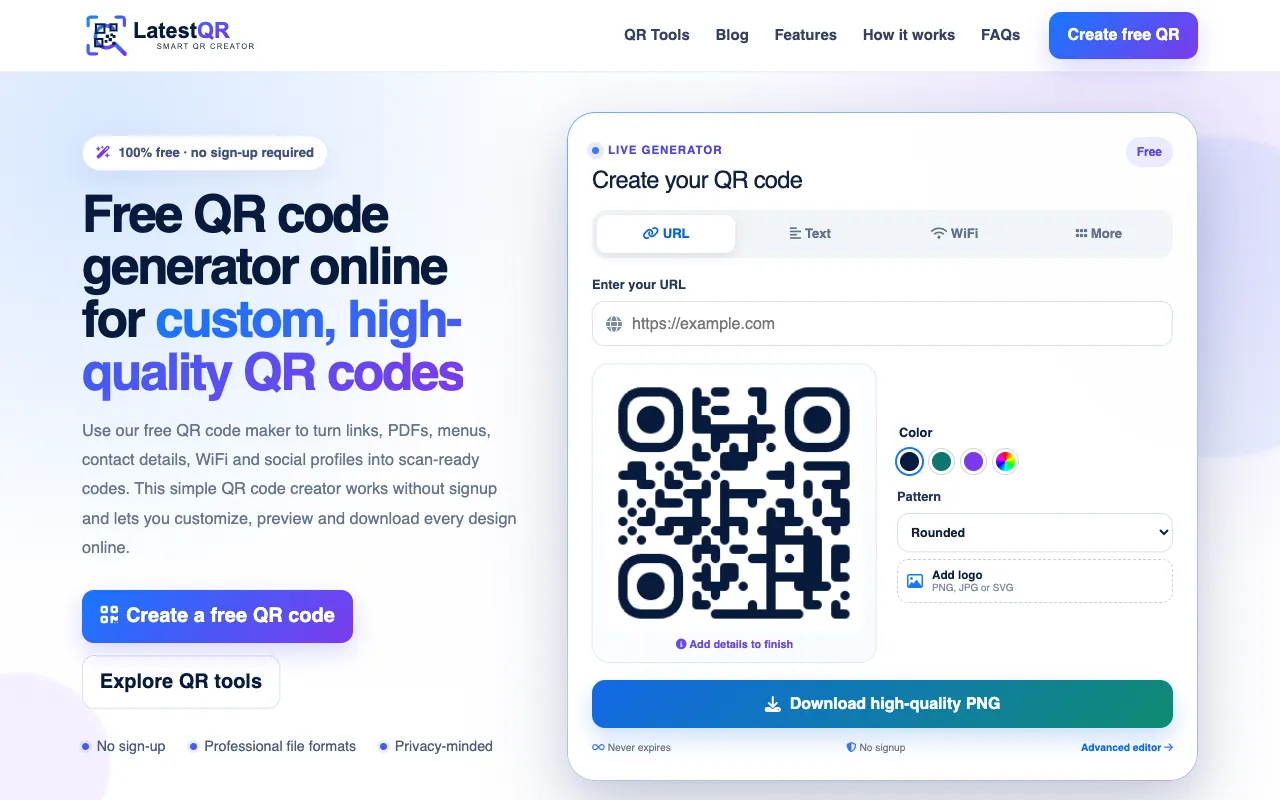
What QR Code Generator does
LatestQR is a free online QR code generator that creates high-quality, customizable QR codes without requiring signup or subscription. Users input data such as URLs, text, WiFi credentials, contact details, or UPI payment information through a simple interface, then select desired settings like size, color, and pattern to generate a scan-ready code. The result is downloadable as a high-resolution PNG file that never expires, suitable for both personal and business use. The platform supports a wide range of QR code types beyond standard links, including PDFs, WhatsApp messages, location maps, call triggers, email drafts, and multi-link collections, all processed quickly without account creation.
How to use the LatestQR QR Code Generator
- 1
Enter your URL, text, WiFi network name, or select a specific QR type from the menu
- 2
Customize the QR code's color, pattern style (Rounded, Classic, Dots, Elegant), and add a logo if desired
- 3
Preview the generated QR code to ensure it scans correctly and meets your design preferences
- 4
Download the high-quality PNG file or share directly from the site
- 5
Use the generated QR code in marketing materials, products, or digital communication without time limits or usage fees.
Best for
Ideal for businesses, developers, and individuals who need versatile, high-resolution QR codes for URLs, contact info, WiFi, payments, or multi-link sharing without the hassle of signing up or paying fees.
Limitations
- Customization options may be limited to preset colors and patterns rather than full RGB control
- No unit switching or dimension input beyond preset size options
- Advanced error-correction level adjustments are not mentioned in the available material
QR Code Generator FAQ
- Do I need to create an account to generate or download QR codes from LatestQR?
- No, LatestQR is completely free and does not require signup or subscription to generate, customize, or download QR codes.
- What file format are the downloaded QR codes, and do they expire?
- Downloads are provided as high-resolution PNG files that never expire, allowing unlimited use after generation.
- Can I add my own logo or image to a QR code on LatestQR?
- Yes, the platform allows users to add their own logo in PNG, JPG, or SVG format to customize the QR code's appearance.
- What types of QR codes can I create besides standard website links?
- LatestQR supports QR codes for URLs, PDFs, WiFi credentials, UPI payments, contact information, multi-link collections, geographic locations, WhatsApp messages, phone calls, and email drafts.
More QR Code Generator tools
- 01Inventive HQinventivehq.com
Create QR codes for URLs, text, and contact information
- 0210015 Tools10015.io
Generates QR codes for URLs, text, or contact data with customisable colours and downloadable PNG output.
- 03DevBoltdevbolt.dev
Generates customisable QR codes from text or URLs.
- 04FreeFormatterfreeformatter.com
Generates QR codes for URLs, contact cards, email links, and Wi-Fi credentials, with customisable size.
- 05IT Toolsit-tools.tech
Generates a QR code for any text, URL, or contact info, with customisable colours, error-correction level, and downlo...
- 06Newtumnewtum.com
Generates QR codes for URLs, text, and other content with customisation options.
Similar tools
Based on shared tags