Developer Tools Suite
KivTools offers a comprehensive suite of browser-based developer utilities designed with local-first principles at th...
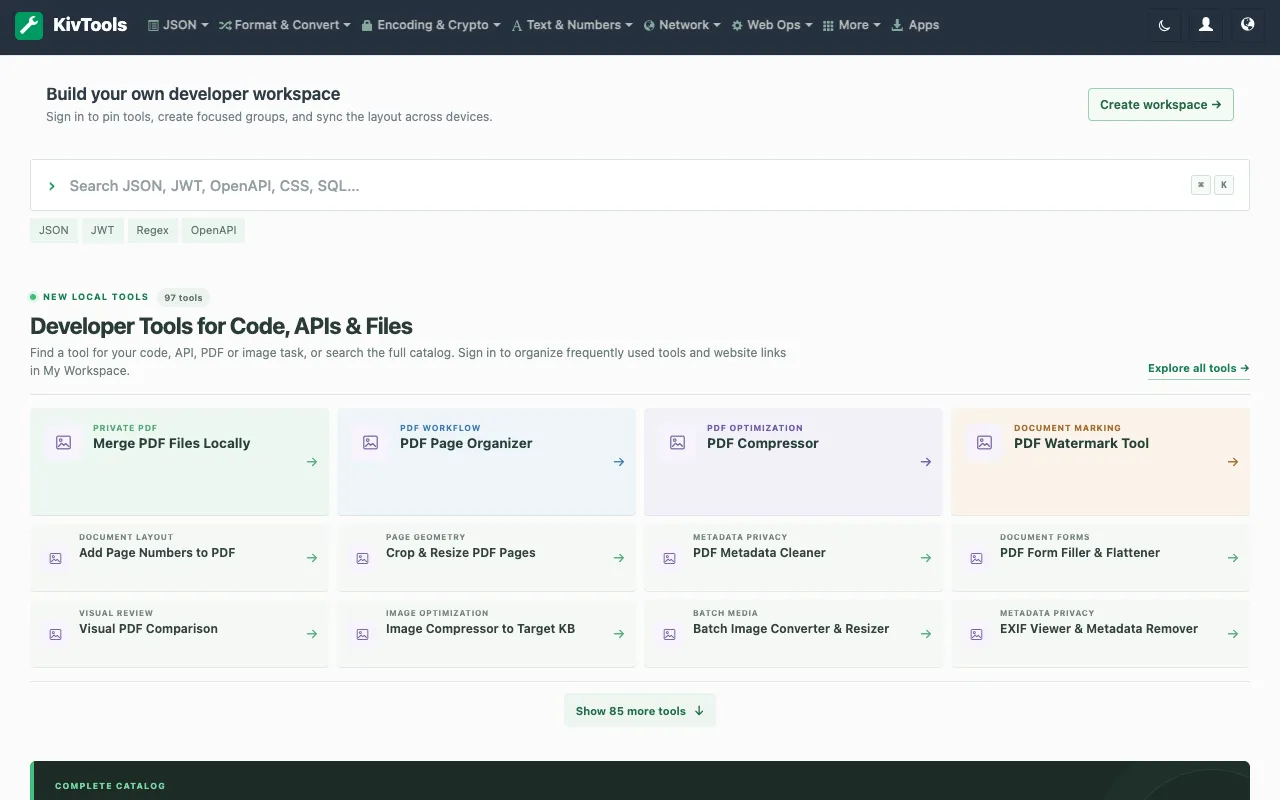
What Developer Tools Suite does
KivTools is a browser-based developer tools suite that provides utilities for JSON processing, API specification handling, code formatting, and data transformation. Users can format and validate JSON, inspect OpenAPI and Protobuf specifications, decode JWT and JWK tokens, and convert data between formats like CSV, Excel, and YAML, all without installing software or creating an account. The platform emphasizes local-first principles, running utilities directly in the browser to keep data private. Beyond core JSON tools, it offers API collection converters, HTTP request builders, and a code workspace with Monaco editor integration. Additional features include CSS generators, text comparison tools, and data inspection studios for CSV, JSON, and Parquet files. The result is a single destination for common coding workflows and daily development tasks.
How to use the KivTools Developer Tools Suite
- 1
Open the KivTools website and select a tool from the categorized list
- 2
Choose a specific utility such as JSON Formatter, API Explorer, or Code Converter
- 3
Input or paste your data into the editor interface
- 4
View the formatted, validated, or transformed output displayed instantly in the browser
Best for
Developers and technical writers who need a quick, private way to format, validate, or convert code and data files without leaving their browser or registering for an account.
Limitations
- Browser-dependent performance with very large files
- No persistent storage or history retention between sessions
- Feature set may be less specialized than dedicated IDE plugins
Developer Tools Suite FAQ
- Do I need to install anything or create an account to use KivTools?
- No, all tools run directly in your browser without installation or account creation, keeping your data local and private.
- Can KivTools handle large JSON files or complex API specifications?
- Yes, the suite includes formatters, validators, and inspectors for JSON, OpenAPI, Protobuf, and other specification formats, though very large files may be limited by browser performance.
- What types of data conversion does KivTools support?
- The platform supports conversion between JSON, CSV, Excel, YAML, XML, and various code formats, plus tools for token decoding and API inspection.
- Are the tools on KivTools free to use?
- Yes, KivTools provides a comprehensive collection of free browser-based developer utilities with no cost to access the core features.
More Developer Tools Suite tools
- 01BytePanebytepane.com
BytePane offers a comprehensive collection of free browser-based developer tools designed for common coding workflows...
- 02CodeKitHubcodekithub.com
CodeKitHub is a free collection of over 120 browser-based tools designed for developers and everyday users who need q...
- 03JavaScript Toolsjstools.space
A free collection of privacy-first developer utilities for formatting code, inspecting JSON and tokens, generating se...
- 04MultiKitmultikit.app
MultiKit is a free collection of 40+ browser-based tools designed for developers and everyday productivity tasks. The...
- 05SiteTidysitetidy.app
SiteTidy is a browser-based platform providing 180+ tools for SEO, web development, and website maintenance. The coll...
- 06X10Toolsx10tools.com
X10Tools provides a free suite of browser-based utilities designed for developers and everyday users. The collection ...
- 07XFreeToolxfreetool.com
XFreeTool is a comprehensive browser-based toolbox offering 650+ practical utilities accessible directly in your web ...
Similar tools
Based on shared tags