Dimensional Weight Calculator
Calculate dimensional weight and billable weight from package dimensions, actual weight and DIM divisor.
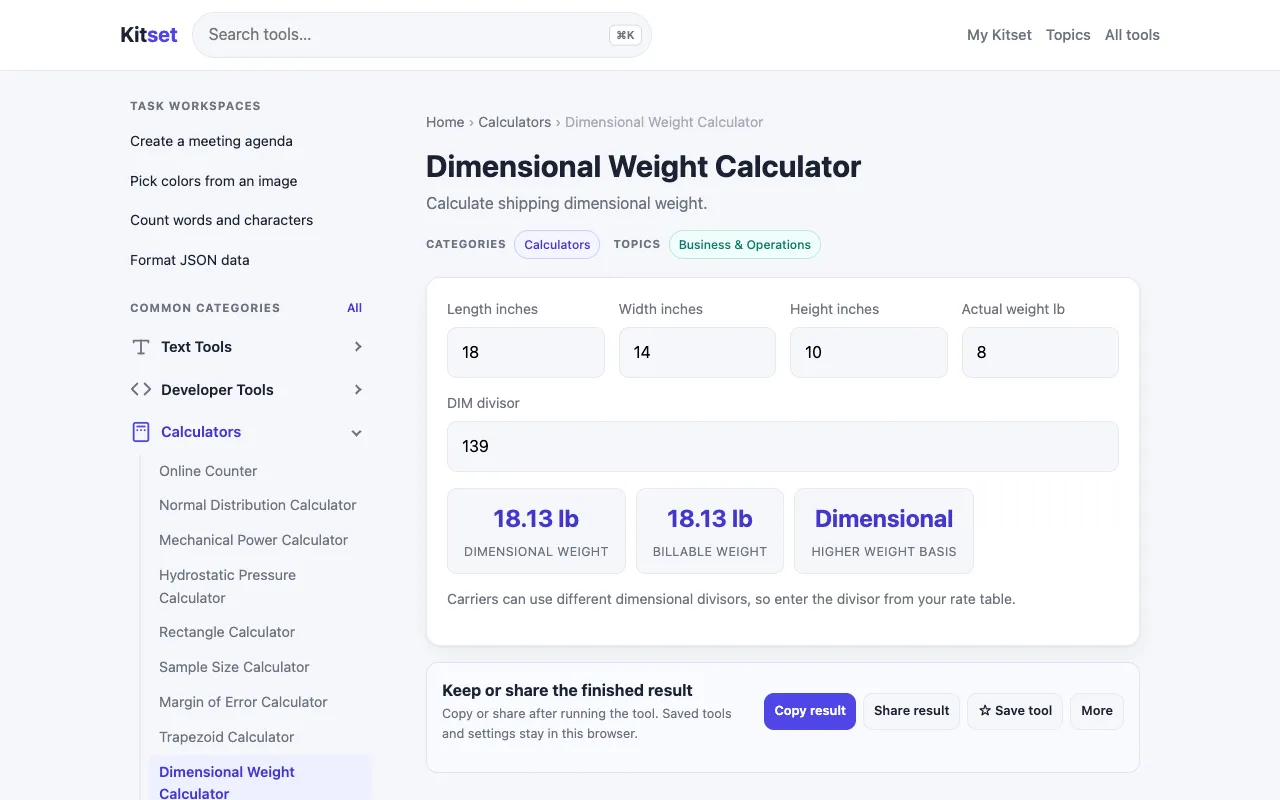
What Dimensional Weight Calculator does
The Dimensional Weight Calculator on Kitset is a straightforward tool for estimating the volumetric weight of packages. Users input the length, width, height, and select a package type to receive a dimensional weight estimate. This output helps determine shipping costs, as postal services often use dimensional weight rather than actual weight for pricing. The tool also calculates billable weight by comparing the dimensional weight against the actual weight entered, providing a clear figure for shipment cost estimation. It is designed for businesses and individuals who need quick, accurate estimates for parcel shipping without navigating complex carrier-specific formulas. The interface focuses on the core inputs of dimensions and weight, presenting the calculated dimensional and billable weights prominently. Unlike some competitors that require selecting a specific carrier or service tier to determine the DIM divisor, Kitset’s version allows input of the actual weight and package type to derive the billable weight, offering a more generic approach suitable for various shipping scenarios. It serves as a practical utility for anyone needing to compare package volume against weight limits.
How to use the Kitset Dimensional Weight Calculator
- 1
Enter the package length, width, and height measurements.
- 2
Select the package type from the available options.
- 3
Input the actual weight of the package.
- 4
View the calculated dimensional weight and billable weight displayed on the screen.
- 5
Use the resulting figures to estimate shipping costs for the parcel.
Best for
This tool suits e-commerce sellers, shippers, and individuals who need to quickly estimate shipping costs based on package volume and weight without selecting a specific carrier service.
Limitations
- Results depend on the DIM divisor selected or defaulted, which may not match every carrier's specific formula.
- The tool provides estimates based on package type rather than carrier-specific rate tables.
- Actual shipping costs may vary based on destination, service level, and carrier negotiations not reflected in the calculator.
Dimensional Weight Calculator FAQ
- How is dimensional weight different from actual weight?
- Dimensional weight is a calculated reflection of the package's volume, while actual weight is the physical mass of the item. Carriers use the greater of the two to determine shipping costs.
- Can I use this calculator for international shipments?
- Yes, the dimensional weight calculated can be applied to international shipping, but final costs will depend on the destination country's carrier rates and import regulations.
- What package types are available in the selector?
- The tool offers a selection of package types to influence the DIM divisor used in the calculation, allowing for different volumetric weight outcomes based on the shape chosen.
- Why does the billable weight sometimes differ from the dimensional weight?
- Billable weight is the higher of the dimensional weight or the actual weight entered. If the actual weight is greater than the calculated dimensional weight, that value is used for pricing.
More Dimensional Weight Calculator tools
- 01Omni Calculatoromnicalculator.com
Dimensional weight calculator estimates the volumetric weight — the variable used by postal services in determining t...
- 02FreightTotalsfreighttotals.com
Compare actual, dimensional, and billable weight from package dimensions, scale weight, carrier rule, and a UPS, FedE...
Similar tools
Based on shared tags