Dimensional Weight Calculator
Compare actual, dimensional, and billable weight from package dimensions, scale weight, carrier rule, and a UPS, FedE...
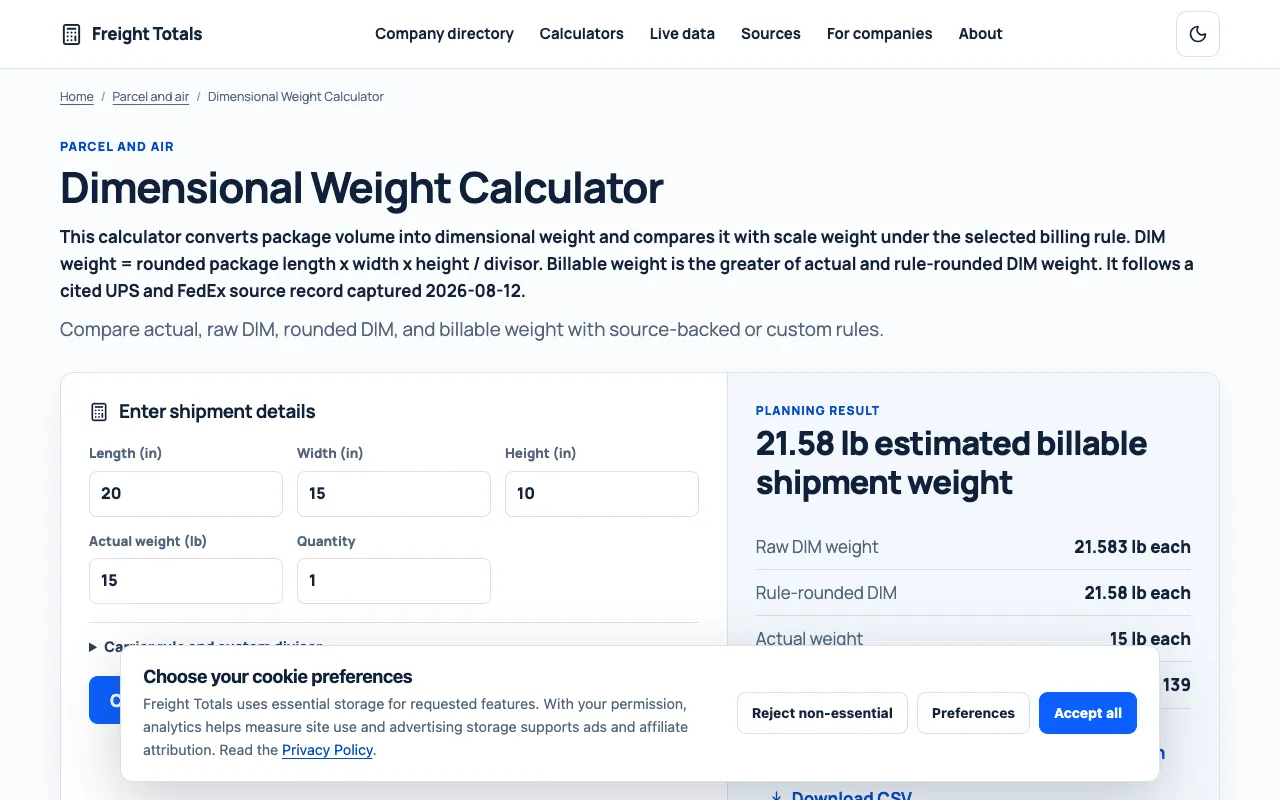
What Dimensional Weight Calculator does
FreightTotals' Dimensional Weight Calculator determines the volumetric weight of packages by inputting length, width, height, and actual weight. It estimates the billable shipping cost by comparing the dimensional weight against the actual weight using a carrier-selected or custom divisor. The tool returns the raw DIM weight, the rule-rounded DIM weight, and the final billable weight, which is the greater of the two values. It supports multiple carrier presets, including UPS and FedEx, as well as a custom divisor option for specific shipping agreements. The interface also allows users to adjust display dimensions and theme settings, and provides options to copy, link, or download the calculation results. The site emphasizes the difference between actual weight and dimensional weight to help users avoid unexpected shipping charges.
How to use the FreightTotals Dimensional Weight Calculator
- 1
Enter the package length, width, and height in inches
- 2
Input the actual weight of the package in pounds
- 3
Select a carrier rule (UPS, FedEx) or enter a custom DIM divisor
- 4
Click Calculate to view the raw DIM weight, rule-rounded DIM weight, and billable weight
Best for
This option suits businesses and individuals shipping packages via UPS or FedEx who need to quickly compare actual versus dimensional weight to determine the correct billable weight and avoid surprise charges.
Limitations
- Results depend on the selected divisor and carrier rules
- Calculator is designed for inch-pound inputs and may require conversion for metric dimensions
- Billable weight outcomes are estimates based on standard carrier rounding rules
Dimensional Weight Calculator FAQ
- How does the calculator determine which weight is used for shipping costs?
- The billable weight is calculated as the greater value between the actual weight of the package and the rule-rounded dimensional weight, ensuring the higher of the two is charged.
- Can I use a custom divisor instead of the preset carrier options?
- Yes, the tool allows users to input a custom divisor, which is useful for specific shipping agreements or carriers not listed in the preset options.
- What is the difference between raw DIM weight and rule-rounded DIM weight?
- Raw DIM weight is the unrounded product of volume divided by the divisor, while rule-rounded DIM weight applies the carrier's specific rounding method to determine the final billable weight.
- Does the calculator support metric units for dimensions?
- The interface inputs dimensions in inches; users requiring metric measurements would need to convert to inches before using the calculator.
More Dimensional Weight Calculator tools
Similar tools
Based on shared tags