Supplier Invoice Analyzer
Upload supplier invoices as PDFs to extract line items and automatically identify which unit costs increased. Designe...
What Supplier Invoice Analyzer does
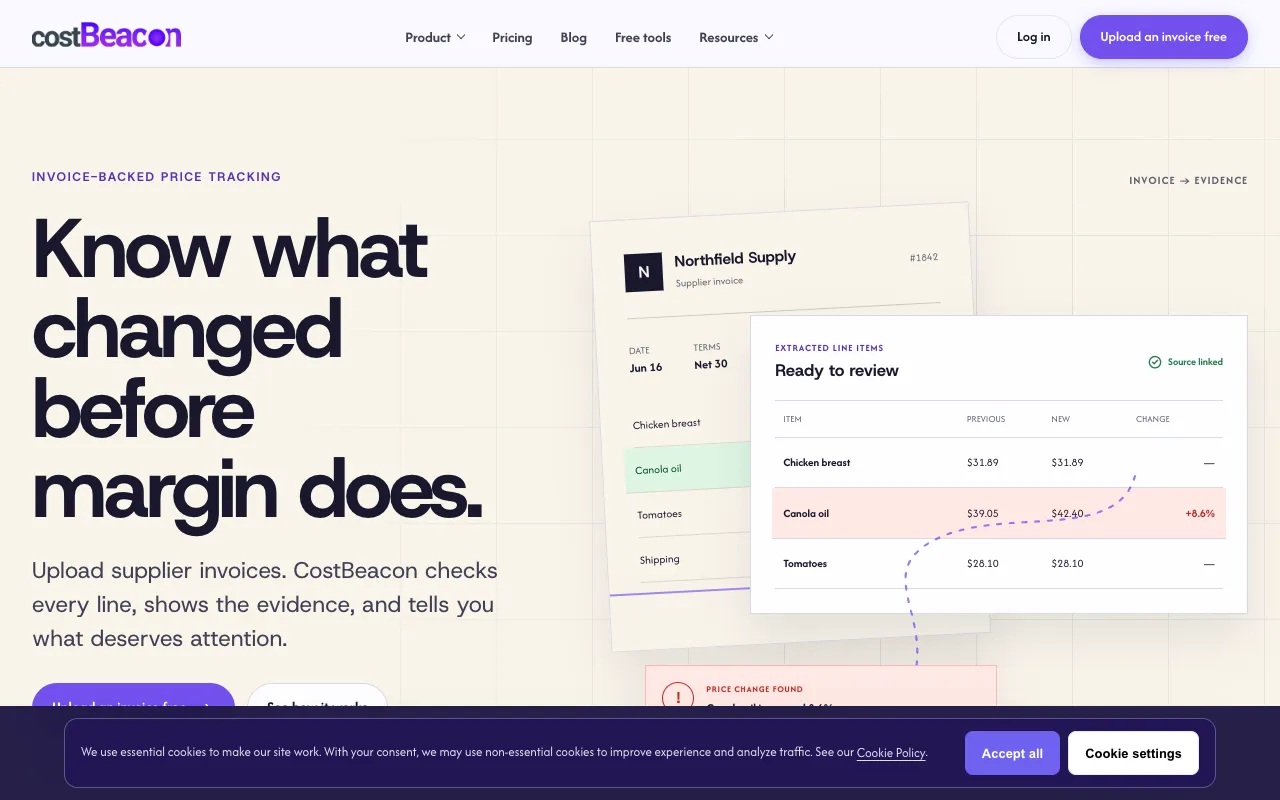
CostBeacon is a supplier invoice analyzer that uploads PDFs to extract line items and automatically identify which unit costs increased. Users receive a breakdown of each product, its previous and new price, and the exact percentage change, with price increases highlighted for quick review. The output surfaces hidden cost shifts across food, retail, and other inventory lines, allowing operators to see margin impact without manual line-by-line comparison. In addition to the core analyzer, the site provides free standalone calculators for cost analysis, margin evaluation, and COGS calculation, offering a complete cost-tracking suite for small businesses.
How to use the CostBeacon Supplier Invoice Analyzer
- 1
Upload a supplier invoice PDF to the CostBeacon platform
- 2
Review the automatically extracted line items with previous and new unit costs
- 3
Identify highlighted price changes, such as the Canola oil increase of 8.6% shown in the example
- 4
Use the free calculators for deeper margin, COGS, or cost analysis if needed
Best for
Small-business operators in restaurant, retail, and similar fields who need to track supplier pricing pressure and protect margins without a dedicated finance team.
Limitations
- Ads appear on the page
- Results are based on uploaded invoice data and may require manual verification
- Free trial has time and feature limitations
Supplier Invoice Analyzer FAQ
- Can I upload invoices from any supplier or only specific formats?
- CostBeacon accepts supplier invoices uploaded as PDFs; the system extracts line items from the document you provide, regardless of supplier name or layout.
- How does CostBeacon determine which unit costs have increased?
- The tool compares the prices on the uploaded invoice against previous data or baseline values, then flags lines where the new cost is higher, showing the exact percentage change.
- Is the extracted data editable or adjustable before analysis?
- Users can review the extracted line items and linked source document; the platform prioritizes changes for review, but the initial extraction comes directly from the uploaded PDF.
- What happens after the free trial ends?
- The free trial provides full access to invoice analysis and extracted line items for 30 days without requiring a credit card; after that, continued use requires a subscription to the service.
Similar tools
Based on shared tags