VRAM Calculator
Calculate exactly how much GPU VRAM a local LLM needs at any quantization and context length. Enter a model and see i...
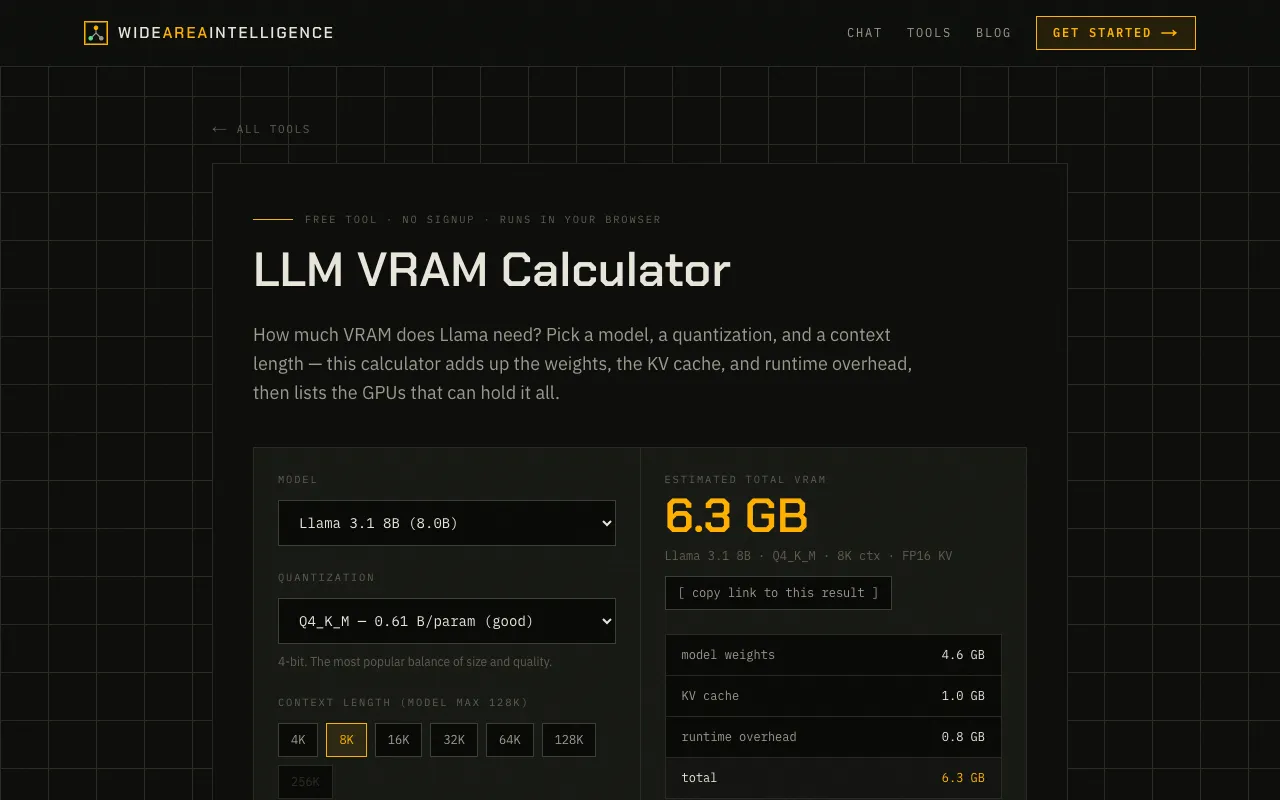
What VRAM Calculator does
The VRAM Calculator on Wide Area AI is a browser-based tool that determines the GPU memory required to run a local large language model. It accounts for model weights, the KV cache, and runtime overhead, then lists which GPUs can accommodate the calculated footprint. Users select a model from an extensive dropdown, choose a quantization level, and set a context length to receive an immediate memory estimate. The interface is minimal and runs entirely in the browser with no signup required, offering a straightforward way to test different model and configuration combinations before committing to a download or hardware purchase.
How to use the Wide Area AI VRAM Calculator
- 1
Select a model name from the dropdown list
- 2
Choose a quantization level from the available options
- 3
Set the desired context length for the calculation
- 4
View the resulting VRAM requirement and compatible GPU list
- 5
Adjust inputs to compare different model sizes or settings
Best for
This tool suits developers, hobbyists, and researchers who need to verify that their GPU can run a specific model at a given quantization and context length before downloading or purchasing hardware.
Limitations
- Results depend on the model listings and quantization options currently in the database
- No explicit unit switching or detailed formula breakdowns are shown
- GPU compatibility list may not cover all possible hardware configurations
VRAM Calculator FAQ
- How does the calculator account for the KV cache?
- The tool adds the KV cache size to the model weights and runtime overhead based on the selected context length and quantization, then totals the three components to give the final VRAM requirement.
- Can I use this calculator for any model not listed in the dropdown?
- No, the calculator only supports models present in its predefined list; entering a model not in the dropdown will not produce a result.
- What quantization levels are typically available?
- The dropdown includes common quantization levels such as Q4_K_M, Q5_K_M, and similar, but the exact options depend on which model is selected.
- Does the tool tell me which specific GPU model I need?
- Yes, after calculating the total VRAM needed, the tool lists GPUs that can hold that amount, helping you match the requirement to your hardware.
Similar tools
Based on shared tags