Discord Timestamp Generator
Discord Timestamp Generator converts dates and times into Unix timestamps that Discord automatically displays in each...
What Discord Timestamp Generator does
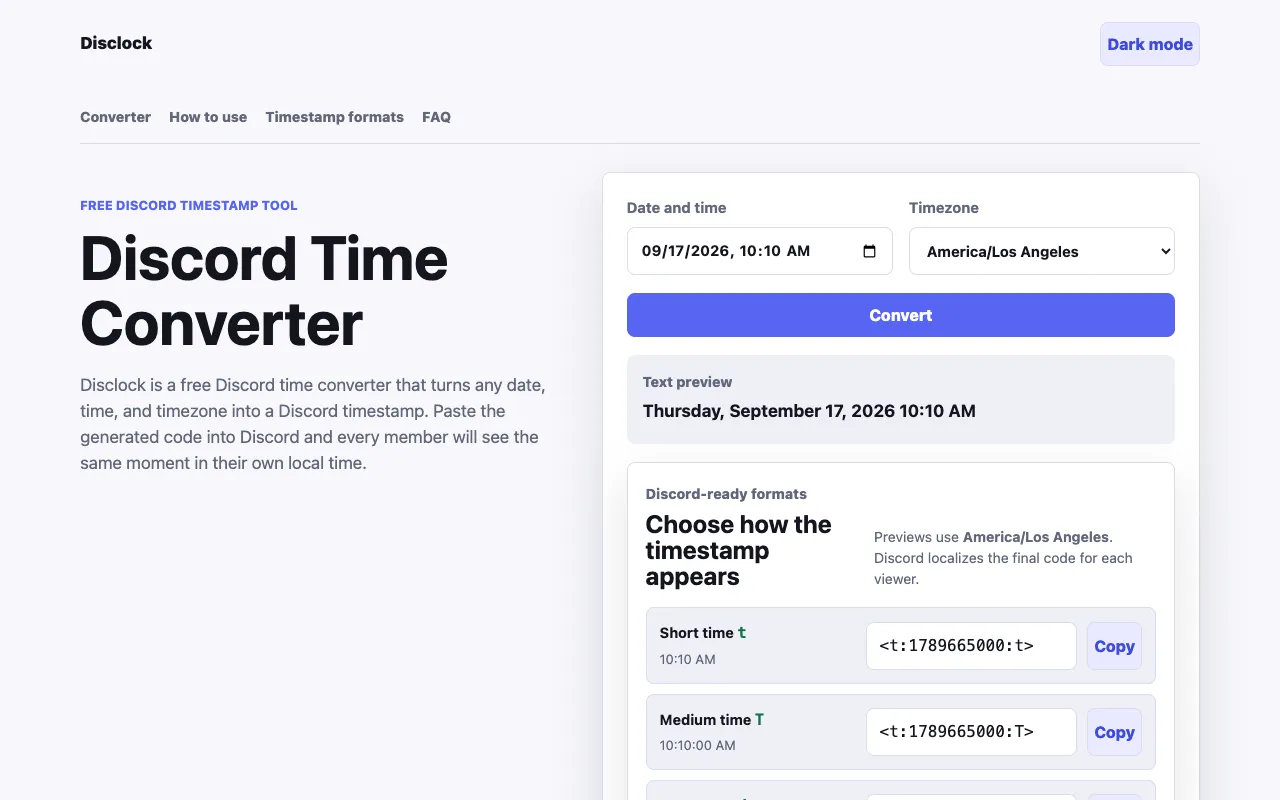
The Discord Timestamp Generator on DisClock converts any date and time into a Unix timestamp that Discord displays in each viewer's local time zone. Users input a specific moment and select the timezone where the event occurs, then copy a code to paste into messages. The result appears automatically in every member's local time, eliminating the need for manual conversions. The site runs entirely in the browser with no account required, providing instant results for events, streams, or community gatherings.
How to use the DisClock Discord Timestamp Generator
- 1
Choose the date and clock time for your event, adjusting the field if needed
- 2
Enter the exact time as it appears on the organizer's schedule and select or confirm the correct timezone
- 3
Click Convert to preview the readable timestamp and select your preferred display style
- 4
Copy the generated Unix timestamp code and paste it directly into a Discord message or channel
Best for
Community organizers, streamers, and event hosts who need to schedule Discord messages that display correctly for members in different time zones without manual conversion.
Limitations
- Results depend on the user's browser timezone for preview accuracy
- No built-in unit switching beyond the available Discord timestamp formats
- Timezone detection relies on the organizer's selected region and local daylight saving rules
Discord Timestamp Generator FAQ
- Do I need to create an account to use the Discord Timestamp Generator?
- No, the tool runs entirely in the browser and requires no account creation or signup for instant results.
- How does the timezone selection affect the generated code?
- The selected regional timezone, including its daylight saving rules, determines the Unix time behind the final code, ensuring 8:00 PM in one location converts correctly to a different instant than 8:00 PM elsewhere.
- Can I preview how the timestamp will appear before copying it?
- Yes, the tool provides a readable preview that uses your browser's timezone, and you can choose from multiple Discord-ready formats such as short time, long date, or relative time displays.
- What happens if I paste the generated code into a Discord message?
- Every Discord member who reads the message will see the same moment displayed in their own local time zone, regardless of where they are located.
Similar tools
Based on shared tags