Regex Tester
Regex Tester provides a free online environment for developers to test and validate regular expression patterns again...
What Regex Tester does
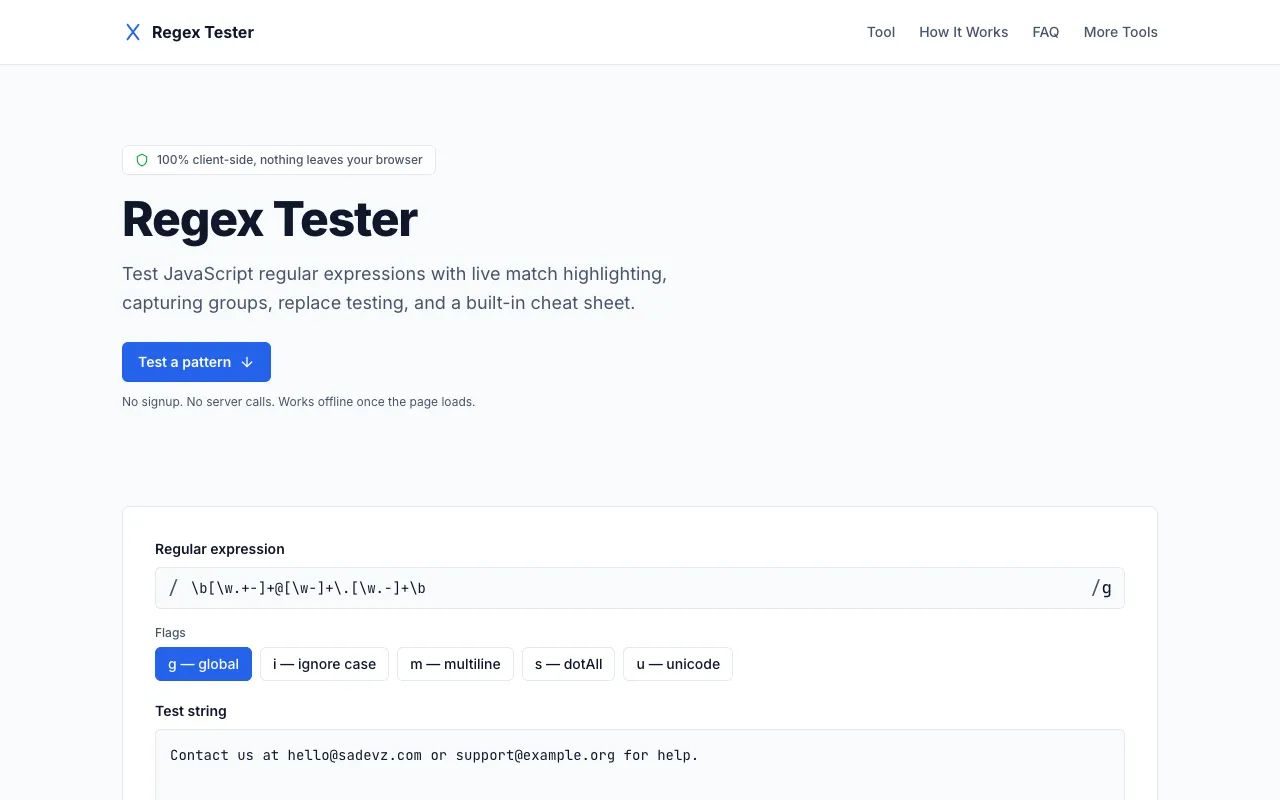
Regex Tester is a free online environment where developers can test and validate regular expression patterns against custom text samples. Users input a pattern and test string to instantly see highlighted matches and captured groups, with the ability to experiment with replacements. The tool provides detailed match explanations and supports multiple JavaScript flags, all while keeping data private since processing happens entirely within the browser.
How to use the Sadevz Regex Tester
- 1
Enter a regular expression pattern in the pattern field and toggle flags like g, i, m, s, or u as needed
- 2
Paste the test text you want to match against in the test string area to see matches highlight live as you type
- 3
Review the match details listed below to see full match information and capturing group data
- 4
Use the replace testing section to input a replacement string and preview exactly what your pattern would produce
Best for
Developers and IT professionals who need to test, debug, and refine regular expression patterns without leaving their browser or registering for an account.
Limitations
- Pattern matching is limited to JavaScript's RegExp engine syntax
- No built-in support for testing against multiple regex flavors simultaneously
- Advanced features like saved pattern libraries require manual re-entry each session
Regex Tester FAQ
- Can I use this tool offline once the page loads?
- Yes, the tool runs entirely client-side using JavaScript's built-in RegExp engine, so your pattern and test text never leave your browser and the tool works offline after the initial page load.
- What regex flags are supported in the Sadevz tester?
- The tool supports JavaScript flags g (global), i (ignore case), m (multiline), s (dotAll), and u (unicode) that can be toggled on or off alongside your pattern.
- How do I test replacement strings with my regex pattern?
- Use the replace testing section to input a replacement string using $1, $2, or $<name> references for capturing groups, and the tool will preview exactly what your pattern would produce.
- Is my data private when using the Regex Tester?
- Yes, all matching runs locally in your browser using JavaScript's RegExp engine; your pattern and test text never leave your device or hit any server.
More Regex Tester tools
- 01Inventive HQinventivehq.com
Test regular expressions online with live matching, pattern explanations, and a built-in regex library. Supports Java...
- 02DevBoltdevbolt.dev
Tests regular expressions with real-time match highlighting and capture-group inspection.
- 03IT Toolsit-tools.tech
Tests regular expressions against sample input with live highlighting of matches and capture groups, supporting all c...
- 04regex101regex101.com
Tests regular expressions across PCRE, JavaScript, Python, Go, Java, .NET, and Rust flavours with live highlighting, ...
Similar tools
Based on shared tags