Halftone Generator
MakeHalftone converts photographs into print-ready halftone dot patterns directly in your browser. The tool transform...
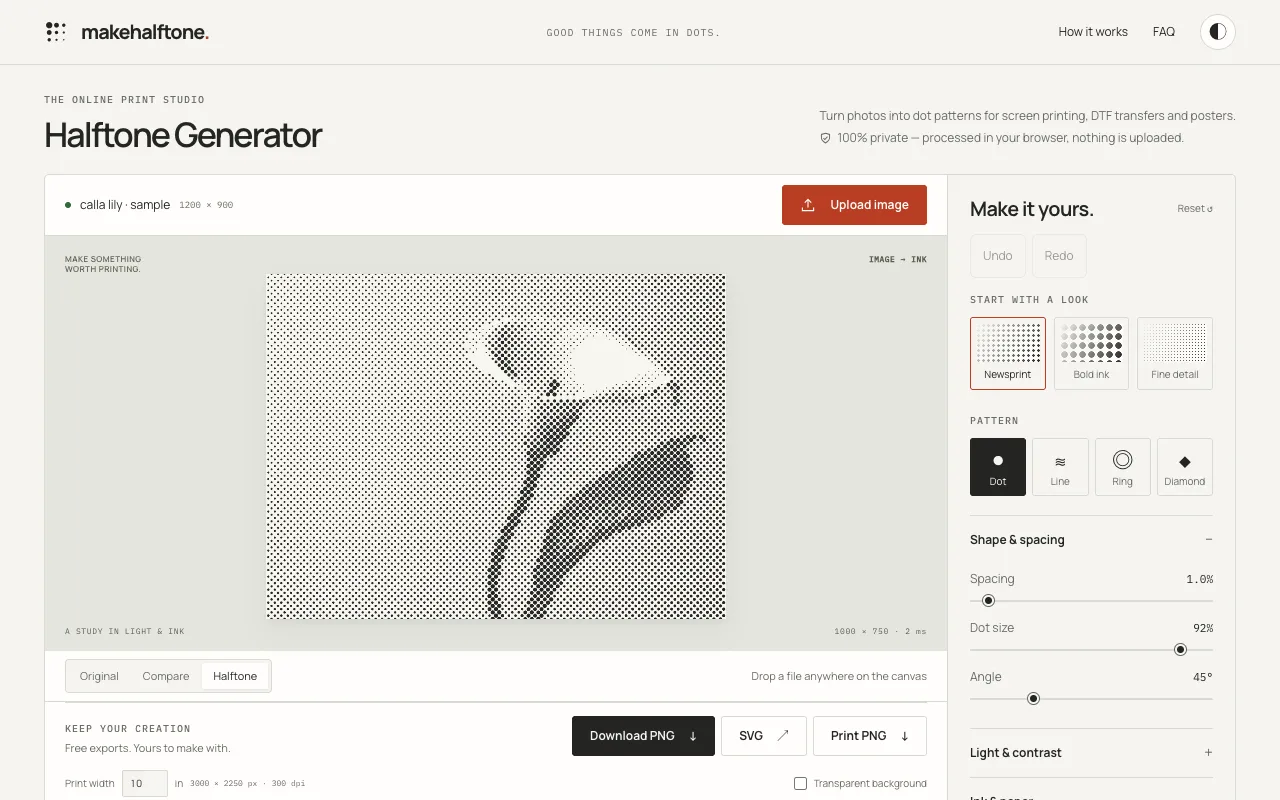
What Halftone Generator does
MakeHalftone is a browser-based halftone generator that turns photographs into print-ready dot patterns for screen printing, DTF transfers, and posters. Users upload an image and adjust parameters like grid density (LPI), dot size, and print dimensions to control how ink is simulated through varying dot sizes. The processed results stay entirely on the user's device, with no uploads or watermarks, offering instant, private conversions. The output provides print specifications including transparent background PNGs and SVG files, alongside print width calculations at 300 dpi. While primarily designed for black and white halftones, the tool includes CMY simulation for color separation, though users are advised to verify artwork with their print shop for screen printing or color separations. It serves as a practical bridge between digital images and physical printing techniques.
How to use the MakeHalftone Halftone Generator
- 1
Drop or upload an image file onto the canvas area
- 2
Adjust print size, grid density (LPI), and dot size parameters to optimize the halftone pattern
- 3
Review the comparison between original and halftone preview to fine-tune settings
- 4
Download the result as PNG, SVG, or Print PNG with transparent background options
Best for
Artists, designers, and print shops preparing images for physical reproduction who need a private, browser-based tool to generate halftone patterns without uploading files or paying fees.
Limitations
- Grid density and print size are interdependent; resizing the print changes the LPI value
- Color output relies on CMY simulation which may require verification with a professional print shop for accurate screen printing or separati
- Batch processing and CMYK separations are listed as future features, not currently available
Halftone Generator FAQ
- Do I need to create an account or pay to use MakeHalftone?
- No signup is required and there are no watermarks; the tool is free to use with 100% private processing that keeps images on your device.
- Can I use the halftone patterns for commercial screen printing or DTF transfers?
- Yes, the tool generates print-ready dot patterns suitable for screen printing, DTF, and posters; however, users should check the artwork with their print shop for optimal results, especially for color separations.
- What file formats can I download my halftone image as?
- You can download the result as a PNG, SVG, or Print PNG with transparent background options, with print dimensions calculated at 300 dpi.
- How does grid density (LPI) affect the printed halftone result?
- Grid density describes the pattern cells per inch (LPI); spacing and print size change this value, and resizing the print alters the density, so it is important to print at the shown size to maintain the intended dot pattern.
Similar tools
Based on shared tags