Chord Progression Generator
Chord Gen is a free chord progression generator designed to help musicians create and explore musical chord sequences...
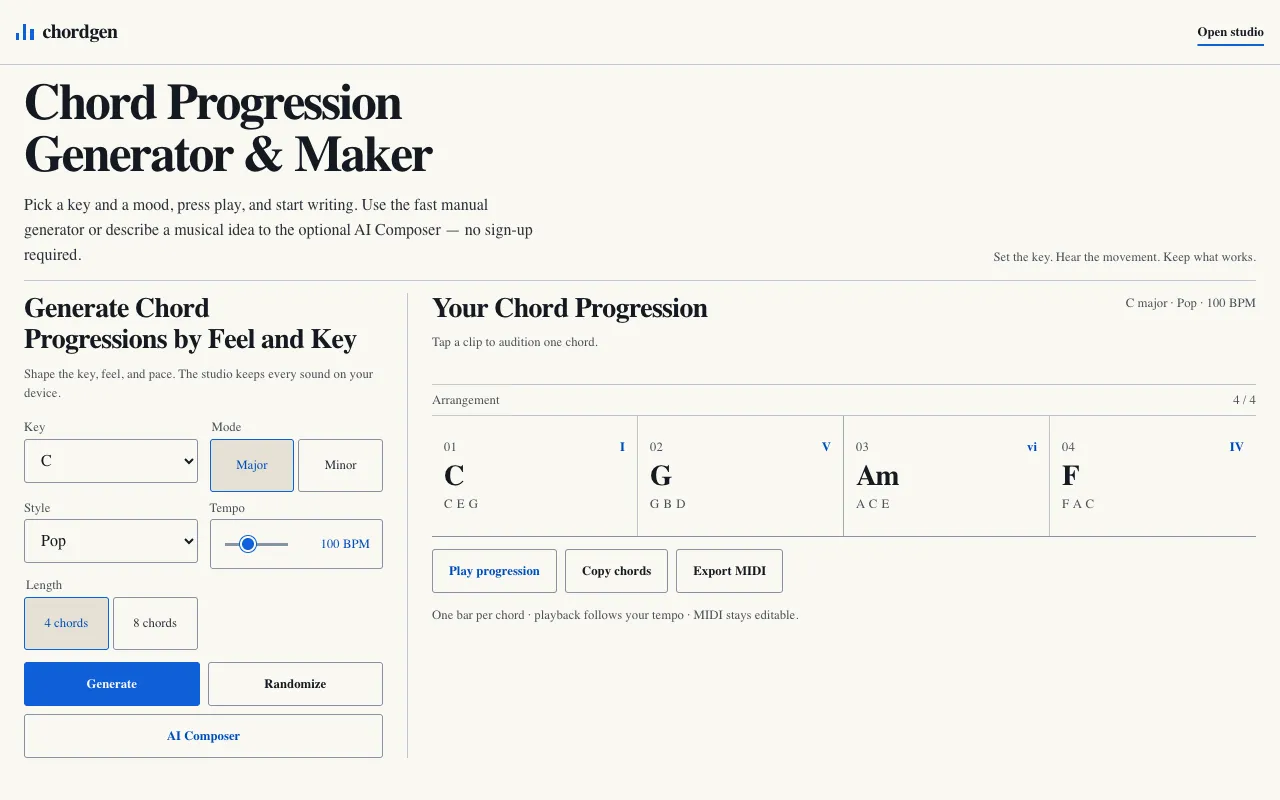
What Chord Progression Generator does
Chord Gen is a free chord progression generator that helps musicians create and explore musical chord sequences. Users pick a key, mode, style, and tempo, and the tool produces a playable chord sequence with an audio preview. The generator runs entirely on the user's device, keeping all work private and requiring no account or sign-up. It offers both a fast manual generator and an optional AI Composer to describe musical ideas, allowing users to shape the key, feel, and pace of their compositions while keeping all sounds on their device.
How to use the Chord Gen Chord Progression Generator
- 1
Pick a key from the dropdown menu (e.g., C major)
- 2
Select a mode (Major or Minor) and a style (Pop, Rock, Jazz, Blues, etc.)
- 3
Set the tempo using the BPM slider or preset
- 4
Press Generate to hear an audio preview of the chord progression
- 5
Use Copy chords or Export MIDI to integrate the progression into your project
Best for
Songwriters and composers who want a quick, private way to generate chord progressions in a specific key and style without creating an account.
Limitations
- No unit switching between chord notation systems
- Results are estimates based on selected style and mood
- Page contains advertisements
Chord Progression Generator FAQ
- Can I use the generated chord progressions in my own songs?
- Yes, the progressions generated by Chord Gen can be used in your original compositions. The tool runs locally on your device, and you can export the results as MIDI or copy the chord names for use in your music projects.
- Do I need to create an account to start generating progressions?
- No account creation or sign-up is required to start generating progressions immediately. The tool is designed to be accessed instantly without any registration.
- How does the AI Composer feature work?
- The AI Composer allows you to describe a musical idea optionally, and it will generate a chord progression based on your description. This feature works alongside the manual generator to help shape the key, feel, and pace of your composition.
- Is my data kept private when using Chord Gen?
- Yes, the generator runs entirely on your device with no server uploads, keeping all your work private and secure. No account is required, and all sounds stay on your device.
More Chord Progression Generator tools
Similar tools
Based on shared tags