YouTube Money Calculator
Estimate daily, monthly, and yearly YouTube earnings from video views and an editable RPM range. Free, transparent, a...
What YouTube Money Calculator does
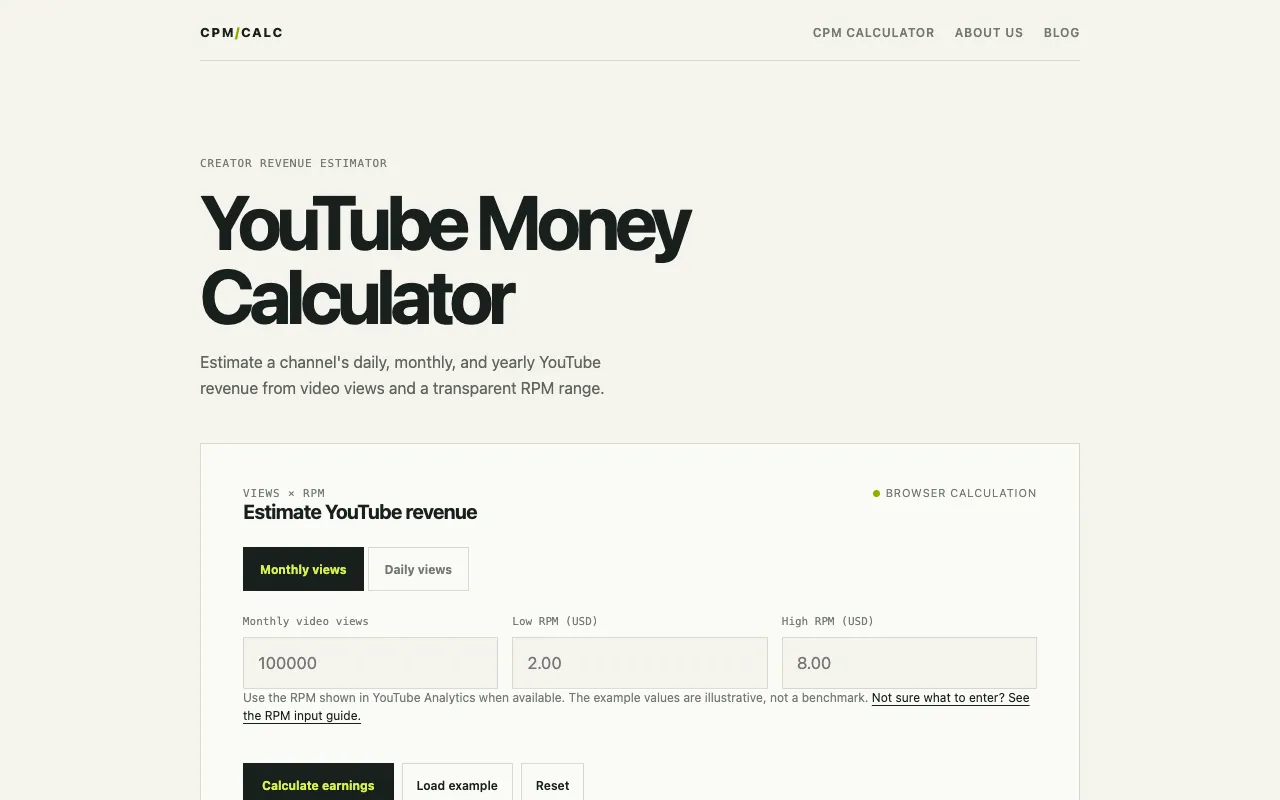
The YouTube Money Calculator on getcpmcalculator.com estimates a creator's potential earnings by multiplying monthly or daily video views by a user-defined RPM (Revenue Per Mille) range. Users receive a transparent income range rather than a single figure, reflecting how actual YouTube revenue varies with audience geography, video format, seasonality, and monetization features. The tool emphasizes using the creator's own YouTube Analytics data for RPM inputs, explaining that CPM (what advertisers pay) differs from RPM (what creators earn after YouTube's share) and that not every view includes an ad. The site distinguishes itself by focusing specifically on the RPM metric and providing a range-based output, avoiding the false precision of exact earnings estimates. It includes an RPM input guide and a comparison table linking channel situations to appropriate RPM values. The interface requires only views and RPM values, with no signup or subscription needed, and offers quick actions like loading example data or resetting fields for new calculations.
How to use the CPM Calculator YouTube Money Calculator
- 1
Enter your monthly or daily video views into the designated field
- 2
Set a low RPM value and a high RPM value to define your earnings range
- 3
Click the Calculate earnings button to generate the estimated revenue range
- 4
Review the result, which shows estimated monthly revenue based on the inputs
- 5
Use the Load example or Reset buttons to start fresh or see sample calculations
Best for
YouTubers and content creators who want a quick, transparent estimate of potential ad revenue without needing to perform manual math or share account details.
Limitations
- Results are estimates and may not reflect actual earnings for every channel
- RPM values depend on the user's accurate input from YouTube Analytics
- The calculator only accounts for ad revenue and does not include other income streams like memberships or merchandise
YouTube Money Calculator FAQ
- How is the RPM different from CPM in YouTube earnings?
- RPM (Revenue Per Mille) is the revenue a creator earns per 1,000 total views after YouTube's revenue share, while CPM is what advertisers pay per 1,000 ad impressions before that share. Because not every view includes an ad, using CPM can overstate creator earnings, which is why the calculator uses RPM.
- What RPM range should I enter for my channel?
- The best RPM input comes from your own YouTube Analytics, reflecting your specific audience and revenue mix. If you don't have recent data, enter a low and high value based on comparable videos or time periods rather than relying on general niche estimates.
- Why does the calculator return a range instead of a single number?
- The range accounts for variables that affect earnings, such as audience country, video length, the mix of Shorts and long-form content, monetized playback share, and YouTube Premium. Entering low and high RPM values makes these assumptions visible instead of presenting a false exact figure.
- Can I use this calculator for YouTube Shorts?
- Yes, the tool estimates earnings based on views and RPM, but keep in mind that Shorts have different monetization rules and RPM rates compared to long-form videos. Your own Analytics data for Shorts performance will give the most accurate inputs.
More YouTube Money Calculator tools
Similar tools
Based on shared tags