UTM Builder
Build readable tagged campaign URLs with source, medium, campaign, term, and content. Copy the final link after check...
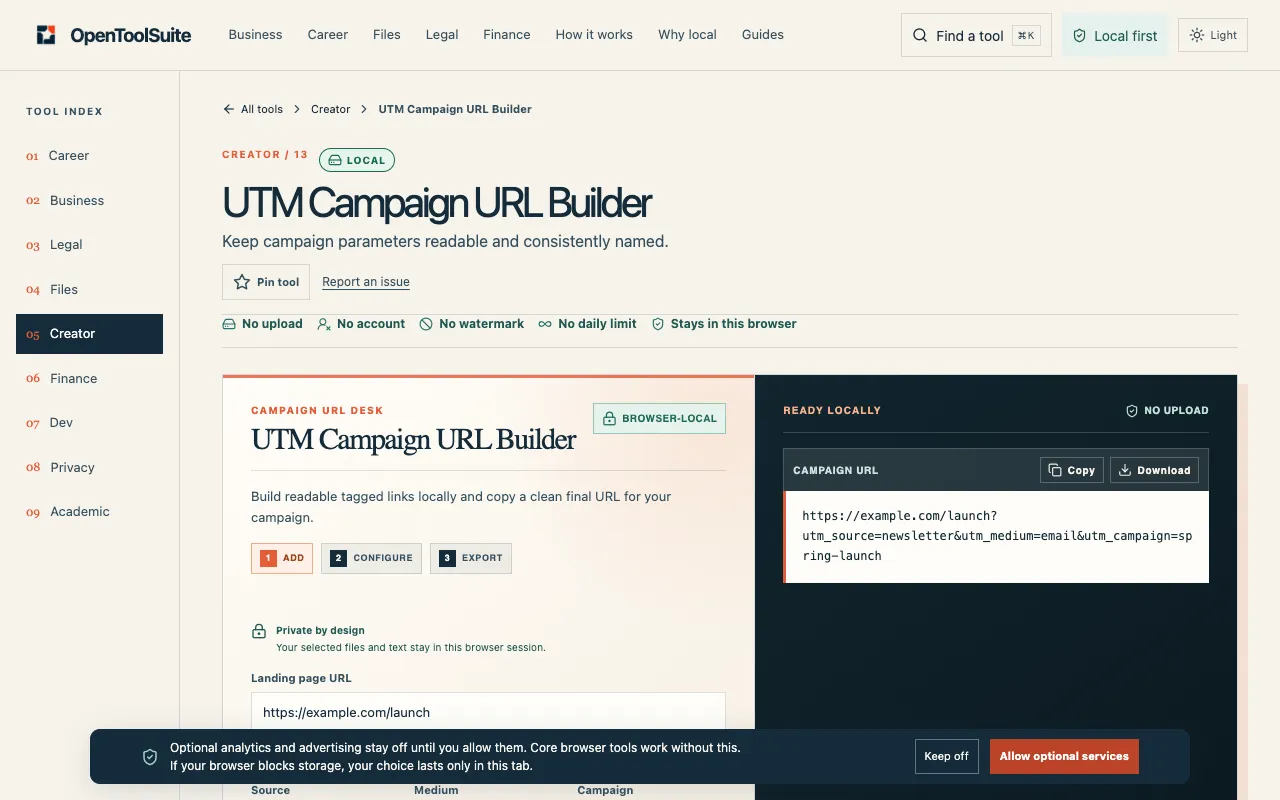
What UTM Builder does
UTM Campaign URL Builder is a browser-based tool that generates tagged campaign URLs by letting users input the standard parameters of source, medium, campaign, term, and content. The output is a readable, properly URL-encoded link that can be copied or downloaded as a CSV file. The interface emphasizes consistency and readability, guiding users to inspect the live result before copying, and it supports presets tailored for major platforms like Meta, Google, LinkedIn, X, and email services to ensure accurate attribution from the start.
How to use the OpenToolSuite UTM Builder
- 1
Open the UTM Campaign URL Builder on OpenToolSuite and input your campaign parameters (source, medium, campaign, term, and content)
- 2
Use the platform presets or manually fill fields to build a tagged campaign link
- 3
Inspect the live preview to check spelling, case, and formatting before finalizing
- 4
Copy the final link or download the CSV-ready result for use in your marketing channels
Best for
Marketers and campaign managers who need to create consistent, readable UTM tags quickly without leaving their browser, especially when preparing links for multiple platforms with preset options.
Limitations
- Results depend entirely on the accuracy of the parameters typed or file selected
- No character limits are guaranteed as live apps may affect link wrapping and counters
- Output is a local preview only; publishing still requires using your own account and channels
UTM Builder FAQ
- Can I use UTM Campaign URL Builder to publish directly to social networks?
- No, the tool prepares a local preview or tagged URL only. You still need to publish from your own account on the desired platform.
- Does UTM Campaign URL Builder enforce character limits on UTM parameters?
- No, character limits are not guaranteed as live apps may change font display, counters, and link wrapping. It is recommended to recheck the destination before posting.
- Is my draft data stored or uploaded to OpenToolSuite's servers?
- No, the tool operates entirely within the current browser session. OpenToolSuite does not run an upload queue, and the output is only as good as the facts you type or the file you select.
- Can I compare the built UTM link with my original campaign source before sending it out?
- Yes, the tool allows you to inspect the live preview and count or tagged URL, then copy the result and verify it against the original source before publishing, filing, or sending.