Image Tools3 options compared

JPG to PDF converter

Converts JPG images to PDF documents quickly and easily. Users upload JPG files, select desired settings like page orientation and margins, then download the resulting PDF. Helps users organize image files, share them digitally, or create professional-looking documents from photographs. Ideal for photographers, graphic designers, and anyone needing to present visual content in a structured...

Editors’ Top PickBased on community votes
Other OptionsRanked by votes
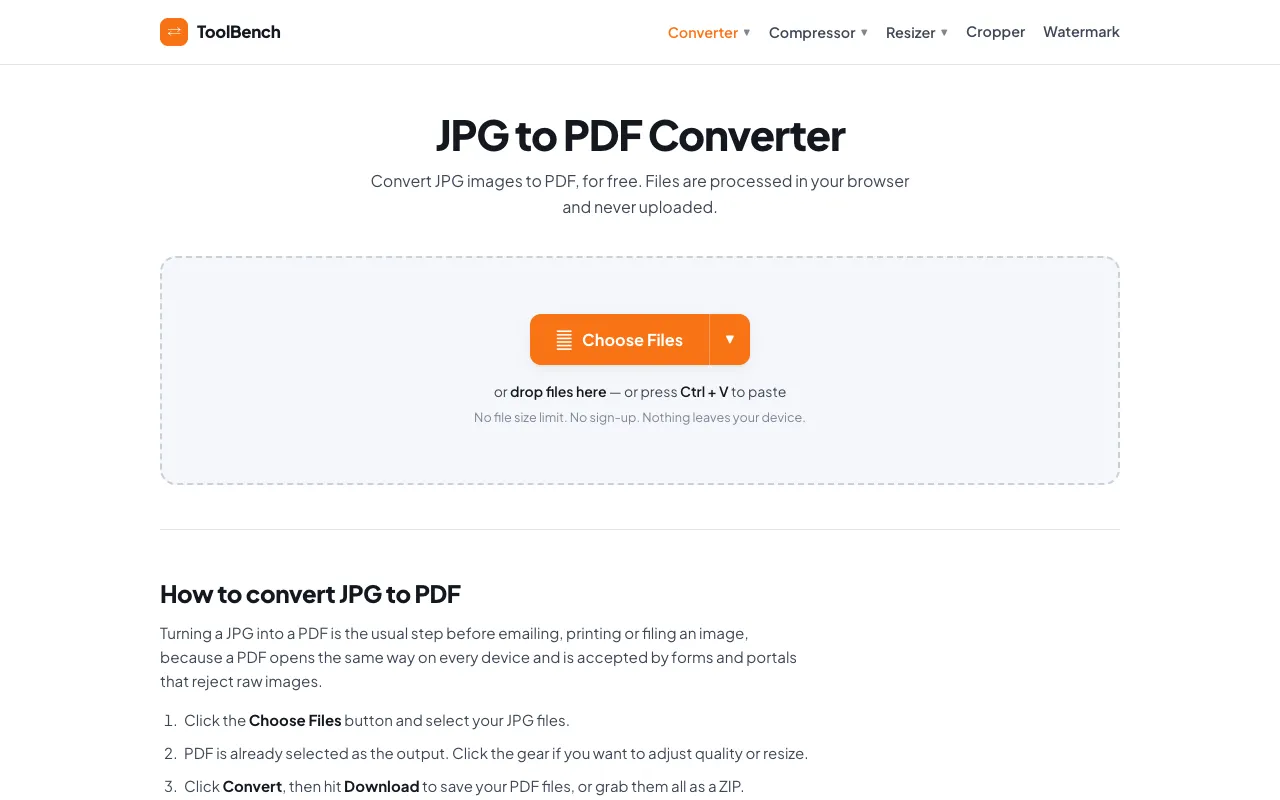
  1. Screenshot of MyToolsBench
    03
    MyToolsBench
    mytoolsbench.com

    Convert JPG to PDF online for free, right in your browser. Batch conversion with no file size limit and no sign-up — ...

Side by side

JPG to PDF converter options compared

ToolBest forStrengthsLimitations
RapidTables
rapidtables.com
Standard JPG to PDF conversion
  • Standard page sizes and orientations
  • Visual integrity maintained
  • Requires file upload to server
  • Ads on the page
FreeConvert
freeconvert.com
General PDF conversion tasks
  • Part of a larger conversion suite
  • Handles multiple image formats
  • No community votes recorded
  • Fewer specific JPG-to-PDF controls
MyToolsBench
mytoolsbench.com
Private, local JPG to PDF conversion
  • No upload required
  • No file size limit
  • Batch conversion support
  • Ads on the page
  • Limited page customization options

Buyer's guide

How to choose a jpg to pdf converter

When picking a JPG-to-PDF converter, decide whether you prioritize document customization or file privacy. If you need specific page sizes, orientations, or margins, choose a tool that offers those settings during conversion. If you are working with sensitive images or multiple files, prefer a processor that runs locally in your browser so nothing leaves your device. Check whether the tool supports batch conversion if you have more than one image to combine, and verify that the output preserves image quality at your desired resolution.

Questions

JPG to PDF converter FAQ

Can I convert multiple JPG files into one PDF?
Yes, all three tools support batch conversion, allowing you to upload several images and merge them into a single PDF document. MyToolsBench explicitly highlights this as a key feature with no file size limit.
Will my images lose quality when converted to PDF?
The conversion process preserves the visual integrity of the original photographs. RapidTables maintains the original image quality while adding PDF structure, and FreeConvert notes it maintains the quality of each source picture within the final output.
Do I need to create an account to use these converters?
No sign-up is required for RapidTables or MyToolsBench. FreeConvert may require account creation for extended use, but the JPG-to-PDF conversion itself does not mandate registration.
Can I adjust page size and orientation before converting?
Yes, RapidTables offers extensive page size options (Letter, Legal, A4, etc.) and portrait or landscape orientation. MyToolsBench allows quality and resize adjustments via a gear icon, while FreeConvert organizes images into a structured PDF format.
Is my uploaded data kept private?
MyToolsBench processes files entirely in your browser and never uploads them to a server, making it the most private option. RapidTables and FreeConvert require uploading files to their servers for processing.
Keep Exploring

Related tools in Image Tools

View all →