Text to HTML Converter
Text2HTML converts plain text and formatted content into clean, structured HTML code directly in your browser. The to...
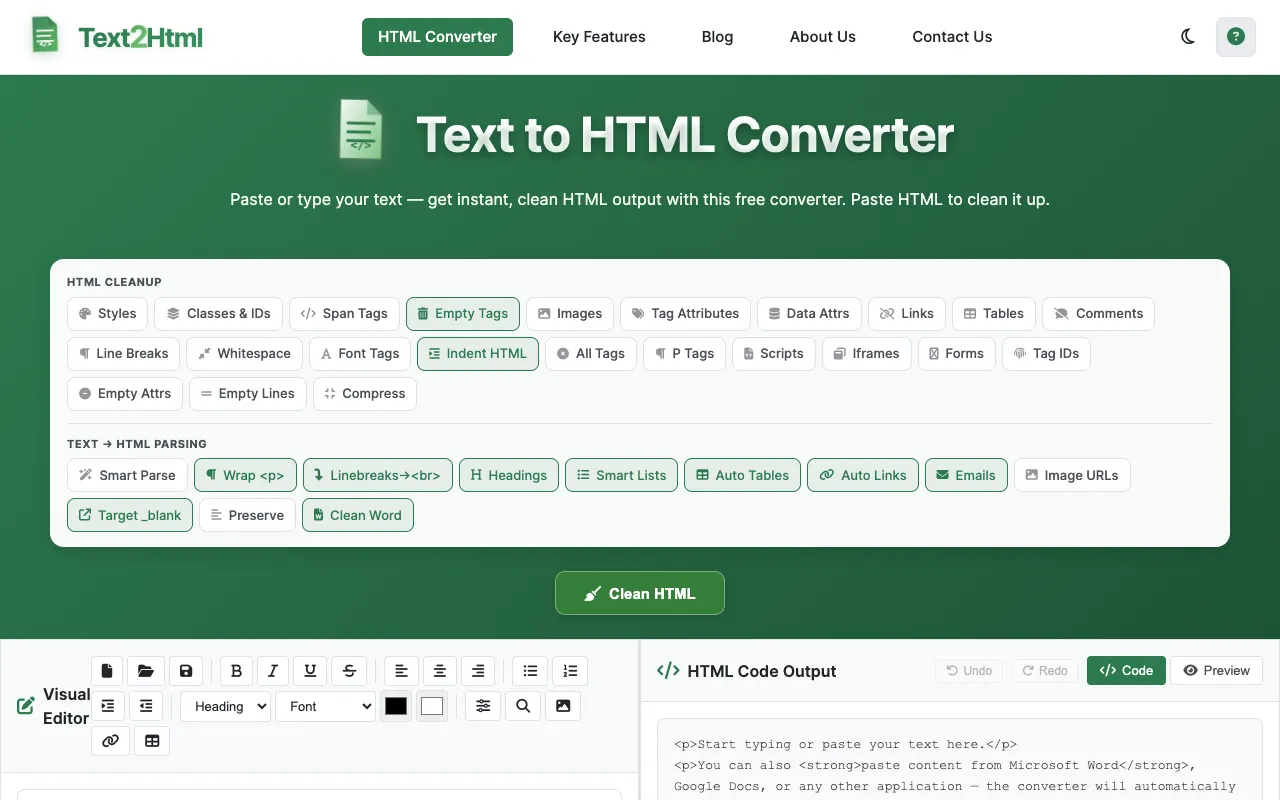
What Text to HTML Converter does
Text2HTML converts plain text and formatted content into clean, structured HTML code directly in your browser. The tool accommodates multiple input formats including plain text, Microsoft Word documents, Google Docs, and other common content sources, making it accessible to users regardless of their starting point. With an intuitive browser-based interface, no software installation or complicated configuration is required. The converter intelligently preserves and generates common HTML formatting elements including headings, paragraphs, line breaks, bold and italic text, bullet lists, numbered lists, and tables, producing ready-to-use code for web publishing.
How to use the Text2HTML Text to HTML Converter
- 1
Type or paste your text in the Visual Editor (left panel)
- 2
Your text is instantly converted to clean HTML in the right panel
- 3
Optionally select cleanup options and click Clean HTML
- 4
Click Copy HTML or Download to save the result
- 5
Tip: You can also paste existing HTML into the code output panel
Best for
Beginners and quick projects who need clean HTML output without installing software or configuring settings.
Limitations
- Downloads and exports apply to HTML only
- No unit switching or format conversion beyond HTML
- Results depend on the complexity of pasted content
Text to HTML Converter FAQ
- Can I paste content from Microsoft Word or Google Docs directly?
- Yes, the converter automatically strips unnecessary formatting from Word and Google Docs content and produces clean HTML paragraphs and lists.
- What HTML elements does the tool generate?
- The tool generates headings (H1-H6), paragraphs, bold and italic text, bullet and numbered lists, and tables from formatted content.
- Is the HTML output ready to paste into a website?
- Yes, the converter produces clean semantic HTML that can be copied and pasted directly into web pages.
- Can I export the HTML with styling or as a PDF?
- Yes, export options include downloading as HTML with inline or external CSS, minifying the HTML, or downloading the result as a PDF file.
Similar tools
Based on shared tags