Tone Generator
Generate pure tones across the full audible spectrum from 20 Hz to 20 kHz with precise frequency control. The tool su...
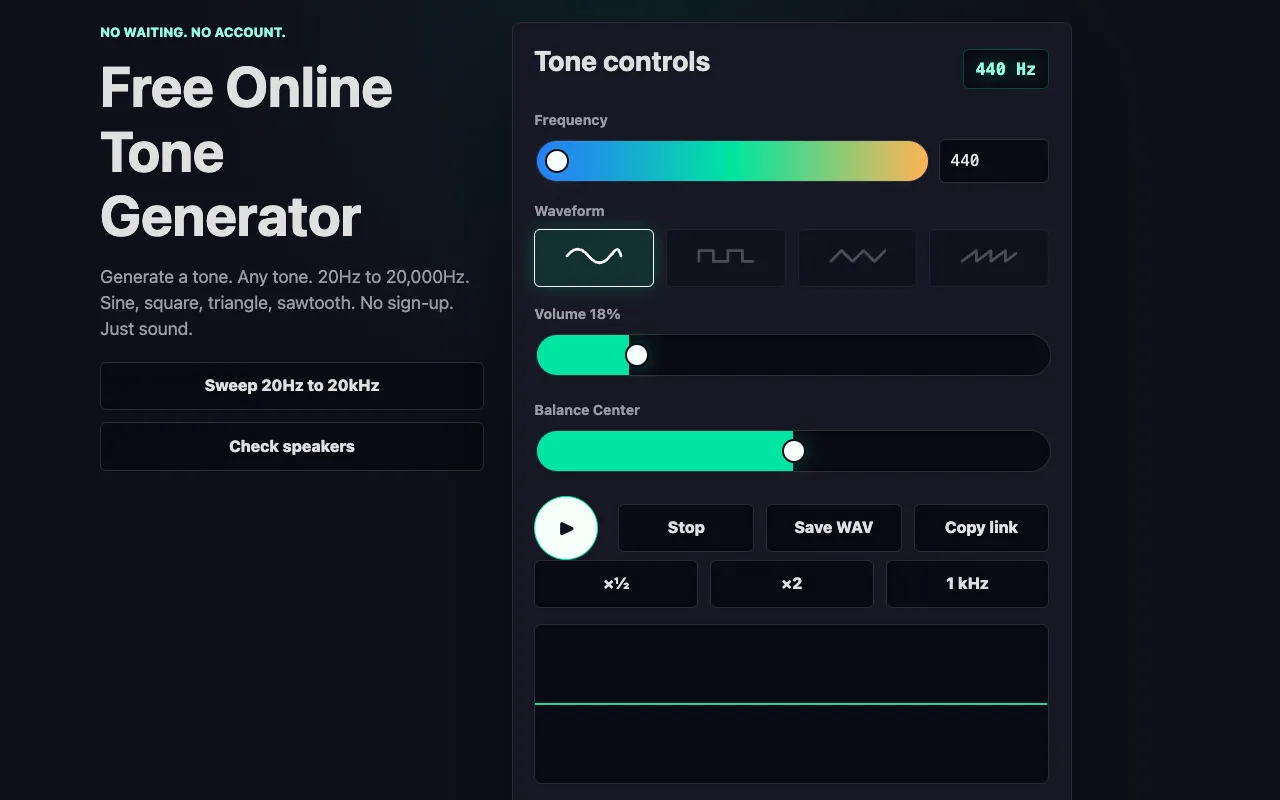
What Tone Generator does
A concise, single-purpose tone generator that prioritizes clean signal output and user control over complex interfaces. Ideal for audio testing, calibration, and quick tone generation without unnecessary features or account requirements. The tool balances simplicity with functionality, making it suitable for both casual testing and more precise audio work where precise frequency control matters more than decorative features.
How to use the Online Tone Generator Tone Generator
- 1
Visit the tool page to access the tone generator.
- 2
Adjust the frequency slider or input a specific frequency value manually.
- 3
Use the volume slider to set your desired output level.
- 4
Click the play button to generate the continuous tone.
- 5
Use the frequency dial or input box to adjust the pitch precisely.
Best for
Quick tone generation for testing, calibration, or casual listening without account requirements or complex setup.
Limitations
- Basic feature set - lacks advanced synthesis options found in dedicated audio workstations
- No saving or sharing of custom tones beyond the current session
- Limited to basic tone generation without advanced modulation options
Tone Generator FAQ
- Can I use this for professional audio work?
- Yes, the tool provides clean sine wave generation suitable for testing, calibration, and basic audio work. For professional production work, you may want additional features, but this covers basic tone generation needs.
- Can I use this to generate specific musical notes or frequencies?
- Yes. You can input specific frequencies or use the keyboard to play notes. The tool supports standard musical notes and allows you to adjust the frequency precisely.
- Can I use this to generate specific frequencies for testing audio equipment?
- Yes, this tool is designed for tone generation and works well for testing audio equipment, checking frequency response, or creating simple test tones.
More Tone generator tools
Similar tools
Based on shared tags