Tone generator
Generates audio tones of various frequencies and durations. Users input desired parameters such as frequency, duration, and volume to create custom sound waves for testing equipment or creating music samples. Ideal for developers, audio engineers, educators, and anyone needing to quickly generate audio tones for specific applications.
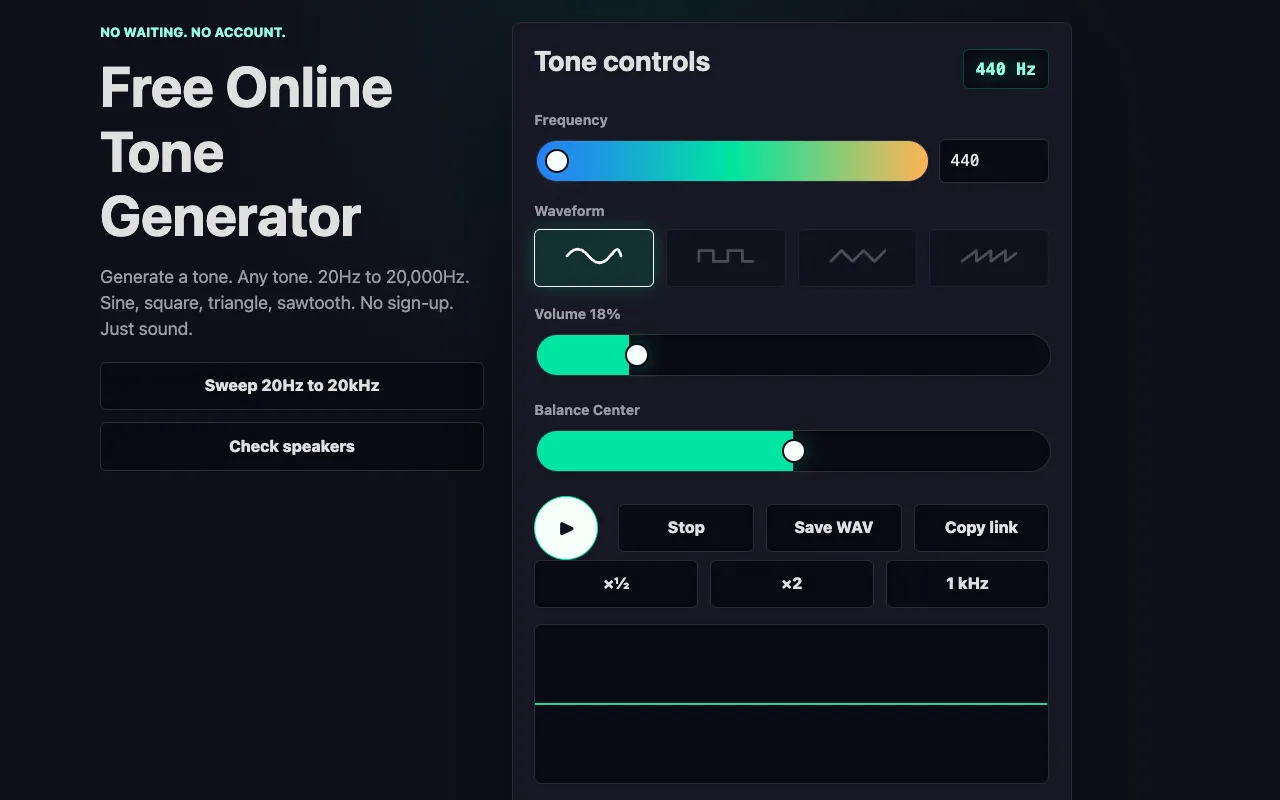
- 02Online Tone Generatoronline-tone-generator.com
Generate pure tones across the full audible spectrum from 20 Hz to 20 kHz with precise frequency control. The tool su...
Side by side
Tone generator options compared
| Tool | Best for | Strengths | Limitations |
|---|---|---|---|
| RapidTables rapidtables.com | Visualizing frequency relationships |
|
|
| Online Tone Generator online-tone-generator.com | Generating playable audio tones |
|
|
Buyer's guide
How to choose a tone generator
If your priority is hearing and saving a tone for speaker testing, music practice, or audio equipment calibration, choose the tool that lets you select a waveform and download the file as a WAV. If you need to see how different frequencies relate visually or compare pitch patterns without listening, the visualization-focused option may suit you better.
Questions
Tone generator FAQ
- Can I use these tone generators with headphones?
- Yes, but start with a low volume level to protect your ears, especially with headphones, as prolonged loud playback can cause discomfort or hearing damage.
- What waveform types are available in these tools?
- Online Tone Generator supports sine, square, triangle, and sawtooth waveforms. RapidTables' tool focuses on visual representation of the input frequency rather than offering selectable waveform shapes.
- Can I save or download the generated tone from these tools?
- Online Tone Generator allows you to save your tone as a WAV file for download. RapidTables' tool does not appear to offer a save or download function for the generated audio.
- Do I need to create an account to use these tone generators?
- No account creation is necessary for Online Tone Generator. RapidTables' tool also does not require sign-up to access the tone generator functionality.
- Which tool should I use if I need to test my speakers or headphones?
- Online Tone Generator is better suited for speaker and headphone testing because it offers frequency sweeps, multiple waveform options, and the ability to download test tones as WAV files.

