Grid Tools Suite
GridMaker is a free online drawing grid generator designed specifically for artists, teachers, and creative professio...
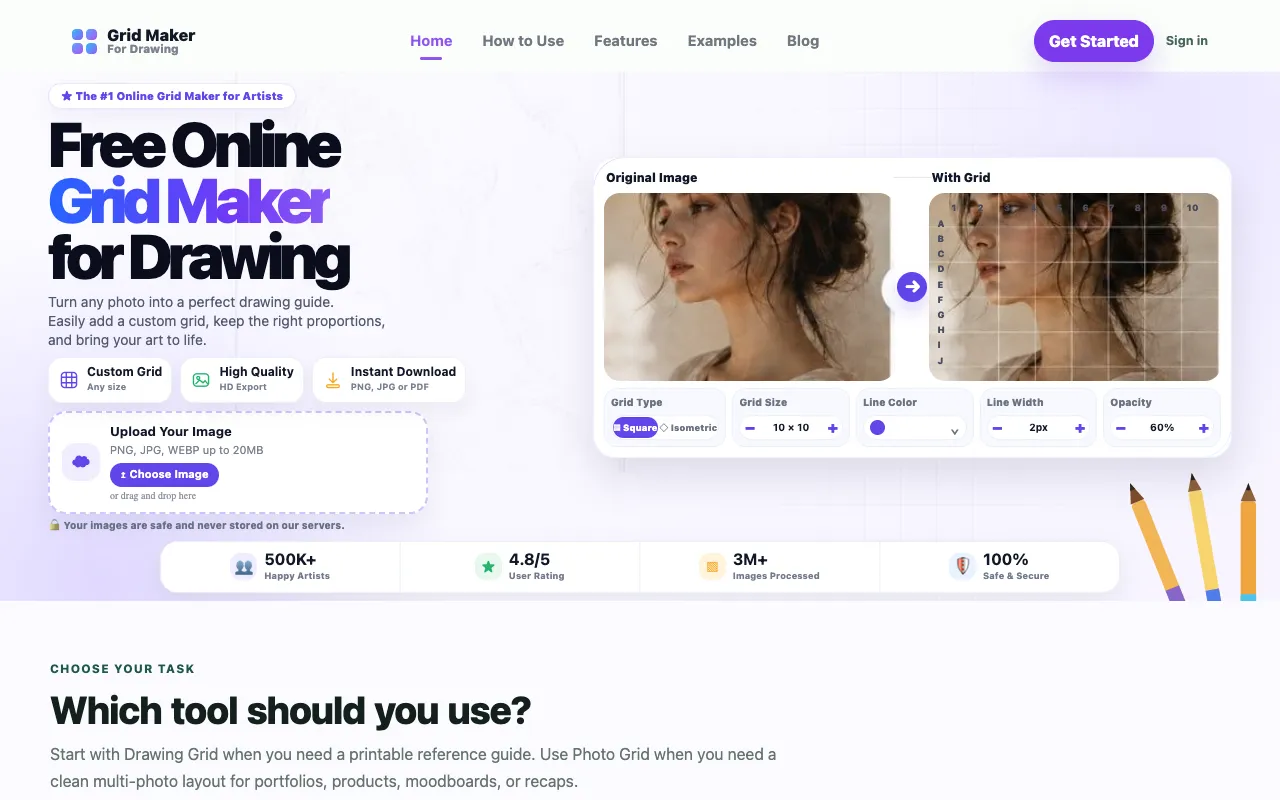
What Grid Tools Suite does
GridMaker is a free online drawing grid generator designed specifically for artists, teachers, and creative professionals. Upload any reference photo and overlay a customizable, precision drawing grid with adjustable rows and columns, controllable line color, width, and opacity settings. Add lettered labels (A1, B2 style) or diagonal guides to aid accurate proportion drawing and perspective work, select your preferred paper size, and export the finished grid as PNG or JPG for use in your studio, classroom, or creative workspace.
How to use the GridMaker Grid Tools Suite
- 1
Upload a reference photo to the GridMaker workspace
- 2
Adjust rows, columns, line color, width, and opacity to customize the grid overlay
- 3
Select lettered labels (A1, B2 style) or diagonal guides to aid proportion and perspective drawing
- 4
Choose your preferred paper size and export the finished grid as PNG or JPG
Best for
Artists, teachers, and creative professionals who need a customizable drawing grid overlay to improve proportion accuracy and perspective work.
Limitations
- No unit switching between measurement systems
- Export formats limited to PNG and JPG only
- Results depend on the quality of the uploaded reference photo
Grid Tools Suite FAQ
- Can I use GridMaker on a tablet or mobile device?
- GridMaker is a web-based tool accessible from any device with a browser and internet connection, including tablets and smartphones.
- What file formats can I export my grid to?
- You can export your customized grid as PNG or JPG files for use in your studio, classroom, or creative workspace.
- Does GridMaker offer diagonal guides for perspective drawing?
- Yes, GridMaker allows you to add diagonal guides to aid accurate proportion drawing and perspective work alongside lettered labels.
- Is there a limit to the number of rows and columns I can create?
- The material does not specify limits on rows and columns, but the grid is customizable with adjustable rows and columns to suit your drawing needs.
Similar tools
Based on shared tags