Agent Setup Generator
Generate ready-to-paste config for pointing Claude Code, Cursor, Aider, Cline, and other coding agents at your own lo...
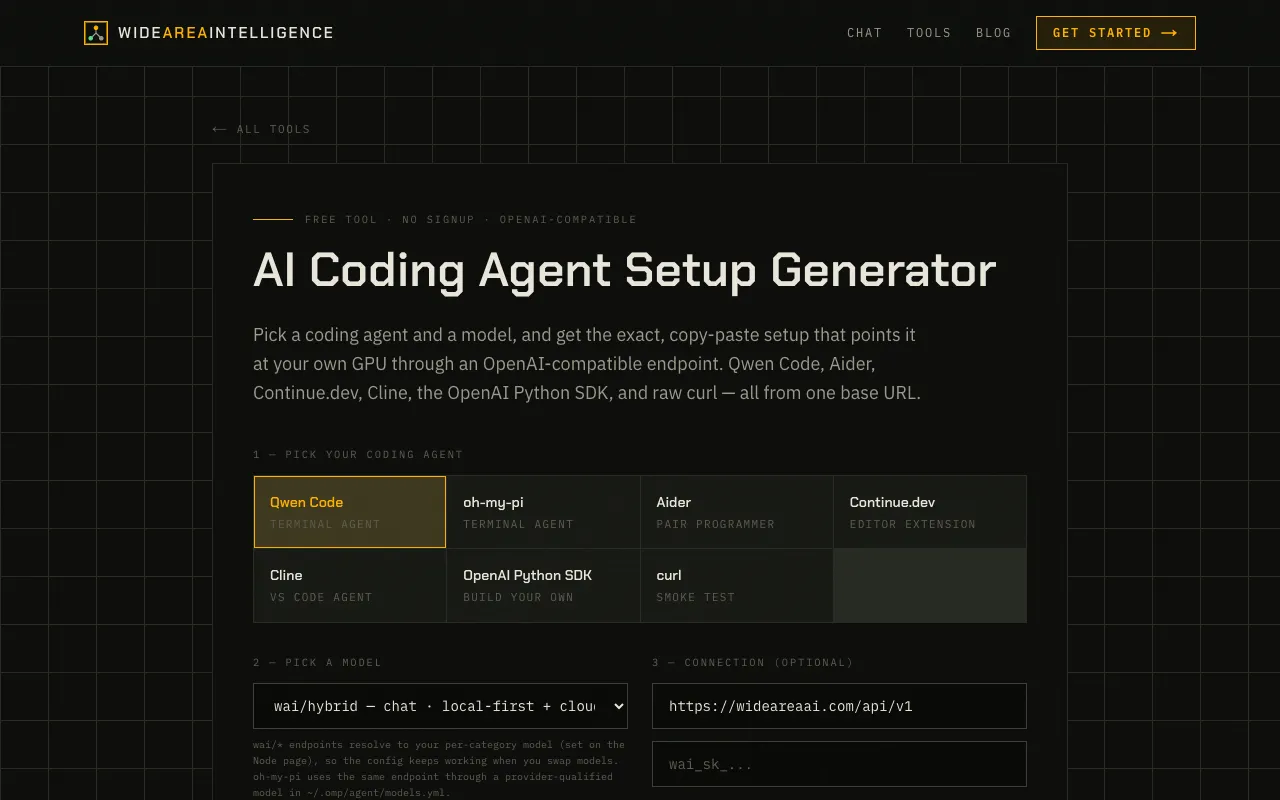
What Agent Setup Generator does
The Agent Setup Generator on Wide Area AI creates ready-to-paste configuration files that point popular coding agents like Claude Code, Cursor, Aider, and Cline at a local LLM through an OpenAI-compatible endpoint. Users select their preferred coding agent and model, and the tool outputs the exact environment variables and setup commands needed to connect to the Wide Area AI API. The process eliminates manual configuration, allowing developers to quickly route their existing agent tools to run locally on their own hardware via the platform's API endpoints.
How to use the Wide Area AI Agent Setup Generator
- 1
Pick a coding agent from the list, such as Aider, Cline, Continue.dev, Qwen Code, or the OpenAI Python SDK
- 2
Select a model from the available options, including wai/hybrid, wai/code, wai/local-coding, or wai/local
- 3
Review the generated setup output, which includes the base URL, API key placeholder, and model name
- 4
Copy the provided environment variables and commands to configure the chosen coding agent
- 5
Set per-category models on the Node page if using specific model IDs to ensure the config resolves correctly
Best for
Developers who want to connect their existing coding agents to a local LLM running on their own hardware without manually writing API configuration files.
Limitations
- Users must first set per-category models on the Node page before the config will resolve correctly
- The default context window is 4096 tokens, which may truncate large repository prompts; users need to raise it to 32k on the node detail pag
- API key setup requires a key from Wide Area AI, and the endpoint depends on model availability per node
Agent Setup Generator FAQ
- Do I need to install any software to use the Agent Setup Generator?
- No installation is required; the tool runs in your browser and outputs copy-paste configuration that you apply to your local setup.
- Can I use this generator with any coding agent, or is it limited to specific ones?
- The generator supports a range of popular coding agents including Claude Code, Cursor, Aider, Cline, Continue.dev, Qwen Code, and the OpenAI Python SDK, all from a single base URL.
- What happens if I change my model after generating the setup config?
- Since wai/* endpoints resolve to the model you choose on each node, the generated config will keep working when you swap models, as long as you set your per-category models first on the Node page.
- Why does the generated config mention raising the context window to 32k?
- Coding agents send large prompts; the default 4096 tokens truncates your repository, so raising the context window to 32k on the node detail page prevents premature truncation during agent runs.
Similar tools
Based on shared tags