2 tools
Calculates your college grade point average (GPA) by allowing users to input multiple courses, their corresponding credits, and associated grades. The tool facilitates comprehensive GPA tracking for higher education students, enabling calculation of both current semester GPAs and cumulative GPAs. Users can enter up to 30 distinct courses and their credit values, with an optional feature to incorporate previous academic scores into the overall calculation. Individuals seeking to track their academic progress or understand their performance in college settings use this calculator. Students who need a precise measure of their academic standing—such as for application reviews, scholarship applications, or personal record keeping—find it useful. It provides a straightforward way to consolidate various grades and credits into a single, accurate GPA figure.
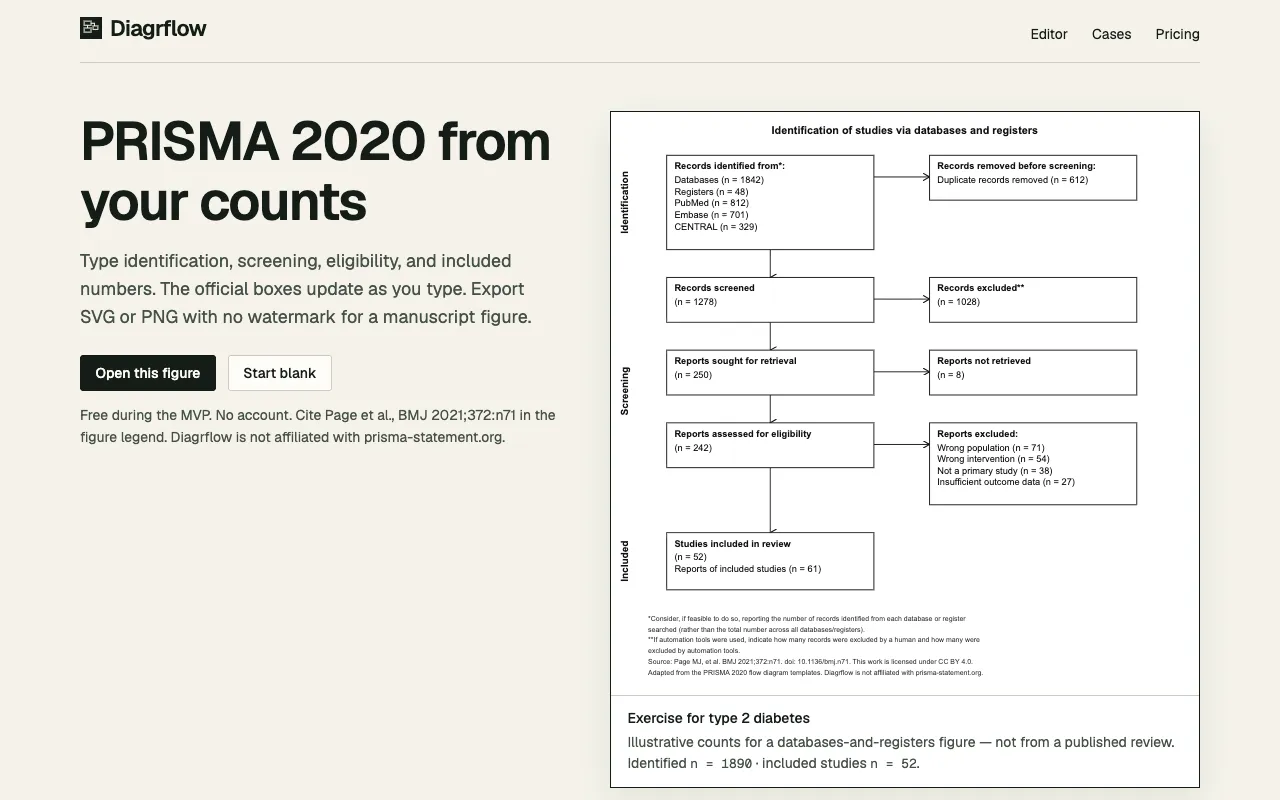
Diagrflow enables researchers to create PRISMA 2020 flow diagrams for systematic reviews and meta-analyses in minutes. Users input counts for each stage of the systematic review process (identification, screening, eligibility, inclusion) and the tool automatically generates a publication-ready diagram that meets PRISMA reporting standards. An interactive preview displays the diagram in real-time, allowing researchers to verify accuracy at each stage, from the initial identification phase through the final count of included studies. Completed diagrams export as SVG or PNG files without watermarks, making them suitable for direct inclusion in academic journal submissions. The tool removes the need for manual design work or external graphics software, streamlining the process of creating compliant PRISMA 2020 diagrams. The tool is independently developed and maintains no affiliation with the official PRISMA group.