Game Clock
Sky Clock Online is a browser-based tool designed specifically for players of the game Sky. It tracks the game's inte...
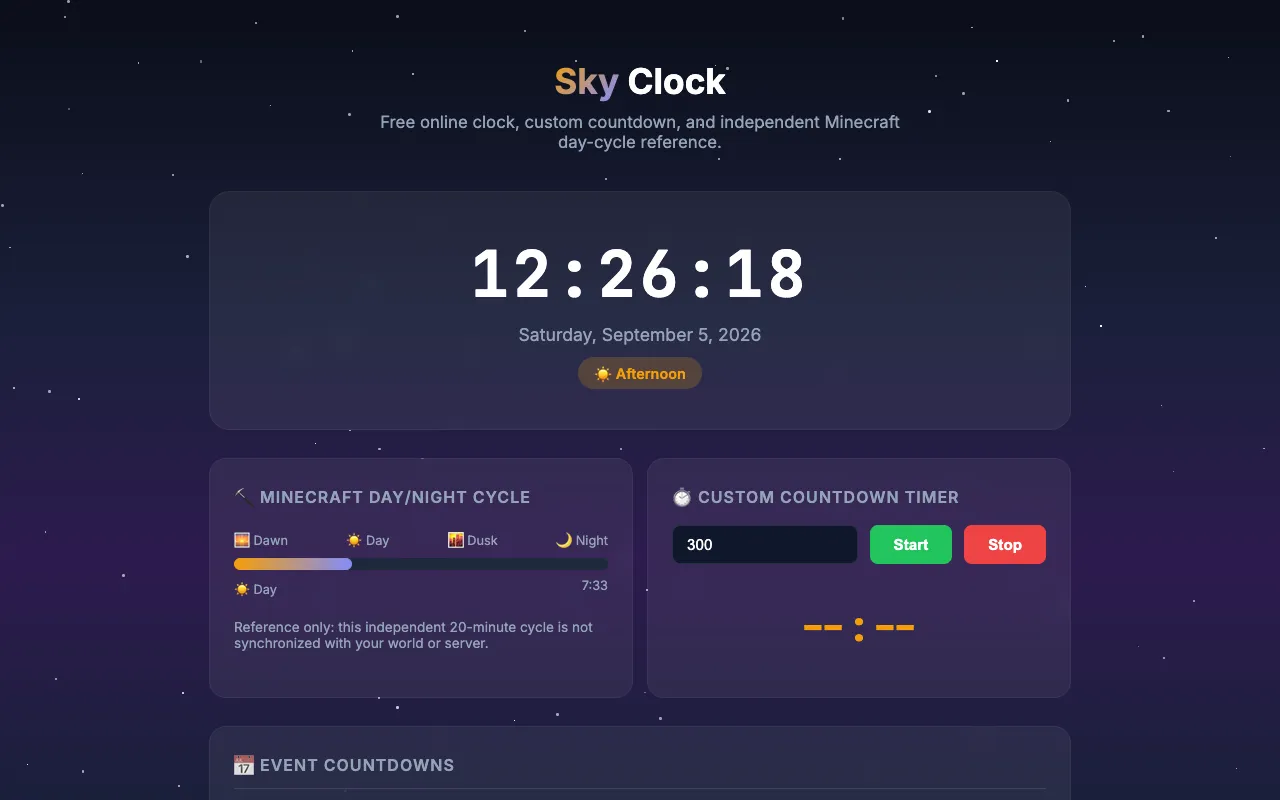
What Game Clock does
Sky Clock Online is a browser-based timer designed for players of the game Sky. It displays the game's internal 20-minute day/night cycle, showing real-time indicators for Dawn, Day, Dusk, and Night. Users can also set custom countdown timers and view upcoming event markers. The interface presents the current phase clearly and offers quick-access countdowns for the next Minecraft day and hour, all without requiring software installation or launching the game.
How to use the Sky Clock Online Game Clock
- 1
Open Sky Clock Online in a web browser
- 2
View the current in-game time cycle displayed as Daytime, Dawn, Day, Dusk, or Night
- 3
Set a custom countdown duration using the Start, Stop controls
- 4
Check the Next MC Day and Next Hour countdowns for event planning
Best for
Sky players who need to coordinate gaming sessions and track time-sensitive in-game events without launching the game or installing software.
Limitations
- Reference only: the displayed cycle is not synchronized with your world or server
- No unit switching beyond minutes and hours
- Results are estimates based on the standalone 20-minute cycle
Game Clock FAQ
- Do I need to launch Sky to use the timer?
- No, Sky Clock Online runs directly in your web browser without requiring the game to be open or installed.
- Is the clock synchronized with my personal Sky world?
- No, the timer shows a reference 20-minute cycle that is not synchronized with your world or server state.
- Can I set a custom timer for specific durations?
- Yes, the tool includes a custom countdown timer where you can set a duration and start or stop it as needed.
- What do the Dawn, Day, Dusk, and Night labels mean?
- These labels represent the four phases of Sky's internal 20-minute day/night cycle, helping players track when recurring events occur.
Similar tools
Based on shared tags