Ping Tool
The Ping Tool tests network connectivity and measures response latency by sending ping requests to any website, serve...
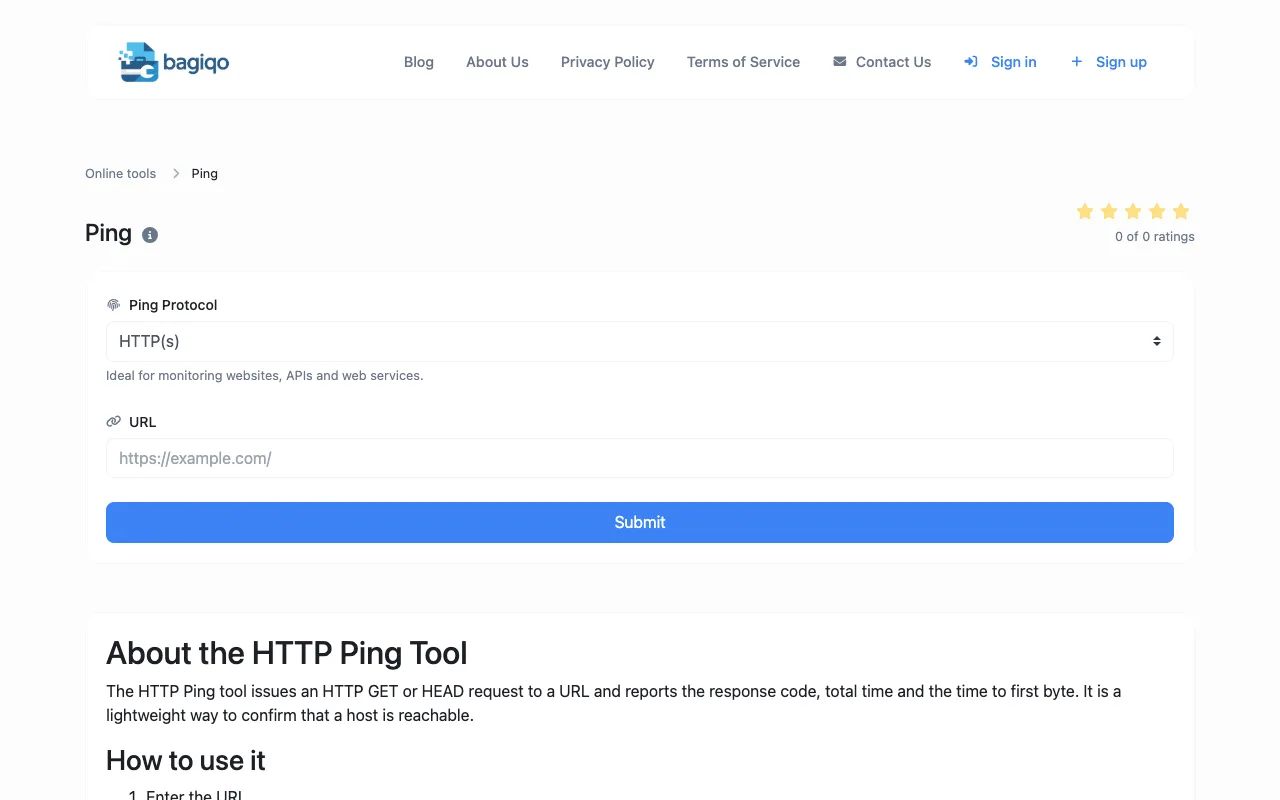
What Ping Tool does
The Ping Tool on Bagiqo tests network connectivity and measures response latency by sending ping requests to any website, server, or IP address. Users can quickly verify server availability, measure response times, and diagnose connectivity problems without specialized networking software. The tool provides immediate results showing whether a host is reachable and how long responses take, making it useful for network administrators, webmasters, IT professionals, and developers diagnosing connectivity issues, monitoring server availability, troubleshooting network problems, and verifying server uptime.
How to use the Bagiqo Ping Tool
- 1
Enter the host, website URL, or IP address in the designated field
- 2
Select the preferred ping protocol (ICMP or HTTP) from the available options
- 3
Click the Ping button to initiate the connectivity test
- 4
Review the response results showing latency and availability status
- 5
Use the share function to save or export the test results if needed
Best for
Network administrators, webmasters, IT professionals, and developers who need to quickly diagnose connectivity issues, monitor server availability, troubleshoot network problems, or verify server uptime without installing specialized networ
Limitations
- Results may vary based on geographic location and network conditions
- High latency does not always indicate service slowness; it may reflect cold-start, region distance, or throttling
- The tool provides network connectivity data but does not offer comprehensive network diagnostics or analysis
Ping Tool FAQ
- What does the Ping Tool test and what results does it show?
- The Ping Tool tests network connectivity by sending ping requests to a specified host, server, or IP address. It shows whether the host is reachable and measures response latency in milliseconds, helping users verify server availability and diagnose connectivity problems.
- Can I ping any website or do I need specific permissions?
- You can ping any website, server, or IP address using the tool. No special permissions are required, though some hosts may block ICMP requests or have firewalls that prevent ping responses.
- What is the difference between ICMP and HTTP ping protocols?
- ICMP ping tests basic network connectivity using Internet Control Message Protocol, while HTTP ping issues an HTTP GET or HEAD request to a URL and reports the response code, total time, and time to first byte. HTTP ping is better for confirming that web services are actually responding.
- Why might I get high latency results even when a service seems to be working?
- High latency does not always mean the service is slow; it may reflect cold-start processes, geographic distance between your location and the server, or network throttling. The tool includes notes explaining these factors can affect results.
Similar tools
Based on shared tags