Screen Size Calculator
Calculate screen width, height, and area from diagonal and aspect ratio. Compare 16:9, 16:10, 3:2, 4:3, and ultrawide...
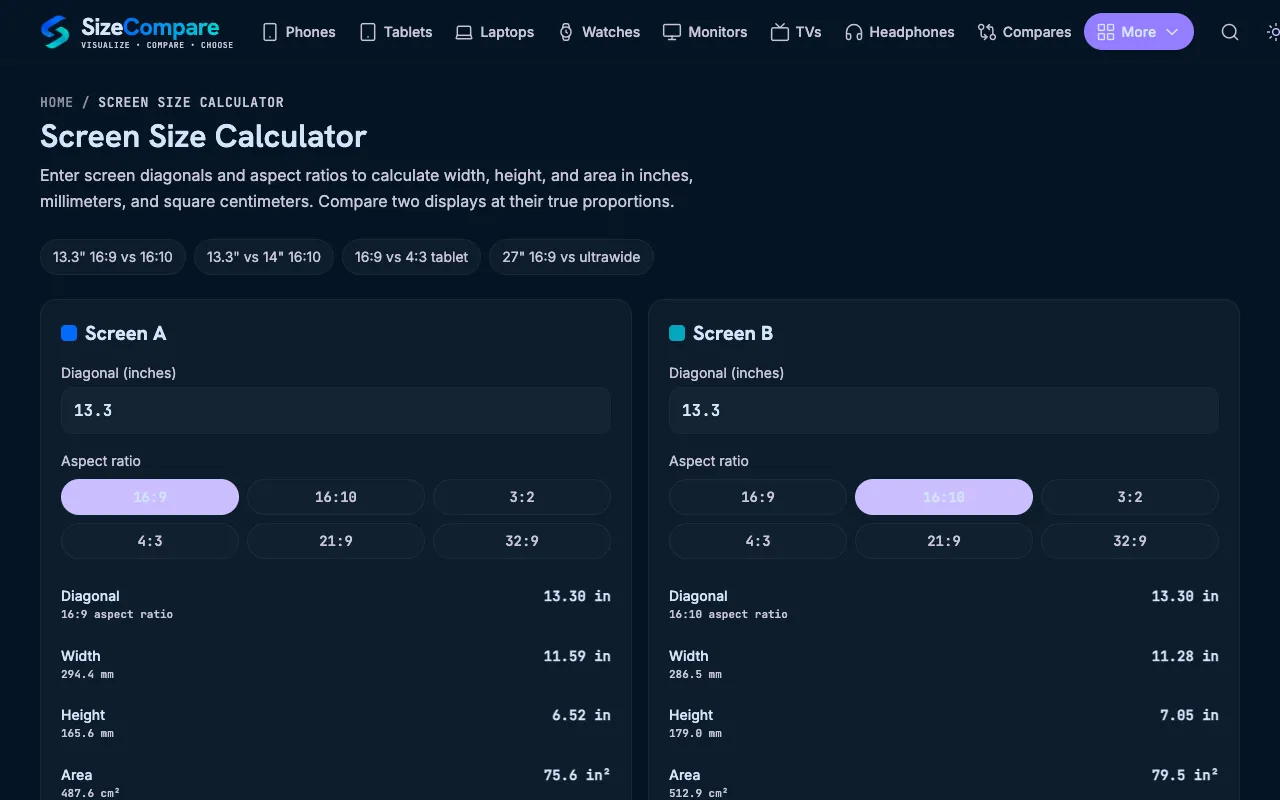
What Screen Size Calculator does
A screen size calculator that determines physical dimensions—width, height, and area—from a diagonal measurement and aspect ratio. It supports common ratios including 16:9, 16:10, 3:2, 4:3, 21:9, and 32:9, and lets users input custom values or select presets. The output includes metric and imperial units, and a true-ratio side-by-side comparison that renders two screens at the same relative scale, showing width, height, and area differences in percentages. This helps users visualize how different aspect ratios compare in real size, whether choosing a new monitor, planning a desk setup, or simply curious about display proportions.
How to use the SizeCompare Screen Size Calculator
- 1
Select a preset aspect ratio or enter a custom diagonal size and ratio for Screen A
- 2
Optionally input Screen B’s diagonal and aspect ratio to enable a side-by-side true-ratio comparison
- 3
View the calculated width, height, and area for each screen, displayed in both inches and metric units
- 4
Use the percentage difference labels to quickly assess how much larger or smaller one screen is compared to the other
Best for
Ideal for anyone comparing monitor or TV sizes, checking if a screen will fit a specific space, or deciding between aspect ratios for productivity or media consumption.
Limitations
- Results describe the nominal active display rectangle, not full physical product dimensions including bezels or curves
- No built-in unit conversion toggle; both imperial and metric values are shown simultaneously
- Comparisons are based on nominal diagonal sizes and may not reflect exact device measurements
Screen Size Calculator FAQ
- How are screen width and height calculated from diagonal and aspect ratio?
- The diagonal and aspect ratio form a right triangle. The calculator divides the diagonal by the square root of the width-ratio squared plus the height-ratio squared, then multiplies that unit length by each ratio number to derive the screen width and height.
- Do two screens with the same diagonal size have the same area?
- No. Aspect ratio changes the shape. A 13.3-inch 16:10 screen is taller and has a slightly larger area than a 13.3-inch 16:9 screen because more of the diagonal is used for height and less is consumed by width.
- Are the results physical device dimensions?
- No. Results describe the nominal active display rectangle. Bezel, cover glass, curves, camera cutouts, and device housing can make the physical product larger.
- Which aspect ratios does the calculator support?
- Common laptop, monitor, phone, and tablet ratios are built in: 16:9, 16:10, 3:2, 4:3, 21:9, and 32:9. Users can also enter custom aspect ratios if needed.
More Screen Size Calculator tools
Similar tools
Based on shared tags