Mortgage Points Calculator
Estimate mortgage discount point cost, monthly payment savings and simple break-even months for two fixed interest ra...
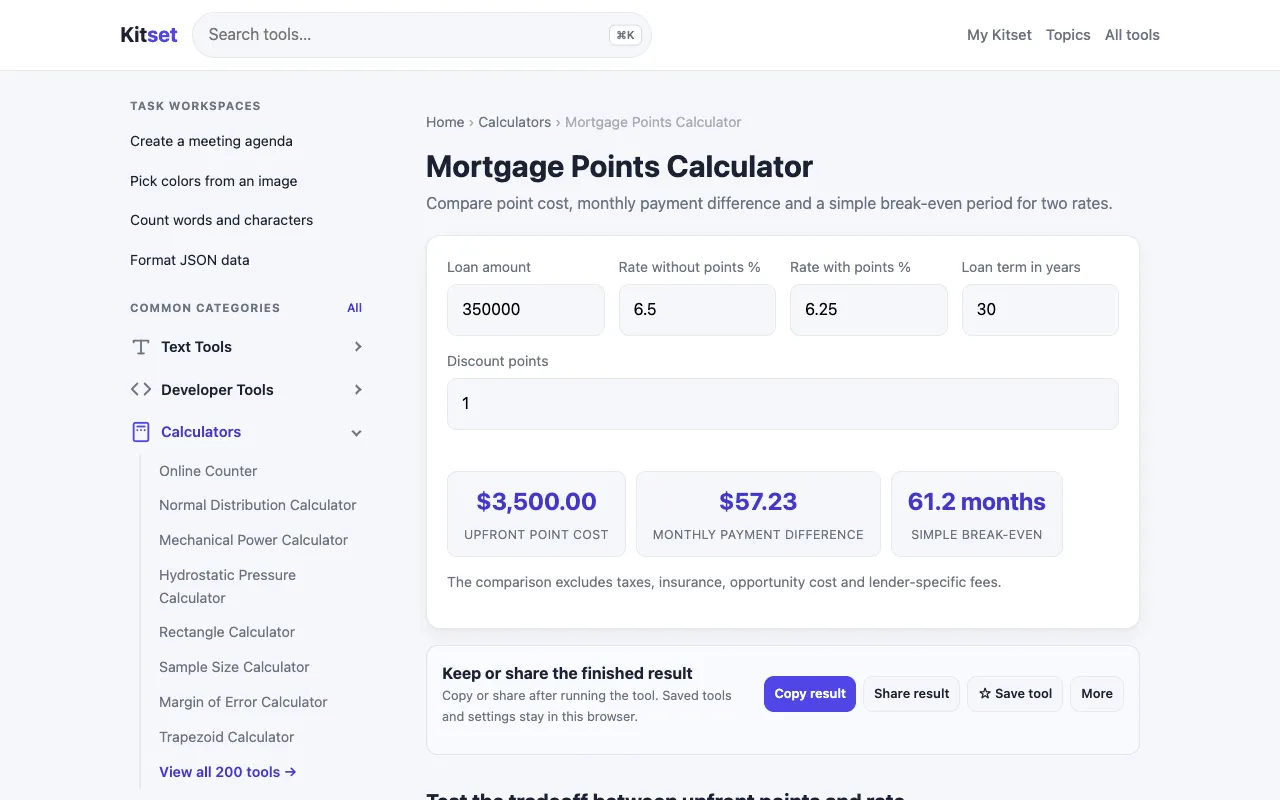
What Mortgage Points Calculator does
A mortgage points calculator helps homebuyers and homeowners evaluate the long-term financial impact of paying discount points. By entering loan details such as the principal amount, interest rate, and the cost of points, users determine the estimated cost of points, monthly payment savings, and the simple break-even months needed to recoup the upfront expense. This provides a clear picture of whether paying points reduces the total cost of the loan given the user's intended time in the home. Kitset’s version offers a straightforward interface for comparing two fixed interest rates side-by-side. Users input the loan amount, points cost, and rate for each scenario to see estimated monthly payment differences and the break-even point for each. The design focuses on presenting the core financial comparison—cost, savings, and months to break even—without the clutter of advanced amortization schedules, making it quick to assess which rate option makes financial sense.
How to use the Kitset Mortgage Points Calculator
- 1
Enter the loan amount in the principal field
- 2
Input the discount point cost and current interest rate for the first scenario
- 3
Input the discount point cost and alternative interest rate for the second scenario
- 4
View the estimated monthly payment savings and break-even months for both options
- 5
Compare the results to decide which rate and points combination fits your financial plan
Best for
Homebuyers comparing two fixed-rate loan offers who want a quick, side-by-side assessment of upfront point costs versus monthly savings and break-even timing.
Limitations
- Results are estimates based on fixed-rate inputs
- Does not account for taxes, insurance, or loan term variations
- Break-even calculation assumes consistent monthly payments and no refinancing
Mortgage Points Calculator FAQ
- How many mortgage points should I buy?
- The calculator helps you compare the upfront cost of points against your monthly savings. A common rule of thumb is to consider buying points if you plan to stay in the home long enough to pass the break-even point, but your personal cash flow and tax situation should also factor into the decision.
- What is the break-even point on mortgage points?
- The break-even point is the number of months it takes for the monthly payment savings from a lower rate to equal the upfront cost of the discount points. The calculator provides this figure so you can compare it against how long you intend to keep the mortgage.
- Can I use this calculator for adjustable-rate mortgages?
- No, this tool is designed for fixed-interest-rate comparisons. Adjustable-rate mortgages involve rate changes over time, which would require a different amortization approach not supported by this calculator.
- Does the calculator include property taxes and insurance?
- No, the calculator focuses on the principal and interest portion of the mortgage payment. Property taxes, homeowners insurance, and PMI are not included in the estimated monthly savings or break-even calculation.
More Mortgage Points Calculator tools
- 01Financial Toolsetfinancialtoolset.com
Calculate if buying mortgage points is worth it. Compare discount points vs higher rate. Free mortgage points calcula...
- 02Omni Calculatoromnicalculator.com
The mortgage points calculator helps you estimate and compare the savings gained when buying mortgage points.
Similar tools
Based on shared tags