Signal Strength Analyzer
Browser-based analyzer for LTE and 5G field signal measurements. Input RSRP (Reference Signal Received Power), RSRQ (...
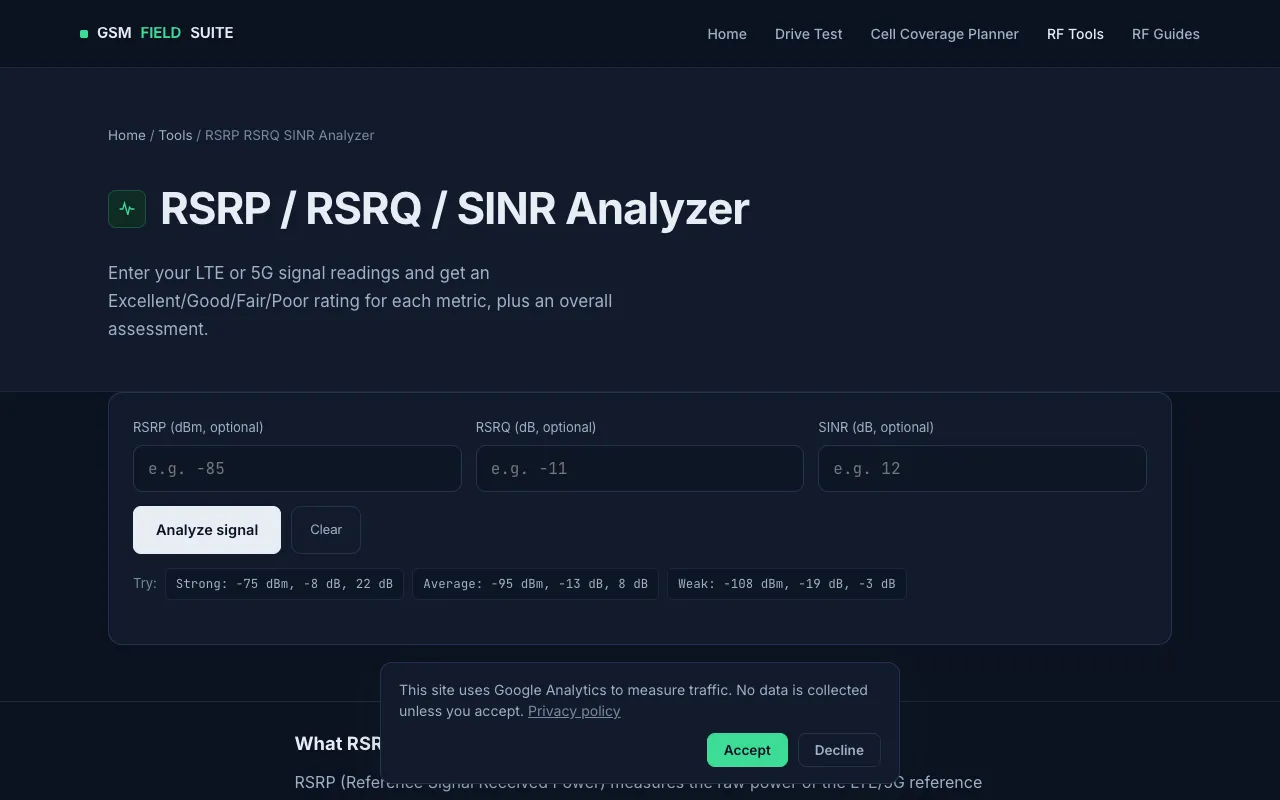
What Signal Strength Analyzer does
The Signal Strength Analyzer is a browser-based tool for LTE and 5G field measurements that accepts RSRP, RSRQ, and SINR values to produce an Excellent/Good/Fair/Poor rating for each metric and an overall assessment. Users enter their readings and receive an instant interpretation of signal strength, radio quality, and interference conditions based on industry-standard RF metrics. The output includes a clear rating breakdown and a summary that always follows the weakest entered metric, acknowledging that one poor metric can dominate real-world user experience even when others appear acceptable. The interface presents input fields, a prominent Analyze button, and example values for Strong, Average, and Weak scenarios to help users calibrate their own readings. The page also provides concise explanations of what each metric represents—RSRP as raw signal power, RSRQ as signal quality relative to total received power, and SINR as wanted signal versus interference plus noise—grounding the ratings in RF engineering principles without requiring software installation or account creation.
How to use the GSM Field Suite Signal Strength Analyzer
- 1
Open the RSRP RSRQ SINR Analyzer on GSM Field Suite
- 2
Enter your LTE or 5G signal readings in the RSRP (dBm), RSRQ (dB), and SINR (dB) fields
- 3
Click the Analyze button to generate metric-specific ratings and an overall assessment
- 4
Review the Excellent/Good/Fair/Poor ratings for each metric and the combined result displayed on screen
- 5
Use the Clear button to reset inputs and try different measurement sets as needed
Best for
Wireless network engineers, technicians, and field test specialists conducting drive tests or site surveys who need quick, login-free interpretation of LTE and 5G signal measurements.
Limitations
- Ratings use common field-engineering rule-of-thumb ranges, not an official fixed numeric standard
- Real acceptable thresholds vary by chipset, vendor, and use case
- Overall rating follows the weakest entered metric, which may understate performance if only one metric is marginal
Signal Strength Analyzer FAQ
- Do I need to install software or create an account to use the analyzer?
- No, the tool runs entirely in your browser with no login, account, or software installation required.
- What do the Excellent/Good/Fair/Poor ratings mean for my signal?
- The ratings are common field-engineering rule-of-thumb ranges used across network monitoring tools; real acceptable thresholds vary by chipset, vendor, and use case, with the overall rating always following the weakest entered metric.
- How is the overall assessment determined when I enter multiple metric values?
- The overall rating shown always follows the weakest of the entered metrics, since one bad metric—usually SINR under interference—can dominate the real user experience even when the others look fine.
- Can I use this tool for 5G signal measurements as well as LTE?
- Yes, the analyzer is designed for both LTE and 5G field signal measurements, accepting RSRP, RSRQ, and SINR values for either technology.
Similar tools
Based on shared tags