Group Randomizer
Random Group Generator is a browser-based tool for quickly organizing students or participants into random groups, pa...
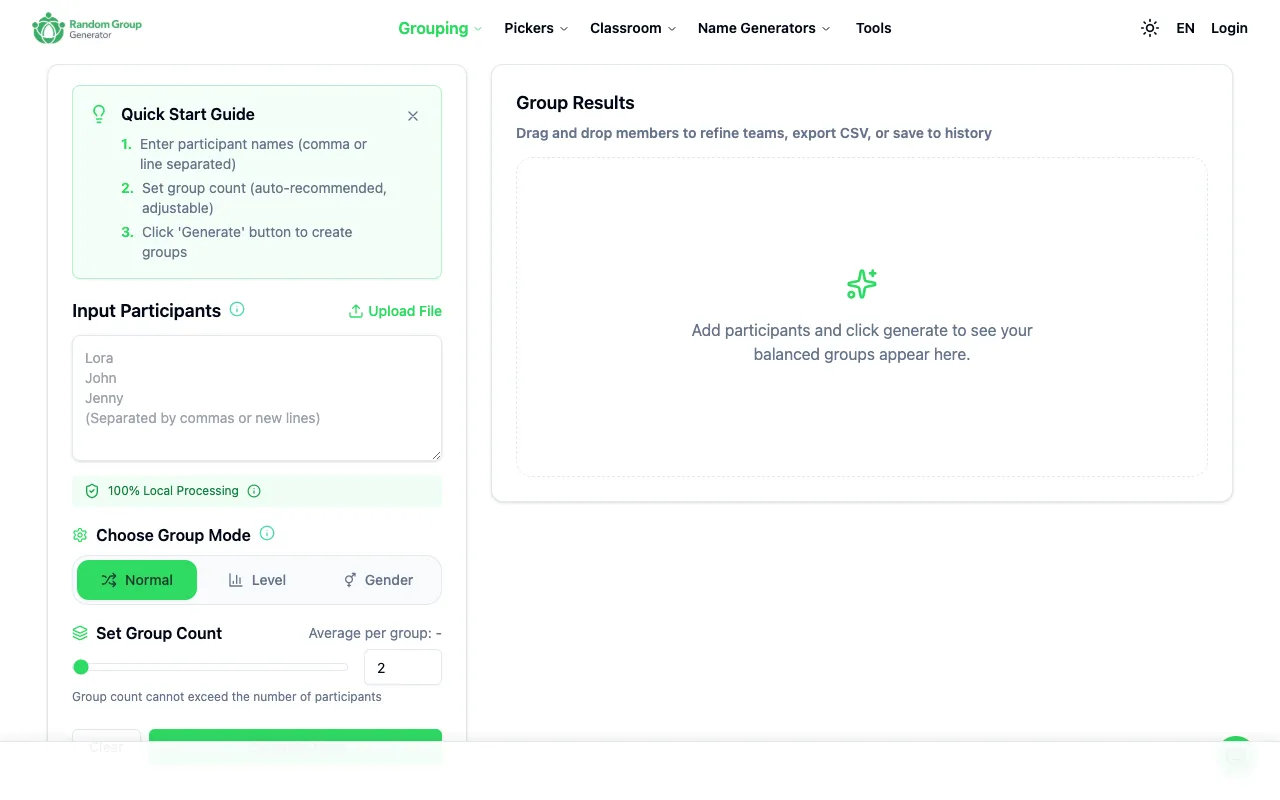
What Group Randomizer does
Random Group Generator is a browser-based tool for quickly organizing students or participants into random groups, pairs, and individual selections. It is designed for teachers, workshop facilitators, and event organizers who need flexible grouping options without server processing delays or privacy concerns. The tool processes all data locally in your browser for instant results and fast iterations. Users can drag-and-drop to edit group assignments, and the site supports multiple import and export formats including CSV, Excel, Markdown, JSON, and direct Zoom integration for seamless workflow integration. The interface includes a Normal mode for standard group splits and a Level mode for differentiated grouping, with options to set group count and average participants per group. A Gender filter is also available to ensure balanced distributions. The tool emphasizes local processing, meaning no data leaves the user's device, and allows community voting on generated groups to refine outcomes. It also provides a direct link to a Random Pair Generator for partner-only work, creating a streamlined experience for different grouping needs.
How to use the Random Group Generator Group Randomizer
- 1
Paste or upload a list of participant names into the Input Participants field
- 2
Choose a Group Mode: Normal for standard teams, Level for differentiated groups, or Gender to balance distributions
- 3
Set the desired Group Count or average participants per group, ensuring the count does not exceed the number of participants
- 4
Click Generate Now to see balanced groups appear instantly in the results area
- 5
Use drag-and-drop to refine team assignments, then export the results as CSV, Excel, Markdown, or JSON, or integrate directly with Zoom
Best for
Teachers, workshop facilitators, and event organizers who need to split a full roster into three or more teams quickly and locally, especially for class projects, workshop breakout rooms, training cohorts, or team rotations.
Limitations
- Group count cannot exceed the number of participants
- No unit switching between metric and imperial measurements
- Results are estimates based on random allocation and may require manual adjustment
Group Randomizer FAQ
- Can I use Random Group Generator without creating an account or saving my data online?
- Yes, the tool processes all data locally in your browser, so no information is sent to a server or stored online, ensuring privacy for sensitive participant lists.
- What file formats can I import or export from Random Group Generator?
- You can upload CSV, Excel, Markdown, and JSON files, and export your group results in the same formats, plus use direct Zoom integration for classroom or meeting workflows.
- How do I adjust groups if the automatic split isn't balanced or suitable for my activity?
- Use the drag-and-drop feature to manually move members between groups, or switch between Normal, Level, and Gender modes to refine the distribution until the teams meet your needs.
- When should I use the Random Pair Generator instead of the main group randomizer?
- Use the Random Pair Generator when every participant only needs a single partner for activities like partner discussion, peer review, or speaking practice, rather than splitting the full roster into larger teams.
Similar tools
Based on shared tags