Streaming Markdown Playground
A free, no-account playground for testing how streaming Markdown renders in real-time AI chat interfaces and LLM appl...
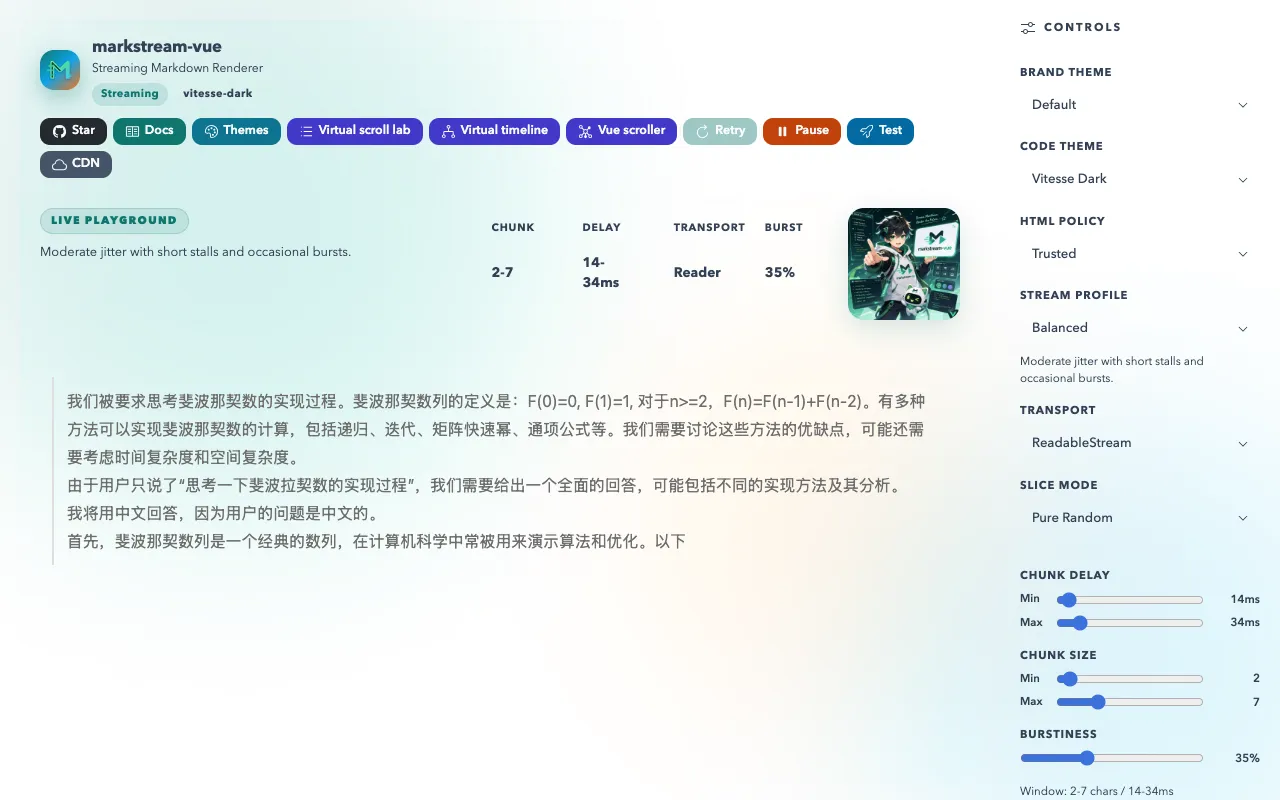
What Streaming Markdown Playground does
Streaming Markdown Playground is a free, no-account tool for testing how Markdown renders in real-time AI chat interfaces and LLM applications. Users type or paste Markdown content and see the formatted output update instantly as they type, with the streamed behavior visible in the preview. The tool is designed for developers building chat applications and conversational AI interfaces who need to verify that formatted content appears correctly as it arrives progressively. The playground includes working examples across multiple frontend frameworks to demonstrate streaming patterns and edge cases. It supports Mermaid diagrams for visualizations, KaTeX syntax for mathematical expressions, and syntax-highlighted code blocks in multiple programming languages, with safe HTML rendering enabled. The interface focuses on practical testing of streaming Markdown behavior without requiring account creation or configuration.
How to use the Markstream Streaming Markdown Playground
- 1
Open the Streaming Markdown Playground site and begin typing or pasting Markdown content into the editor pane
- 2
Watch the real-time preview update instantly as you type, observing how streaming content renders progressively
- 3
Use the framework examples dropdown to select different frontend implementations and compare streaming behavior across approaches
- 4
Insert Mermaid diagram syntax or KaTeX mathematical expressions to test visualization rendering in the streamed output
- 5
Utilize the syntax-highlighted code blocks feature to verify code formatting appears correctly within the streaming Markdown preview
Best for
Developers building and testing chat applications, conversational AI interfaces, and LLM-powered systems who need to verify how formatted content renders progressively as it streams in real-time.
Limitations
- No account persistence, so work is lost if the page is closed without saving
- Streaming behavior may differ from production LLM implementations
- Limited to Markdown, Mermaid, KaTeX, and code block formatting without broader document processing features
Streaming Markdown Playground FAQ
- Can I save my Markdown content for later testing?
- No, Streaming Markdown Playground is designed as a temporary testing environment without account functionality or save features; content is not persisted between sessions.
- Does the tool support dark mode or theme customization?
- The material does not mention theme options; the interface appears to focus on content rendering rather than visual styling preferences.
- Can I test large documents to see how streaming handles length?
- Yes, the playground includes large-document demos that demonstrate streaming behavior with substantial Markdown content, allowing users to observe performance and rendering patterns.
- Is the rendered output identical to what an LLM chat interface would produce?
- The tool is designed to simulate streaming Markdown rendering for LLM applications, but actual chat interface output may vary based on the specific LLM provider and implementation details.
Similar tools
Based on shared tags