NDA Generator
Prepare a one-way confidentiality starting draft from parties and purpose. This is a discussion outline, not legal ad...
What NDA Generator does
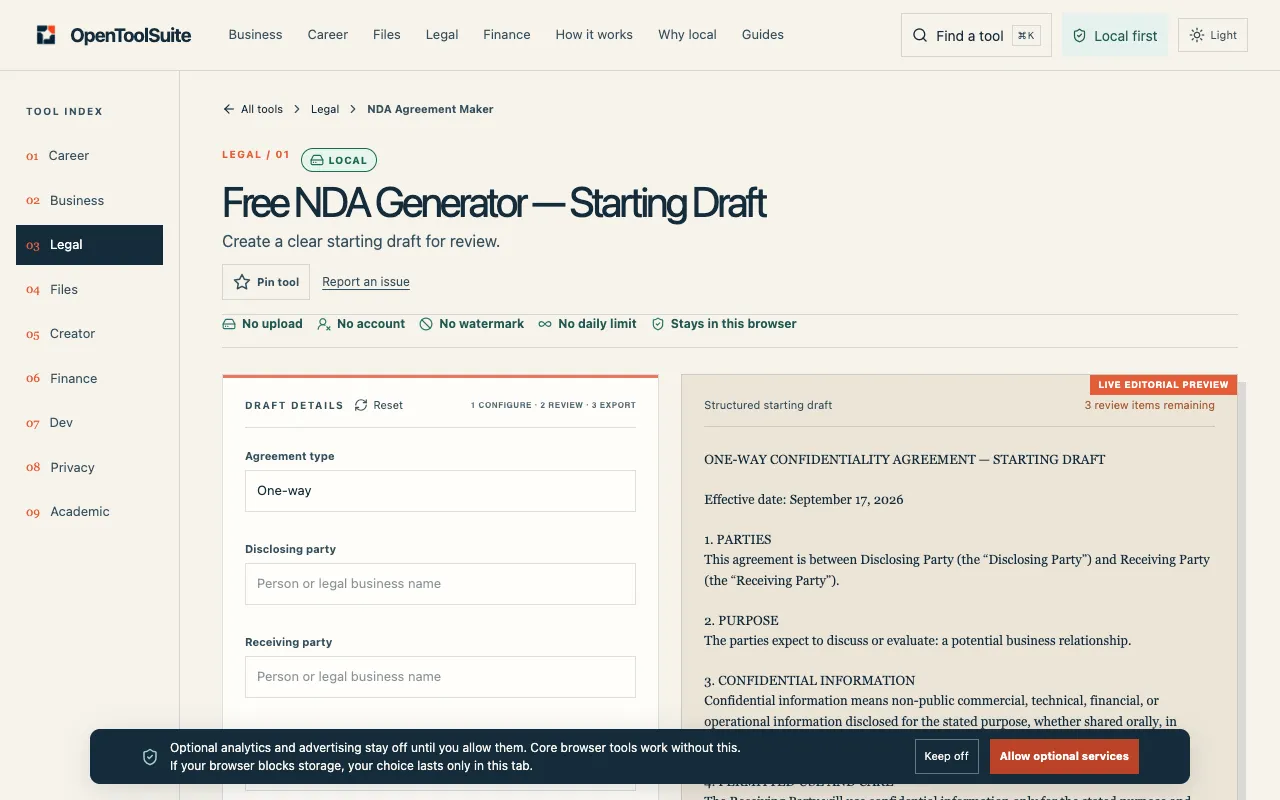
The NDA Generator on OpenToolSuite is a web-based tool that helps users create a preliminary one-way non-disclosure agreement. By entering the parties involved and the purpose of the confidentiality arrangement, the tool produces a starting draft that serves as a discussion outline rather than a final legal document. Users receive a customizable template they can review and edit before any signatures are exchanged.
How to use the OpenToolSuite NDA Generator
- 1
Open the NDA Generator on OpenToolSuite
- 2
Enter the names of the disclosing and receiving parties and describe the purpose of the agreement
- 3
Review the generated draft and replace all placeholder text with specific facts
- 4
Export or copy the draft for external review before sharing or filing
Best for
Professionals and business owners who need a quick, account-free starting point for a one-way confidentiality agreement and are prepared to have the draft reviewed for jurisdiction-specific accuracy.
Limitations
- Output is a general educational draft, not legal advice or court-ready form
- Does not support jurisdiction-specific customization or mutual NDAs
- Requires manual review and placeholder replacement for accuracy
NDA Generator FAQ
- Is the NDA Generator output legally binding?
- No, it is a general educational draft, not a lawyer-backed or court-ready form.
- Can the generated NDA be used in any country?
- No, requirements vary by jurisdiction; the draft should be reviewed for correct legal standards before anyone signs.
- Do I need to create an account to use the tool?
- No, the tool allows users to create a starting draft without an account.
- What should I do after generating the draft?
- Replace every placeholder with accurate facts, confirm the document reflects the correct jurisdiction, and have it reviewed by a legal professional before sharing or filing.