IRR Calculator
Free IRR calculator for a property hold. Enter the equity, the NOI and its growth, the debt service, and the net sale...
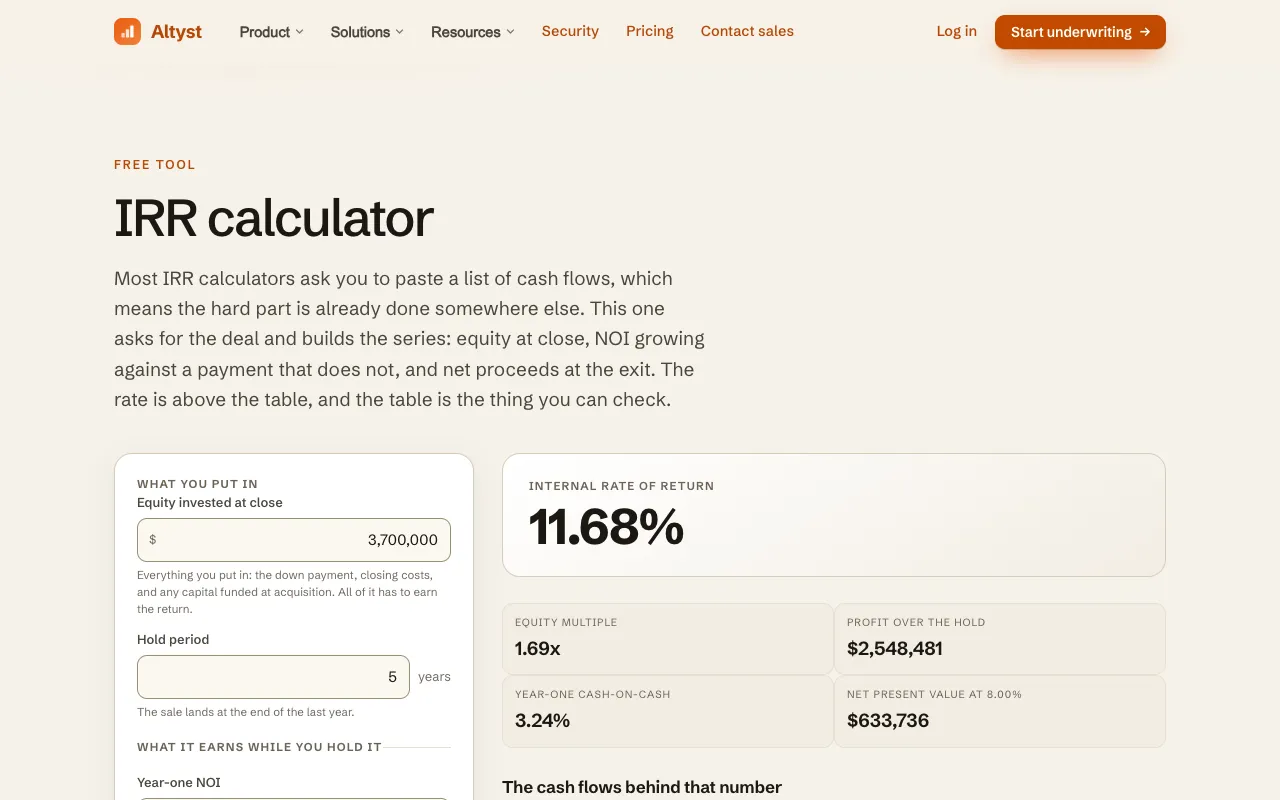
What IRR Calculator does
An Internal Rate of Return calculator designed for real estate investment analysis. It accepts the core inputs of a property deal—equity invested at close, year-one net operating income, annual NOI growth, annual debt service, and hold period—then builds a year-by-year cash flow series to solve for IRR. The output includes the IRR percentage, equity multiple, profit amount, year-one cash-on-cash return, net present value at a user-set discount rate, and the payback year. The tool distinguishes between the total sale price and the net sale proceeds to equity (after selling costs and loan repayment), addressing a common source of IRR overstatement. Results are presented alongside the underlying cash flow table for transparency.
How to use the Altyst IRR Calculator
- 1
Enter the equity invested at close (down payment, closing costs, and capital funded at acquisition)
- 2
Input the year-one net operating income after vacancy and operating expenses but before debt service and taxes
- 3
Specify the annual NOI growth percentage (compounds from year two)
- 4
Enter the annual debt service (principal and interest, held flat across the hold period)
- 5
Set the hold period in years and the net sale proceeds to equity after selling costs and loan repayment
Best for
Investors and analysts evaluating a specific real estate acquisition who need a transparent IRR figure backed by a year-by-year cash flow breakdown rather than a static number.
Limitations
- Designed for property-level cash flows; not suitable for analyzing irregular or non-real estate investment streams
- Annual debt service is held flat across the hold period; varying payment schedules would require manual adjustment
- Net sale proceeds are calculated after selling costs and loan repayment; users must input these figures accurately for correct results
IRR Calculator FAQ
- How is the IRR different from the total return or equity multiple?
- IRR is the annualized rate that makes the net present value of all cash flows zero, while equity multiple shows total profit divided by total equity invested. A project can have a high equity multiple over a long hold period but a modest IRR, or a high IRR with a short hold and low total profit.
- Why do net sale proceeds differ from the sale price?
- Net sale proceeds to equity are the sale price minus selling costs and the remaining loan balance. Since many published IRRs use the full sale price without deducting these amounts, the figure can be overstated; this tool uses the net amount to equity for a more realistic return calculation.
- Can I model a scenario with no debt service?
- Yes. Setting the annual debt service to zero calculates the unlevered IRR, which reflects the return generated by the property's income alone, without the impact of financing costs.
- What does the discount rate field do?
- The discount rate is used to calculate the net present value of the cash flow series. Setting it to your required return lets you see whether the IRR exceeds your target; the NPV will be positive if the IRR is higher than the discount rate and negative if it is lower.
More IRR Calculator tools
- 01Calculator.netcalculator.net
This calculator can calculate the Internal Rate of Return (IRR) for scenarios involving a fixed recurring cash flow, ...
- 02Financial Toolsetfinancialtoolset.com
Calculate the internal rate of return (IRR) for investment cash flows. Visualize NPV profile curve and find the break...
Similar tools
Based on shared tags