GPU Power Cost Calculator
Calculate the electricity cost of running a GPU for local AI inference. Enter wattage, hours, and your power rate to ...
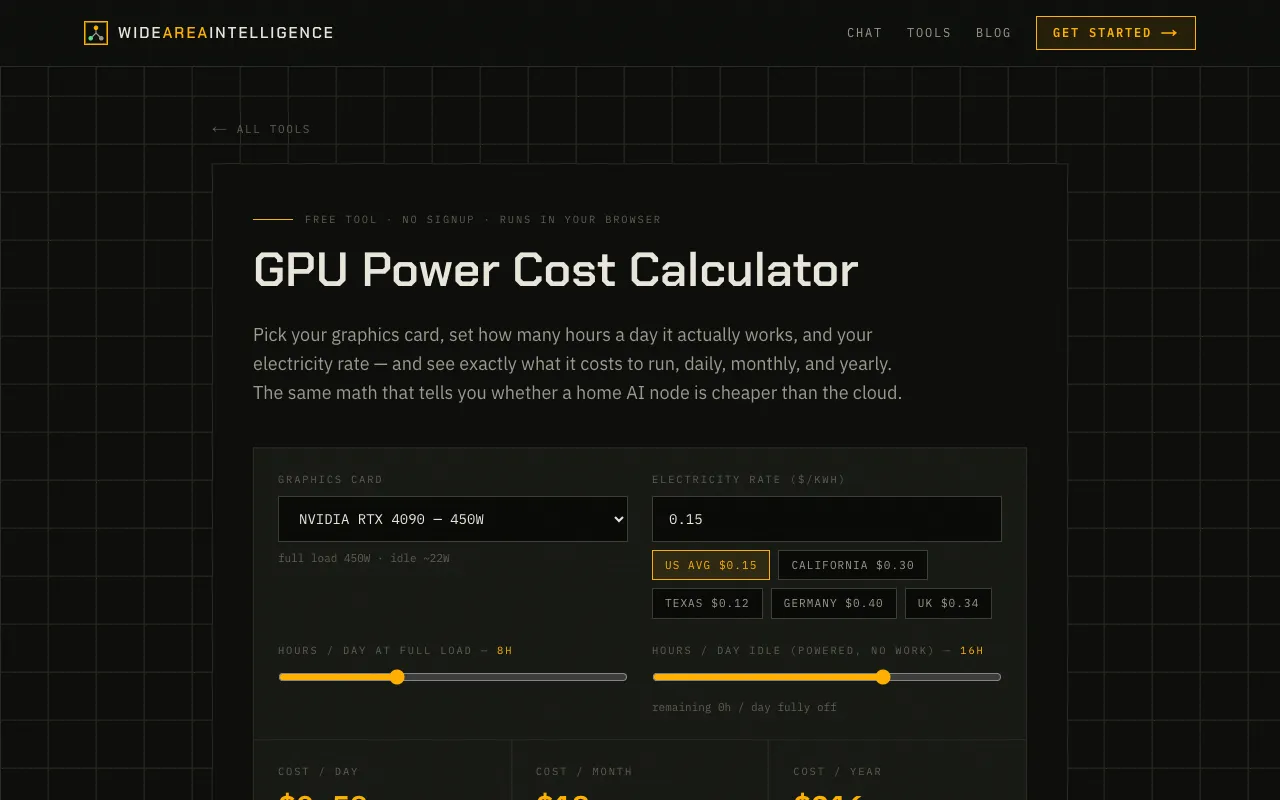
What GPU Power Cost Calculator does
The GPU Power Cost Calculator on Wide Area AI is a free, no-signup browser tool that estimates the electricity expense of running a graphics card for local AI inference. Users select a specific graphics card model or input custom wattage, set daily full-load and idle hours, and choose their local electricity rate. The calculator then outputs the daily, monthly, and yearly cost in dollars and kilowatt-hours, comparing the result to the equivalent cost of cloud API tokens. The site also provides a duty-cycle table showing how cost scales with different daily usage patterns for high-end cards like the RTX 4090.
How to use the Wide Area AI GPU Power Cost Calculator
- 1
Open the GPU Power Cost Calculator on Wide Area AI
- 2
Select your graphics card model from the list or enter a custom wattage value
- 3
Set the hours per day the card runs at full load and the idle hours while powered but not working
- 4
Choose your electricity rate from the preset regions or enter a custom rate per kWh
- 5
View the calculated daily, monthly, and yearly cost, plus the equivalent cloud token comparison
Best for
This option suits developers, hobbyists, or home AI node operators who want to estimate the real electricity cost of running local inference hardware and compare it against cloud API pricing.
Limitations
- Results are estimates based on listed card wattages and may vary with actual usage
- Electricity rates are preset to regional averages and may not match local utility prices
- The tool does not account for hardware depreciation or cooling costs
GPU Power Cost Calculator FAQ
- How does the GPU Power Cost Calculator compare local AI running costs to cloud API pricing?
- The tool calculates your daily, monthly, and yearly electricity cost in dollars and kilowatt-hours, then provides a comparison stating how many cloud tokens that amount would buy at a blended rate, helping you decide if running your own hardware is cheaper than using an API.
- Can I enter my own graphics card wattage if it is not listed in the preset options?
- Yes, the calculator includes a Custom option where you can enter the full load watts and idle watts for any graphics card or hardware setup not covered by the preset models.
- What electricity rates are available, and can I use a rate not listed?
- The site offers preset rates for US average, California, Texas, Germany, and the UK. Users can also enter a custom rate per kWh if their local utility price is not among the defaults.
- Does the calculator account for the card being off when not in use?
- Yes, users can set separate hours per day for full-load operation, idle (powered but not working), and fully off time, allowing the cost calculation to reflect the actual duty cycle of the hardware.