Affordability Calculator
Free home affordability calculator: find out how much house you can afford based on income, debts, down payment, and ...
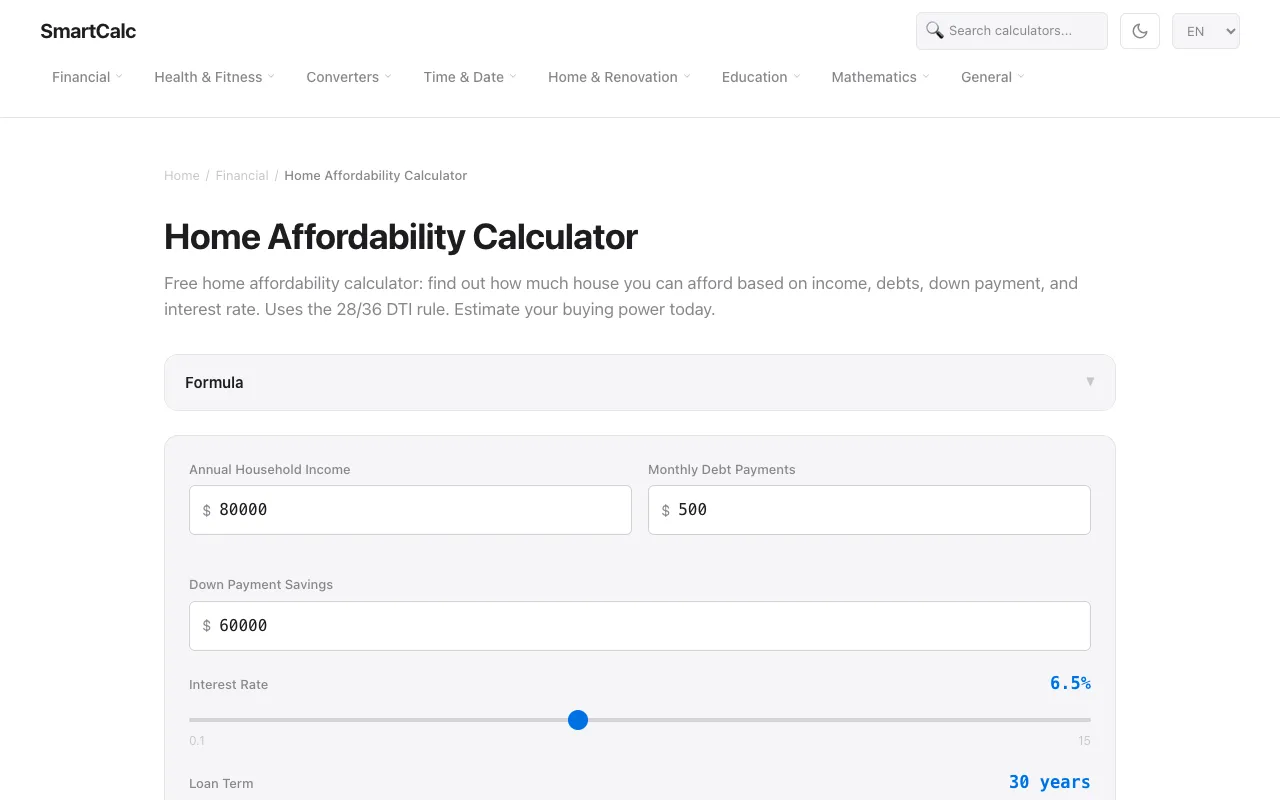
What Affordability Calculator does
The Affordability Calculator on SmartCalc helps users determine the home price they can afford by inputting income, debts, down payment, and interest rate. It applies the 28/36 debt-to-income rule to estimate a realistic housing budget, factoring in property taxes, insurance, and HOA fees. Users receive a maximum home price estimate, down payment percentage, and projected monthly payment, providing a clear picture of their buying power. The tool is designed to simplify the complex calculations involved in mortgage qualification. SmartCalc’s version distinguishes itself through a clean, form-driven interface that presents all relevant inputs—such as property tax and insurance rates—on a single screen. Unlike some competitors that hide additional costs behind separate tabs, SmartCalc displays the 28/36 DTI ratio limits and key insights directly alongside the results. The inclusion of example scenarios and adjustable sliders for interest rates and down payment percentages allows for quick what-if analysis without leaving the page. This integrated approach makes it easier for homebuyers to compare how different financial variables affect overall affordability in one place.
How to use the SmartCalc Affordability Calculator
- 1
Enter your annual household income in the designated field
- 2
Input your total monthly debt payments (car loans, student loans, etc.)
- 3
Specify your down payment savings amount and percentage
- 4
Adjust the interest rate, loan term, and additional costs like property tax and insurance
- 5
Review the calculated maximum home price and monthly payment estimate displayed below the form
Best for
Homebuyers and mortgage shoppers who want a quick, transparent estimate of how much house they can afford based on their current financial situation and who value seeing how changes in down payment, interest rate, and debt affect their buyi
Limitations
- Results are estimates based on the 28/36 DTI rule and may not reflect individual lender requirements
- Does not account for credit score variations or specific loan program guidelines
- Affordability calculation assumes stable income and does not include all possible monthly housing expenses
Affordability Calculator FAQ
- How does the Affordability Calculator determine how much house I can afford?
- The calculator uses the 28/36 DTI rule, ensuring your monthly housing costs stay within 28% of your gross monthly income and total debt payments remain under 36%. It factors in your income, existing debts, down payment, interest rate, property taxes, insurance, and HOA fees to estimate the maximum home price you can qualify for.
- What is the 28/36 rule and how is it applied in this tool?
- The 28/36 rule is a common lending guideline where the front-end ratio (28%) caps monthly housing costs—including principal, interest, taxes, and insurance—at 28% of gross monthly income. The back-end ratio (36%) includes all debt payments. SmartCalc’s tool applies both ratios to your inputs to generate a realistic affordability estimate.
- Can I see how changing my down payment affects my monthly payment?
- Yes, the tool provides key insights showing how increasing your down payment, such as to 20%, can eliminate private mortgage insurance and reduce your estimated monthly payment. Adjusting the down payment amount directly changes the loan amount and resulting payment calculation.
- How does the interest rate impact the home price I can afford?
- Adjusting the interest rate by even a small amount, such as 1%, can change your affordable home price by roughly $30,000. The calculator recalculates the maximum home price based on the new rate while keeping your income, debts, and down payment constant.
More Affordability Calculator tools
Similar tools
Based on shared tags