Wheel Spinner
A free browser-based wheel spinner tool that lets you input any list of options and spin a virtual wheel to randomly ...
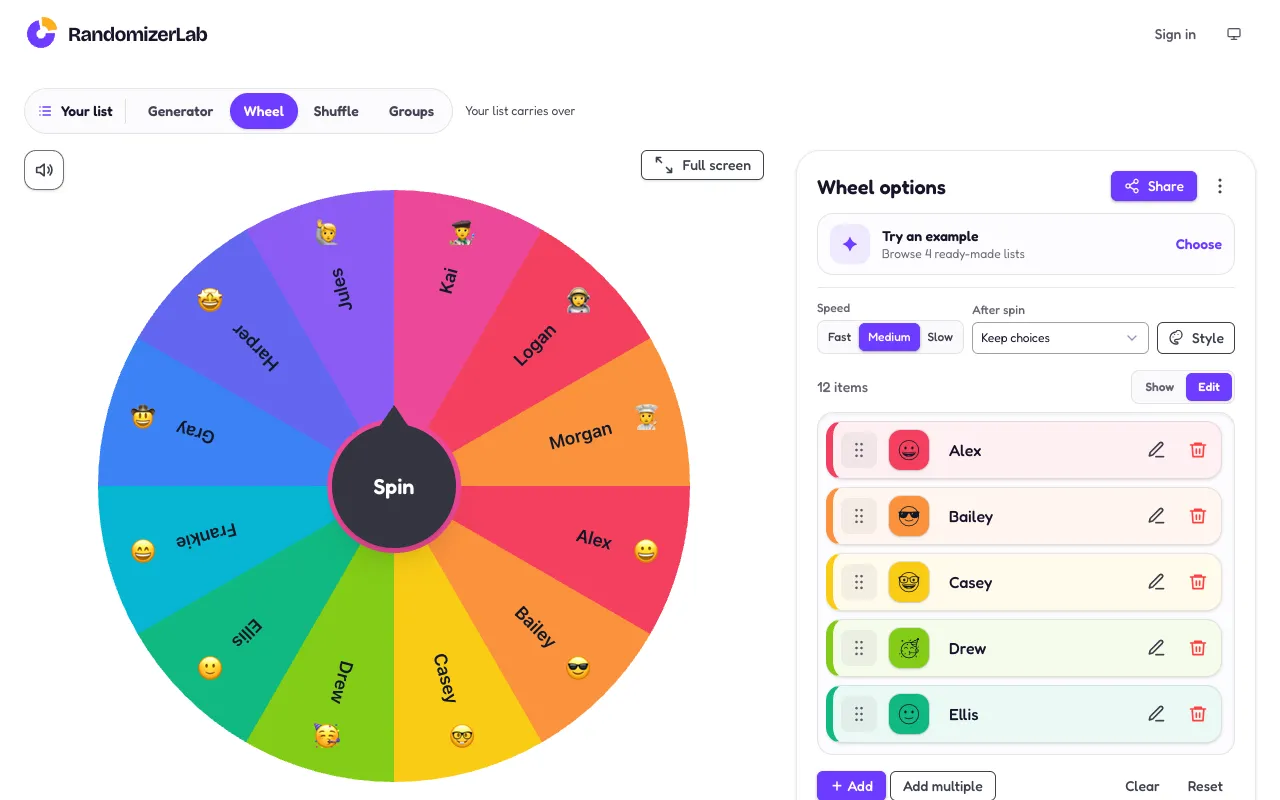
What Wheel Spinner does
Wheel Spinner is a browser-based tool that turns any list of options into a random selection. Users input items, adjust settings like speed and sound, and spin the wheel to get a result. The output is a single picked option, with the ability to remove winners, keep choices, or count wins for repeated use. The site provides editable ready-made templates for quick setup and full control over colors, sounds, and slice sizes. Results can be shared via generated links, and options can be imported or exported using CSV files. The interface supports adding items individually, pasting a list, or uploading a file, with each option customizable by emoji, color, weight, and sound.
How to use the RandomizerLab Wheel Spinner
- 1
Open the Wheel Spinner on RandomizerLab
- 2
Add options by typing, pasting a list, or uploading a CSV file
- 3
Adjust spin speed, sound effects, and visual style using the style panel
- 4
Spin the wheel and view the randomly selected result
- 5
Use the results panel to keep choices, remove winners, or track win counts
Best for
Ideal for teachers, event hosts, or anyone needing a quick, unbiased random choice without installing software or creating an account.
Limitations
- No unit conversion or formula support
- CSV import limited to 256 KB maximum file size
- Results are based on random chance and not suitable for regulated gambling
Wheel Spinner FAQ
- Can I save my wheel for later use?
- Yes, wheels can be saved locally on your device or shared via a generated link that others can open to spin the same options.
- How do I import a list of names or items?
- Paste your list into the text box or upload a CSV file with a maximum size of 256 KB. The tool accepts one option per line and optional columns for emoji, color, weight, and sound.
- What happens after the wheel stops spinning?
- The result appears on screen, and you can choose to keep the options, remove the winner, or update win counts. The wheel can be spun again with the remaining items.
- Is there a limit to how many options I can add?
- The interface displays up to 12 items by default, but you can add multiple options using the add function. For very large lists, the CSV import option is recommended.
Similar tools
Based on shared tags