Random Name Picker
Pick a random name from any list with a free spinning wheel. Import CSV or Google Sheets, avoid repeats, track result...
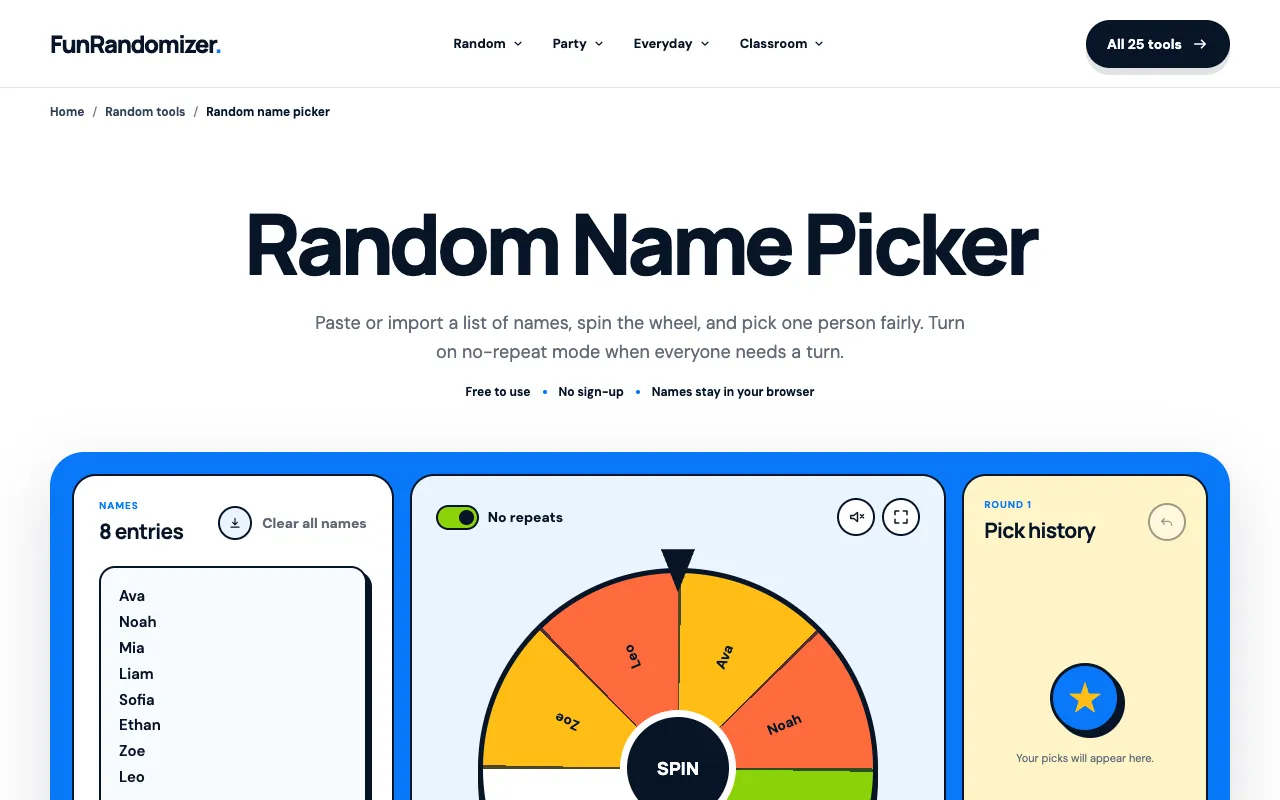
What Random Name Picker does
The Random Name Picker on FunRandomizer is a free, browser-based tool for selecting one or more names from a user-provided list. Users can paste names individually, copy a spreadsheet column, or import CSV and Google Sheets files. The tool offers two draw modes: normal mode for independent selections and "No repeats" mode to ensure each name is used only once, making it suitable for classroom participation or meeting agendas. Results are stored privately in the browser, and users can view a history of picks, undo the last selection, or reset the round entirely. The service requires no sign-up and uses the browser's cryptographically secure random number generator to ensure fairness.
How to use the FunRandomizer Random Name Picker
- 1
Add your names by pasting one name per line, copying a spreadsheet column, or importing a CSV or Google Sheet file.
- 2
Choose how repeats work by selecting normal mode for independent draws or turning on "No repeats" so each name is removed from the pool after it is selected.
- 3
Spin the wheel to pick a name; the result is chosen independently of the animation using the browser's secure random generator.
- 4
Review the pick history, use the undo function to correct a recent selection, or reset the round to start over.
- 5
Your current list and preferences remain stored privately in your browser for your next visit.
Best for
Writers, teachers, and meeting organizers who need a quick, fair way to select names from a list without signing up or installing software.
Limitations
- Results are estimates based on browser-generated randomness and may not suit cryptographic security needs.
- No-repeat mode only applies within a single round; the pool resets if the round is restarted.
- Browser storage means lists and preferences are lost if cookies are cleared or used on a different device.
Random Name Picker FAQ
- Can I import a list of names from a spreadsheet or CSV file?
- Yes, the tool accepts pasted spreadsheet columns, CSV files, and Google Sheets imports to populate the name list without manual retyping.
- What is the difference between normal mode and No repeats mode?
- Normal mode allows the same name to be selected multiple times across independent draws, while No repeats mode removes each selected name from the available pool until the round is complete.
- Are the picked names saved or shared with the site?
- No, names and picker preferences are stored privately in your browser's local storage and are not sent to FunRandomizer's servers.
- How can I undo a name selection if I make a mistake?
- The tool includes an undo function that returns the most recent name picked, allowing you to correct the selection within the current round.