Career2 options compared

Take Home Pay Calculator

Individuals planning their household budget or evaluating a new job offer use a take-home pay calculator to determine their actual earnings after mandatory deductions. By inputting gross salary details alongside relevant tax information, users receive a clear breakdown of their net income. This process simplifies complex tax codes and payroll contributions into a single, understandable figure for...

Editors’ Top PickBased on community votes
Other OptionsRanked by votes
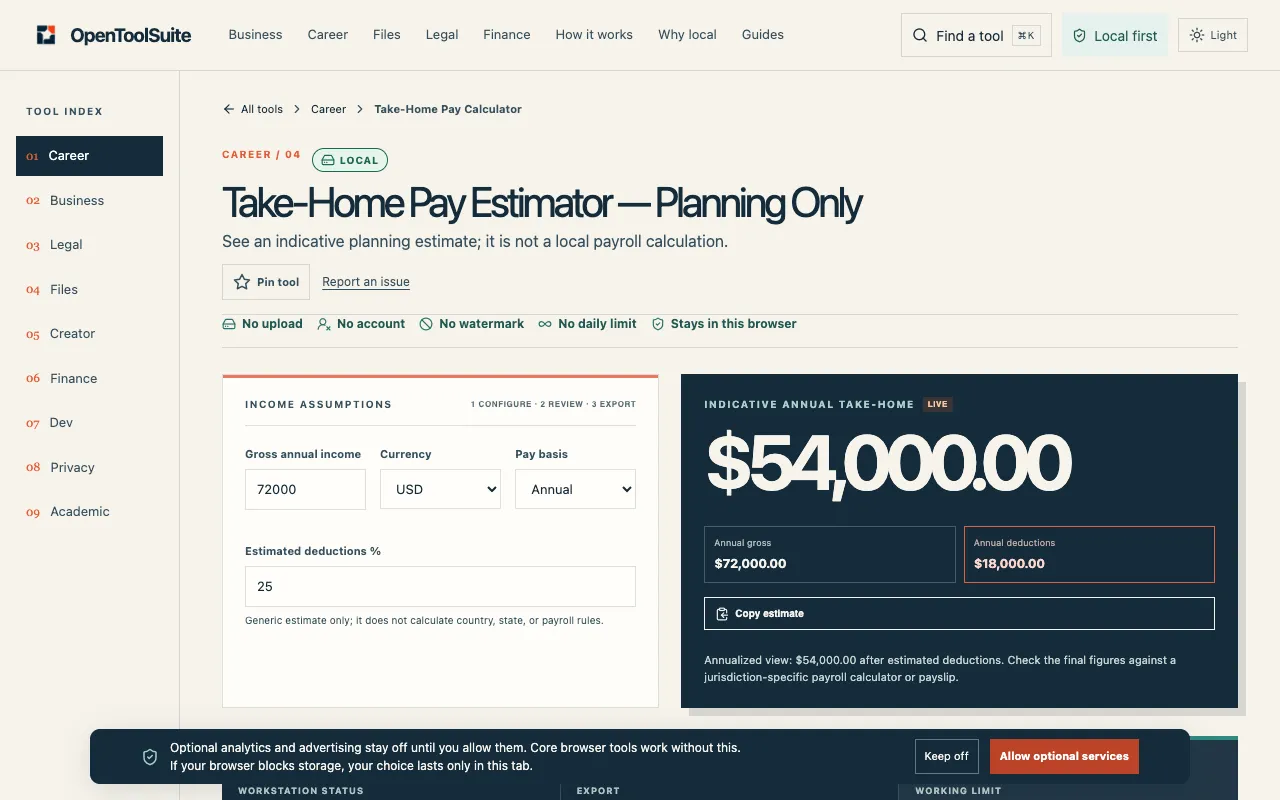
  1. Screenshot of OpenToolSuite
    02
    OpenToolSuite
    opentoolsuite.com

    Estimate net pay from a gross amount and a deduction percentage you choose. This is a planning figure, not a local pa...

Side by side

Take Home Pay Calculator options compared

ToolBest forStrengthsLimitations
Financial Toolset
financialtoolset.com
Accurate net pay after real taxes
  • Models federal, state, Social Security, and Medicare withholds
  • Shows effective tax rate and local tax impact
  • Last updated July 2026 with current brackets
  • May include ads on the page
  • Requires specific inputs like filing status and state
OpenToolSuite
opentoolsuite.com
Quick planning with a rough percentage
  • Simple gross minus percentage formula
  • No required fields, just choose pay basis and enter percentage
  • Good for comparing two deduction assumptions side-by-side
  • Does not know tax codes, insurance, or country rules
  • Result is a planning figure, not a local payroll or tax calculation

Buyer's guide

How to choose a take home pay calculator

If you need a realistic net pay number for budgeting or comparing job offers, look for a calculator that asks for filing status, state, and gross salary so it can apply actual tax brackets. If you only have a gross amount and a rough idea of what percentage goes to deductions, a simple percentage-based estimator will give you a quick ballpark, but treat the result as an indication, not a precise figure.

Questions

Take Home Pay Calculator FAQ

Can a take-home pay calculator give me the exact amount I'll receive on my paycheck?
No calculator can guarantee the exact amount because employers withhold differently, and local taxes, insurance premiums, and retirement contributions vary. These tools provide estimates based on the inputs you give.
What details do I need to get a reliable estimate?
You’ll get the most reliable result if you provide your gross annual or per-period salary, filing status, and the state where you work. Some calculators also ask for pay frequency to split the annual amount into per-paycheck amounts.
Why do two calculators give different results for the same salary?
Calculators use different assumptions about tax brackets, whether they include local taxes, and how they treat pre-tax deductions like 401(k) contributions. Check what each tool includes in its tax model.
Is it better to use a calculator that asks for a deduction percentage rather than specific tax fields?
If you only have a rough idea of your overall deduction rate, a percentage-based estimator is faster. For a more accurate picture, enter specific tax details like filing status and state so the tool can apply the correct brackets.
Do these tools factor in state-specific taxes?
FinancialToolset’s calculator includes state income tax with rates ranging from 0% to 13.3% and references California as an example. OpenToolSuite does not model state taxes and treats the deduction percentage as a generic planning figure.
Keep Exploring

Related tools in Career

View all →